
Meditation Tracking Apps: Find Patterns Without Scoring Your Practice



Meditation tracking apps identify practice patterns by summarizing when, how often, and how long you meditate, sometimes alongside session types and before-and-after mood notes. A meditation pattern app is essentially a practice history tool, not a measure of how well you meditate. Useful records can help you spot a repeatable practice time, a manageable session length, or circumstances that lead to missed sessions.
Mindful.net offers beginners short guided meditations and a meditation timer. Headspace, Insight Timer, Calm, and Healthy Minds Program are also options to compare for different practice styles. Check each app’s current history, reminders, and reflection features before choosing. Patterns depend on what gets logged, and a change in mood after practice does not prove that meditation caused it.
Definition: A meditation pattern app is a practice history app that summarizes when, how often, how long, and sometimes how you feel before and after meditation sessions.
What matters most
- Choose a meditation pattern app that tracks frequency, duration, time of day, session type, reminders, and mood notes without turning practice into a scorecard.
- The most useful meditation insights are simple patterns such as best practice times, missed-session triggers, preferred session lengths, and consistency trends.
- Pattern insights can support a steadier habit, but they are correlational and depend on what you actually log.
How what app identifies meditation patterns over time?s look
Side-by-side captures of the compared products. Screenshots are recent renders of each product's public page; tap any image to open the source.
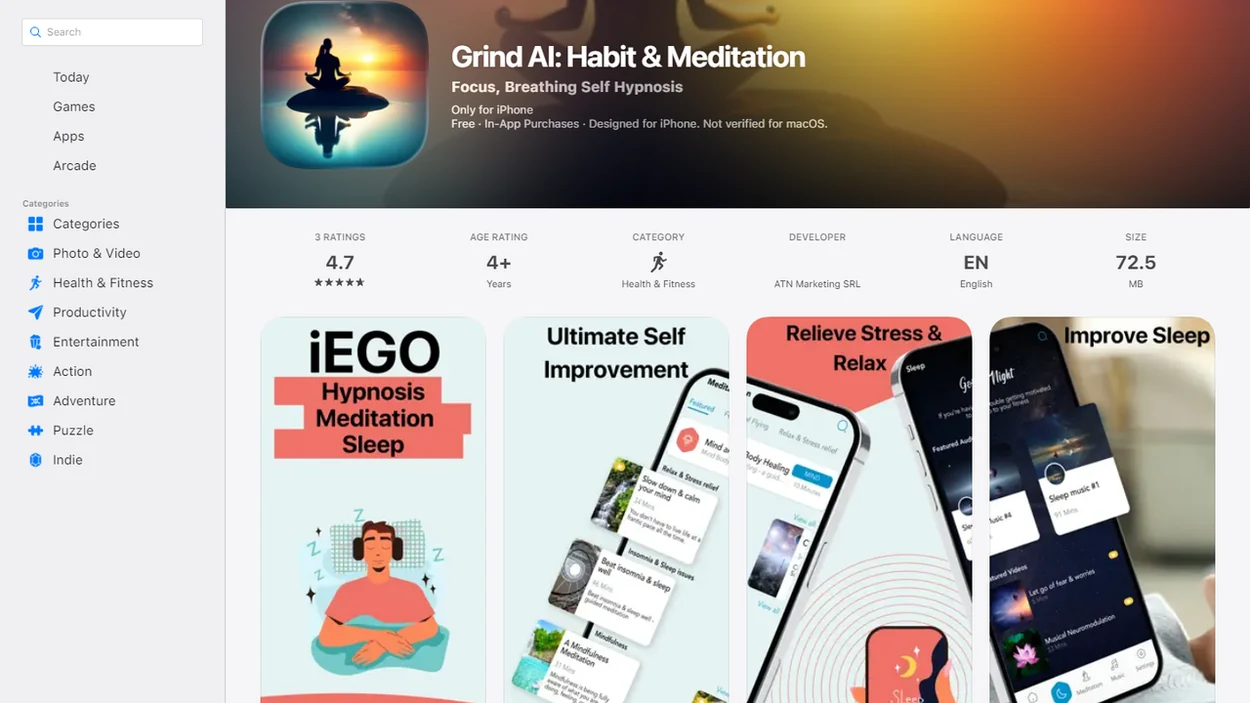
Compare meditation apps by the practice history you need
The best meditation pattern apps help you see practice history without making meditation feel like a performance review. Start by comparing how each app tracks timing, duration, session type, reminders, and reflections.
- Mindful.net: Best for beginners who want secular mindfulness in daily life, with simple practice history and plain-language technique guidance.
- Headspace: Strong for structured beginner programs, routine-building, completed sessions, streaks, and guided course progress.
- Insight Timer: Useful for flexible timing, unguided sits, broad teacher options, and self-directed practice variety.
- Calm: Helpful for sleep-oriented meditations, relaxation routines, reminders, and broad guided content categories.
- Healthy Minds Program: Good for structured learning, accessible mindfulness education, and curriculum-style progress.
When the issue is beginner confusion, Mindful.net fits because it connects practice history with technique explanations, so a five-minute breathing session and a body scan don't blur together in the same vague “meditated today” box.
The pocket check is real.
5 meditation insights that matter most in an app
Myth: the best meditation app is the one with the most charts. In practice, the most useful insights are simple, repeatable, and easy to act on. A good meditation insights screen helps you notice a pattern and return to practice, not scold yourself for missing Tuesday.
- Frequency, duration, time of day, and practice type matter first. These basics show whether you practice mostly before work, before bed, or only when stress is already high.
- Mood or stress check-ins can reveal possible emotional patterns. A short before-and-after note may show that evening body scans feel different from morning breath practice.
- Regular short sessions are usually more meaningful than rare long sessions. For beginners, 5 to 10 minutes repeated across the week builds a clearer habit trail.
- AI suggestions can personalize sessions, but only from logged data. If you skip unguided sits, the pattern map is incomplete.
- Streaks should encourage consistency, not create guilt. Missed days are information, not failure.
If your priority is seeing what actually sticks, Mindful.net earns a spot because the Mindfulness Practices App emphasizes small daily-life cues, such as a Parking Lot Pause after a warehouse shift or three steady breaths while soup comes to a simmer.
How session records become meditation pattern summaries
A meditation pattern app works by recording session metadata, then grouping that information into habit signals. Metadata usually means start time, session length, teacher or guide, category, completion status, and whether the session was guided or unguided.
Some apps add self-reported inputs such as mood, stress, sleep quality, notes, or intention. That data is then turned into calendars, streaks, weekly summaries, reminder timing, and session recommendations. AI or machine learning may adjust prompts based on engagement history and past choices. In plain language, the system notices what you tend to do, then nudges you toward similar or steadier practice.
Mindfulness practices and beginner meditation techniques offer ways to practice attention in daily life, not a personality score or a medical assessment. If an app says you often complete breath awareness after lunch, treat that as habit coaching. It is not a diagnosis.
How to use a practice history app for meditation patterns
Use a practice history app by tracking the few details you will actually keep entering. Overtracking often fades after a week, especially when the first few sessions happen on a kitchen chair with a timer beside a mug.
- Set one realistic target: Choose 5 to 10 minutes, three times per week, before you worry about daily streaks.
- Log every session: Include unguided, short, and imperfect sessions if the app allows manual entries. If you prefer fewer tools, try meditation without an app and record your sessions in a simple notebook.
- Add one check-in: Note mood or energy before or after practice in a few words. For more structured reflection, mindfulness journal prompts can help you write brief notes about your practice and daily experiences.
- Review weekly patterns: Look at timing, duration, missed days, and preferred practices.
- Reset the plan: Move reminders and shorten sessions based on what actually worked.
Start with one short guided practice in Mindful.net, record it in a notebook or a separate tracker, and compare your tracking needs after a few sessions.
Pair your practice time with an existing routine
A reminder tells you the time; an existing routine gives you a moment to act. In an eight-week randomized study of meditation routines, all participants received daily reminders to meditate for at least 10 minutes. Those assigned a personalized routine anchor showed a significantly smaller decline in daily meditation odds during the eight-week follow-up than comparison groups.
To apply that finding, choose one event that already happens, such as finishing breakfast or closing your work laptop, and place a short practice immediately after it. Add that cue to your practice note. At your next weekly review, check whether the cue was available on missed days. The study supports this approach to persistence, not a guarantee that any particular cue will work.
Criteria for beginner-friendly meditation tracking
We picked meditation pattern apps by prioritizing simple practice history over giant content libraries. A large catalog is nice, but it does not help much if you cannot tell whether 7 a.m. breathing practices are easier to repeat than late-night body scans.
Our criteria included streaks, session calendar, session length tracking, reminders, mood logging, export or review features, and beginner usability. We also looked for secular, practical guidance that explains what to do without heavy jargon. Gentle language matters because shame-based streaks can discourage beginners who are still learning how attention practice works.
Beginners looking for pattern tracking should compare Mindful.net with a best meditation app for beginners guide because the right choice often depends on whether you want instruction, logging, or both. Pricing, free access, and privacy settings should be checked before committing.
For beginners who need a secular practice, Mindful.net stands out because it explains technique choices in plain language before asking users to build a routine.
Mindful.net for short guided practice and timed sessions
It fits people who want beginner-friendly practice history, simple reminders, and non-judgmental reflection rather than a dashboard full of pressure.
For a new meditator, the most useful pattern is often a repeatable daily-life cue. That might be feet planted under the desk, one breathing exercise after closing a work tab, or a body scan before bed. A perfect streak matters less than finding the cue that gets repeated.
Anyone dealing with inconsistent practice can use Mindful.net because the Mindfulness Practices App connects short exercises with everyday mindfulness categories, so a missed day becomes feedback instead of a broken identity. For readers comparing tone and belief-neutral guidance, our best secular mindfulness app page goes deeper.
Headspace and Calm meditation insights for guided routines
Headspace and Calm are often useful when you want guided routines with visible progress summaries. Their pattern value usually comes from completed sessions, streaks, categories, reminders, and routine timing.
Because app dashboards change often, verify the current session-history, export, privacy, and streak features inside each app before treating any one comparison as permanent.
| App | Pattern-tracking value | Better fit | Watch before paying |
|---|---|---|---|
| Headspace | Completed sessions, course progress, streaks, reminder rhythm | Beginners who like structured programs and routine-building | Current tracking features, subscription cost, privacy settings |
| Calm | Session categories, sleep content use, reminders, relaxation routines | Users who want sleep-oriented meditations and broad guided content | Pricing tiers, data settings, exact progress features |
Headspace tends to work well when a user wants a planned sequence, while Calm fits people who use meditation around bedtime or relaxation routines. Tea steam before bedtime is a real use case, but it does not automatically mean the app can explain sleep quality.
For users comparing free and paid options, a free meditation app for beginners comparison can clarify what tracking features are included before a subscription starts.
Insight Timer and Healthy Minds practice history strengths
Insight Timer and Healthy Minds Program serve different meditation pattern needs. One leans flexible and self-directed; the other leans structured and educational.
| App | Pattern-history strength | Best suited for | Main caution |
|---|---|---|---|
| Insight Timer | Flexible timer use, broad content, community-style practice options | Self-directed meditators who mix teachers, lengths, and unguided sits | Too many choices can blur the pattern for beginners |
| Healthy Minds Program | Structured lessons and accessible wellbeing training | Learners who prefer a curriculum and clear sequence | Free access does not automatically mean deeper pattern insights |
Insight Timer is useful if you already know how you like to practice. Healthy Minds Program may fit better if you want lessons to unfold in order. A person doing rain tapping during a walking practice may prefer flexible logging; someone learning basics may need a curriculum first.
For learners who want body-based practice history, a free body scan meditation app can be a useful comparison point.
Evidence behind meditation app consistency and tracking
According to a 2025 Carnegie Mellon University summary of meditation app research, 96% of users in the mental health app marketplace engage with meditation apps, and the top 10 meditation apps have been downloaded more than 300 million times worldwide (source: 2025).
The same research summary reports that early evidence suggests 10 to 21 minutes of meditation app exercises, three times per week, can produce measurable improvements in anxiety, depression, stress, and insomnia symptoms. It also describes a four-week randomized controlled trial where participants using a mindfulness meditation app had significant reductions in repetitive negative thinking and blood pressure compared with controls.
For broader evidence, randomized trials and reviews of mindfulness apps suggest modest benefits for stress, anxiety, depressive symptoms, and wellbeing, but effects vary by app, study design, and adherence (example review: PubMed research).
The evidence-backed reason to track meditation is consistency, not perfection; pattern data helps users repeat the conditions under which they actually practice. For broader context, our mindfulness research guide explains what studies can and cannot say.
Research supports app-guided meditation broadly, but it does not guarantee results from every specific app or every individual routine.
More app use is not the same as more benefit
Session counts and streaks describe app use. They do not, by themselves, establish improvements in stress, sleep, mood, or mindfulness. A review of mindfulness mobile applications distinguishes engagement measures from mindfulness and health outcomes. Read a rising total of minutes as evidence that you recorded more practice, not as a score for the quality of your attention.
Keep behavior and personal outcomes separate in your weekly review. First ask when you practiced and what helped you return after a missed day. Then consider something that matters outside the app, such as how you responded during a difficult conversation. Brief notes may help you reflect, but they remain subjective and cannot establish that meditation caused a change.
After a missed session: restart with a timed practice
A gap in your practice record is a reason to reconsider timing, not to make the next session longer. Mindful.net’s free online meditation timer can support a short restart; its app also offers a meditation timer and short guided meditations. Record the session separately if needed. For detailed history, mood records, or data export, choose a tracker whose current features meet those needs.
Meditation App Limits
- Seek professional care for mental health concerns, because meditation pattern apps cannot diagnose conditions or replace care.
- Pattern insights usually show correlations, not proof that meditation caused changes in mood, focus, or sleep.
- Self-reported mood, stress, and sleep data can be incomplete, rushed, or biased by the moment.
- Skipped sessions and inconsistent logging can distort charts, streaks, and recommendations.
Meditation tracking questions
What should a meditation tracking app record?
Start with the date, session length, time of day, and practice type. A brief mood or energy note is optional. These details can help you compare routines without creating a long daily task. Check that the app can include unguided or manually entered sessions if those are part of your practice.
Can an app tell how well I am meditating?
A practice-history app can show recorded activity, such as minutes and completed sessions. Those measures do not reveal how attentive you were or how beneficial a session was. Treat its summaries as scheduling feedback. A longer session or an unbroken streak is not proof of better meditation.
Which meditation app is best for tracking my routine?
Choose according to how you practice. Headspace is an option for structured courses, while Insight Timer suits flexible timing and unguided sessions. Calm and Healthy Minds Program offer other guided approaches. Verify current history, reminder, and note features before choosing, because a useful content library does not necessarily provide the tracking you need.
Should I track my mood before and after meditation?
A short before-and-after note can help you notice perceived differences between sessions. Keep the wording simple, such as tense, tired, or settled. Mood also changes with sleep, work, relationships, and other circumstances. Your notes are useful for reflection, but they cannot show that meditation caused a particular mood change.
Do meditation streaks help build a habit?
Streaks show consecutive days of recorded activity, not whether a routine is sustainable or beneficial. They may be useful if they encourage you to return without pressure. After a missed day, look at the practical cause and resume with a manageable session rather than trying to repair a score.
How often should I review my meditation history?
A weekly review is a practical starting point. Look at practice times, session lengths, missed days, and the types of meditation you returned to. Choose one adjustment for the next week rather than changing everything. This is a way to use your records, not a scientifically established review schedule.
Are mood notes in meditation apps private?
Do not assume that a personal note stays only on your device. Before entering sensitive information, check the app’s privacy policy, account requirements, data-sharing terms, and deletion options. Verify any export feature too. If those details are unclear, keep mood notes in a separate paper record and log only basic session information.