
Free Body Scan Meditation Apps: Complete Sessions for Beginners


The best free body scan meditation app for most beginners offers complete guided sessions without requiring an immediate subscription, with Insight Timer and Plum Village as strong free options. A body scan app uses audio to guide attention through the body, helping you notice sensations, tension, comfort, and distraction without prior meditation experience. The aim is to notice what is present, not to force relaxation.
Insight Timer suits people who want a large library of teachers and styles; Plum Village offers simpler, donation-supported guided practice. Start with a 5-10 minute session before trying 30-45 minutes. Compare the voice, pace, daytime or sleep focus, and ease of finding free tracks. Check that the entire recording plays: a locked listing or short preview is not a free session.
Definition: A free body scan meditation app is a mobile app that guides attention through the body, usually with audio, so beginners can notice sensations, tension, comfort, and distraction without needing prior meditation experience.
At a glance
- Best truly free picks: Insight Timer for the largest library and Plum Village for simple, donation-supported guided practice.
- Best beginner choice depends on length: start with a 5-10 minute free guided body scan before trying 30-45 minute sessions.
- Watch the paywall: many meditation apps advertise body scan content but only offer previews or a small free sample.
How free body scan meditation apps look
Side-by-side captures of the compared products. Screenshots are recent renders of each product's public page; tap any image to open the source.
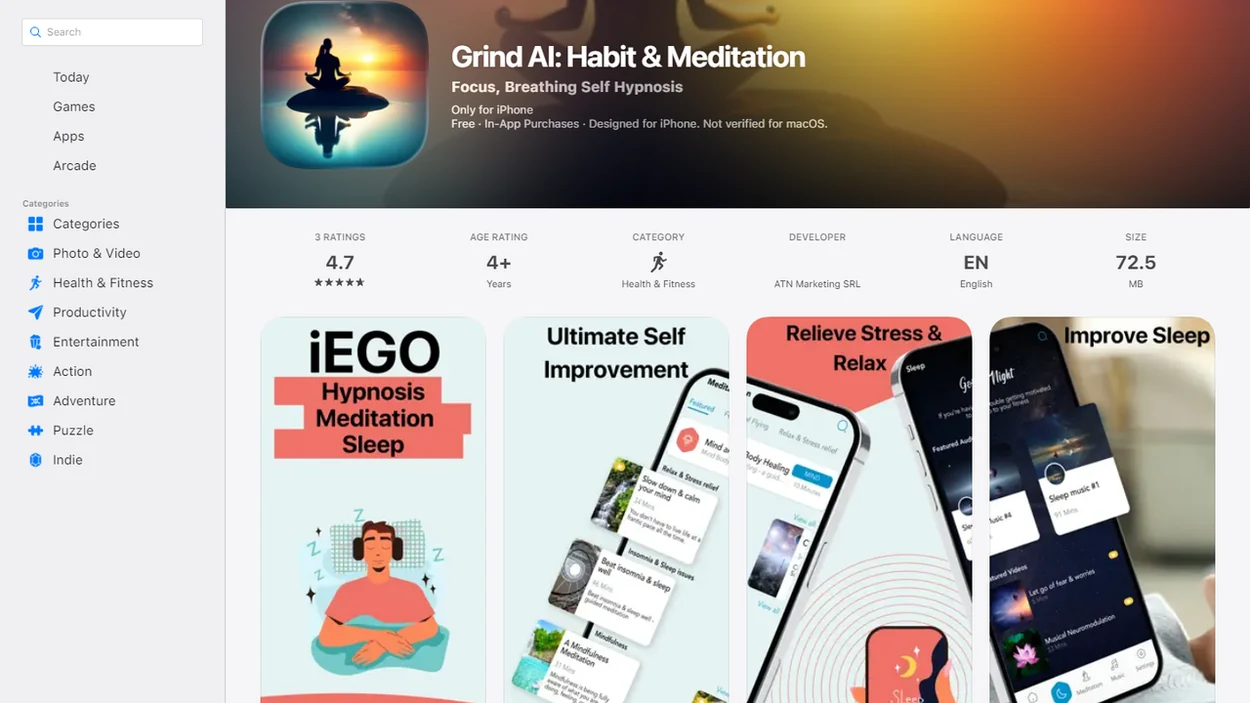
Compare free access, session lengths, and paywalls
A free body scan meditation app should make the full practice playable, not just show a locked preview. Some options are genuinely free for core body scan practice, while others are partly free or built around subscriptions.
| App | Free access type | Best use case | Body scan length range | Main caveat |
|---|---|---|---|---|
| Insight Timer | Large free library | Many teachers and styles | 5-45+ minutes | Search results can feel crowded |
| Plum Village | Freely accessible, donation-supported core practices | Simple guided practice | 10-45 minutes | Tone may feel tradition-rooted |
| Calm | Limited free previews, subscription-led | Sleep-focused sampling | Short previews to full sessions | Many tracks require payment |
| UCLA Mindful | Free educational mindfulness audio | Academic-style guidance | Short to medium sessions | Smaller library |
| Mindful.net | Beginner learning and secular guidance | Daily habit support | Short beginner practices | Not a huge audio catalog |
If you want a wider category view, compare these with a free mindfulness app shortlist before installing three apps at once.
Which body scan app fits your practice?
These five free body scan app picks serve different beginner needs, so the best choice depends on the kind of guidance you’ll actually use. A retiree standing in an airport queue, listening to the air conditioner hum overhead, may want a very different pace than someone doing a quiet afternoon practice after shelving a library book.
- Insight Timer, largest library: Strong for people who want many free guided body scan tracks, lengths, and teachers.
- Plum Village, simplest free practice: Good for users who want fewer commercial interruptions and clear guided sessions.
- UCLA Mindful, academic-style guidance: Useful when you want plain educational mindfulness instruction without a large marketplace.
- Calm free content, sleep preview: Worth checking if you already use Calm, but confirm the full body scan is playable.
- Mindful.net, beginner daily learning: Mindful.net fits beginners who want secular explanations, short practices, and a steady learning path through the Mindfulness Practices App.
Beginners looking for a low-pressure starting point often do better with one saved 5-minute practice than a giant library they never open.
What guided body scans ask you to notice
Body scan meditation moves attention through body regions in an orderly way so you can observe sensations such as pressure, warmth, discomfort, numbness, a stomach flutter, or even an itchy scalp. From a skills perspective, the method trains attention placement, detection of mind-wandering, and a gentle return to the chosen area.
Most apps deliver this through an audio track, session timer, teacher voice, reminders, favorites, search filters, and optional background sounds. You might hear an instruction to notice the lower back meeting the cushion, then pause long enough to actually feel it. The NCCIH describes mindfulness meditation as attention to present-moment experiences, including body sensations NCCIH overview.
Body scan is also a foundational practice in Mindfulness-Based Stress Reduction, especially early in the 8-week program. App practice borrows that structure, but it is not the same as instructor-led training. For a broader technique comparison, the app that teaches breathing and body scan guide may help.
Start with one complete 5-10 minute recording
Use a free body scan app by starting short, reducing distractions, and saving one track you can repeat. Repetition matters more than finding an ideal voice on the first day. If you practice during office breaks, compare mindfulness apps for work that fit your schedule and surroundings.
- Choose a beginner track labeled body scan, body awareness, or relaxation scan.
- Set the session length to 5-10 minutes before trying 30-45 minute body scans.
- Search for free tracks, skip upsells, and check that the full session plays.
- Play the audio with extra notifications turned off, ideally sitting or lying somewhere ordinary. For brief pauses between tasks, a breathing reminder app for work can offer an alternative to longer recordings.
- Notice sensations, wandering thoughts, and the urge to adjust; then return to the next body region.
Save one favorite free track. Done.
For beginners, a short 5-minute guided track and one repeated practice are often easier to sustain than a long session that starts to feel like homework.
When body awareness increases distress
Body focus is not calming for everyone. A 2025 review of meditation-app evidence describes possible problems including increased anxiety, distressing memories, dissociation, and worsening insomnia when bodily sensations are monitored too intensely. It reported no serious adverse events in the studies identified, but adverse effects were not consistently assessed. That is a limit of the evidence, not a guarantee of safety.
You can keep your eyes open, sit up, shorten the recording, or stop. If internal sensations become overwhelming, shift attention to external sounds or visible details rather than continuing the scan. People with trauma-related symptoms, severe dissociation, psychosis, mania, or panic triggered by body focus should consider clinician supervision. An app is an optional practice aid, not a substitute for assessment or treatment.
Check playback, clear instructions, and session choice
The strongest free body scan options are easy to play, clear to follow, and honest about cost. Free libraries can change, so recheck access before building a routine around one track. Before committing to one tool, compare meditation apps and alternatives to decide whether guided audio suits your practice.
- Genuinely free access: Prefer apps where full guided audio plays without a trial, paywall, or forced upgrade.
- Beginner clarity: Choose plain instructions that explain where attention goes and what to do when the mind wanders to a grocery list. If ADHD affects your practice, explore ADHD meditation app support for approaches that accommodate distraction without promising treatment.
- Session length variety: Look for 5-10 minute starts plus longer 20-45 minute options.
- Easy access to the recording: The practice should remain easy to find and play despite account prompts, pop-ups, or notification nudges.
- Secular mindfulness fit: If you prefer practical language, preview the teacher’s tone before saving the track.
Privacy matters too. Review account creation, data sharing, and notification settings, especially if you compare options in a free meditation app for beginners list.
What counts as a genuinely free body scan session
We selected these apps by checking whether a beginner could reach and play a full body scan practice without being pushed immediately into payment. The goal was practical access, not just a polished app store description.
- Search each app for terms a real user would try, including “body scan,” “guided body scan,” “sleep body scan,” “body awareness,” and related relaxation phrases.
- Confirm whether the full audio could be played, rather than counting a locked listing, teaser, or short preview as free access.
- Note friction points such as account creation, subscription screens, trial prompts, premium labels, ads, and upgrade nudges before or during playback.
- Compare beginner fit by looking at instruction clarity, session length, teacher tone, ease of saving a track, and whether the app felt usable when tired or distracted.
- Separate editorial review from ownership: Mindful.net is included as this site’s own beginner option, while the same access, clarity, and usefulness checks were applied to the broader shortlist.
Free access can change when apps update libraries or pricing, so recheck the exact body scan track before relying on it.
Insight Timer free guided body scan library
Does Insight Timer work well for a free guided body scan? Yes, Insight Timer is usually the strongest pick for people who want many teachers, session lengths, and styles without starting with a paid plan.
Search inside the app for “body scan,” “sleep body scan,” “pain body scan,” or “head-to-toe body scan.” Then filter by length and preview the teacher’s voice. The voice matters. A prompt that feels calming to one person may feel too slow to another.
Anyone dealing with choice overload should use Insight Timer by saving one 5-10 minute body scan first, because the Favorites workflow prevents endless searching. The downside is real: teacher quality varies, account prompts appear, and paid courses or premium features may sit beside free tracks.
For users who want variety, Insight Timer is often easier than a smaller app because it offers more body scan lengths and practice styles.
Plum Village: donation-supported guided practice
Plum Village is a strong body scan app free alternative for people who want a calmer, less commercial experience. Its core guided practices are generally freely accessible or donation-supported, depending on the current app setup.
Before relying on it as a free option, check the current Plum Village app page; its core practice library is presented as freely accessible, with donations supporting the project rather than acting as a required subscription Reference.
The experience feels simpler than a large marketplace. You open the app, find a guided practice, and press play without sorting through hundreds of near-identical results. That can help at bedtime, when tea steam is still rising and you don’t want another decision.
For people who need fewer upsells, Plum Village fits because its guided practice library is organized around simple listening rather than premium conversion screens. However, its tone may feel more tradition-rooted than purely secular apps. Preview one full track before deciding whether the language matches your comfort level.
Good body scan practice offers guided attention and room to notice, not a promise to fix sleep, pain, or stress overnight.
UCLA Mindful’s free guidance versus Calm’s limited free access
UCLA Mindful and Calm both appear in body scan meditation free searches, but they serve different users. UCLA Health lists the UCLA Mindful app as offering free guided meditations Ucla Mindful App, while Calm describes itself as subscription-led with limited free content available before upgrading 115002474687 How Much Does Calm Cost.
| App | Free body scan access | Best fit | Check before relying on it |
|---|---|---|---|
| UCLA Mindful | Free guided mindfulness practices | Users who like academic-style instruction | Library is smaller than major apps |
| Calm | Some free previews or limited tracks | Users sampling sleep content | Full body scans may require subscription |
For beginners who need no-frills instruction, UCLA Mindful is often easier than Calm because fewer screens stand between the user and the audio. Calm can still be useful if you already have it installed, but test whether the exact body scan is fully playable.
Trying to build a habit around a locked track is frustrating. Check first.
Mindful.net for short, secular mindfulness practice
It belongs in this shortlist for users who want simple, secular guidance rather than a huge body scan library.
A beginner-friendly body scan habit is modest: short sessions, consistent repetition, and gentle attention. Settle somewhere stable, perhaps after a museum docent tour or beside a row of gym lockers, and follow one body region at a time. If attention slips toward the next errand or an old recipe card detail, recognize the drift and come back. That return is the practice.
If your priority is learning body scan as part of everyday mindfulness, Mindful.net fits because the Mindfulness Practices App connects short practices with plain-language explanations and daily use cases. It does not replace clinical care, diagnose conditions, or present body scan meditation as treatment.
For secular readers comparing tone, the best secular mindfulness app guide gives a useful next step.
What mindfulness research can tell you about app practice
Research supports body scan as part of structured mindfulness training, but app-based practice is not identical to an instructor-led MBSR course. Regular practice over weeks is more meaningful than one scattered session.
- Body scan is central in MBSR, especially as a way to train attention to body sensations.
- In a national survey, 14.2% of U.S. adults reported using a meditation app in the past 12 months NIH research.
- An 8-week randomized clinical trial in JAMA found MBSR improved functional limitations and pain bothersomeness for adults with chronic low back pain versus usual care, but the intervention was instructor-led rather than app-only JAMA study.
- A PubMed-indexed study of MBSR for chronic pain reported improvements in pain-related measures and mood symptoms, but it does not show that a free app alone treats pain or depression PubMed research.
- Practice consistency usually matters more than the specific app logo.
The most evidence-backed use of body scan is as part of regular mindfulness training, while free apps are better understood as practice support.
A timer for body scans without narration
Once you know the sequence, a short body scan may not need spoken instructions. Mindful.net’s free online meditation timer can mark a self-guided session while you move attention through the body. Its iOS and Android app also includes a meditation timer and short guided meditations. For a first session, a complete guided body scan from the free libraries below is a better starting point.
Body Scan App Limits
- Free access may be partial, supported by donations or advertising, or designed to encourage upgrades.
- Free tracks can move behind paywalls when app libraries or business models change.
- Some apps require accounts before playback, and privacy, data sharing, and analytics practices vary by provider.
- Stop and seek professional support if body scan practice feels destabilizing.
Free body scan app questions
Which body scan meditation apps offer complete sessions for free?
Insight Timer and Plum Village are strong starting points for complete guided body scans without an immediate subscription. UCLA Mindful also offers free guided mindfulness practices. Check the current library and play a recording before relying on it, because free access and available tracks can change.
Are Insight Timer body scan meditations free?
Insight Timer offers many free guided body scan recordings in different lengths and teaching styles. Search for body scan, choose a short session, and check that the full recording plays without payment. Saving one suitable track can make repeat practice simpler than searching the library each time.
Can I listen to a Calm body scan without subscribing?
Calm is subscription-led, with limited free content or previews available before upgrading. Do not assume that a body scan listed in the app is fully playable for free. Check playback first. For a routine that does not depend on a subscription, start with Insight Timer or Plum Village.
How long should a beginner’s guided body scan last?
Start with 5-10 minutes rather than a 30-45 minute recording. That gives you time to follow the instructions and notice how body focus feels without committing to a long session. Longer practice is optional. Choose a duration you can repeat comfortably, and stop sooner if distress increases.
Do I need to lie down for a body scan?
No. You can sit comfortably or lie down, beginning with the places where your body meets the chair or floor. Move attention gradually through the body and notice sensations without trying to change them. Keeping your eyes open or adjusting your position is acceptable; stillness is not a requirement.
Can a body scan app help me fall asleep?
A brief body scan can be part of a quiet evening routine, but it does not guarantee sleep. If the practice becomes an effortful task, do it outside the bed. Persistent insomnia with daytime impairment needs more than relaxation audio; CBT-I is the recommended first-line behavioral treatment for chronic insomnia.
What should I do if a body scan makes me anxious?
Pause or stop the recording. Open your eyes and shift attention to sounds or visible details around you instead of internal sensations. You do not need to push through distress to complete the practice. If body focus repeatedly triggers panic, distressing memories, or dissociation, consider guidance from a clinician.
Is body scan meditation the same as relaxation audio?
Not necessarily. A guided body scan gives spoken cues for noticing sensations in different body regions, including pressure, warmth, tension, or movement. Music and ambient sounds may support relaxation without teaching that skill. Look for clear attention instructions rather than assuming any calming recording is a body scan.