

A mindfulness app offers guided meditations, breathing exercises, and awareness practices to help you build a regular mindfulness habit. No single app is best for every beginner: the right choice depends on your goals, budget, and how much instruction you want. Start by looking for a clear beginner course and sessions you can realistically repeat, rather than the largest library.
Five to ten minutes on most days is a practical starting point, not a guaranteed dose for better mental health. Research suggests that app-based practice can support well-being, but results vary. Clinical evidence is also limited: a 2020 review of mindfulness app quality found randomized trial evidence for only seven of the 192 apps assessed. Popularity alone does not establish effectiveness.
What matters most
- No single app is universally best, the right choice depends on your goals, budget, and how much structure you want.
- Consistency matters more than features: 5 to 10 minutes daily for several weeks produces measurable benefits in stress and well-being.
- Over 700 mindfulness apps exist, but only a small fraction have been clinically tested or built with qualified teachers.
Five things to check before choosing a mindfulness app
For beginners, the right mindfulness app depends on what you need most: stress support, sleep help, focus practice, free access, or a simple daily routine. A transparent mindfulness apps comparison should explain its criteria, not just repeat app-store popularity.
- No single app is universally best. Goals, budget, teacher style, and desired guidance level change the right pick.
- Daily use matters more than feature count. Short 5 to 10 minute sessions, reminders, and a clear starting path usually help more than a giant library.
- More than 700 mindfulness and meditation apps have appeared in app stores, but a 2021 review found only a small fraction had clinical testing or professional development.
- Research on app-based mindfulness shows small-to-moderate improvements in stress, anxiety, and well-being, especially when people practice consistently.
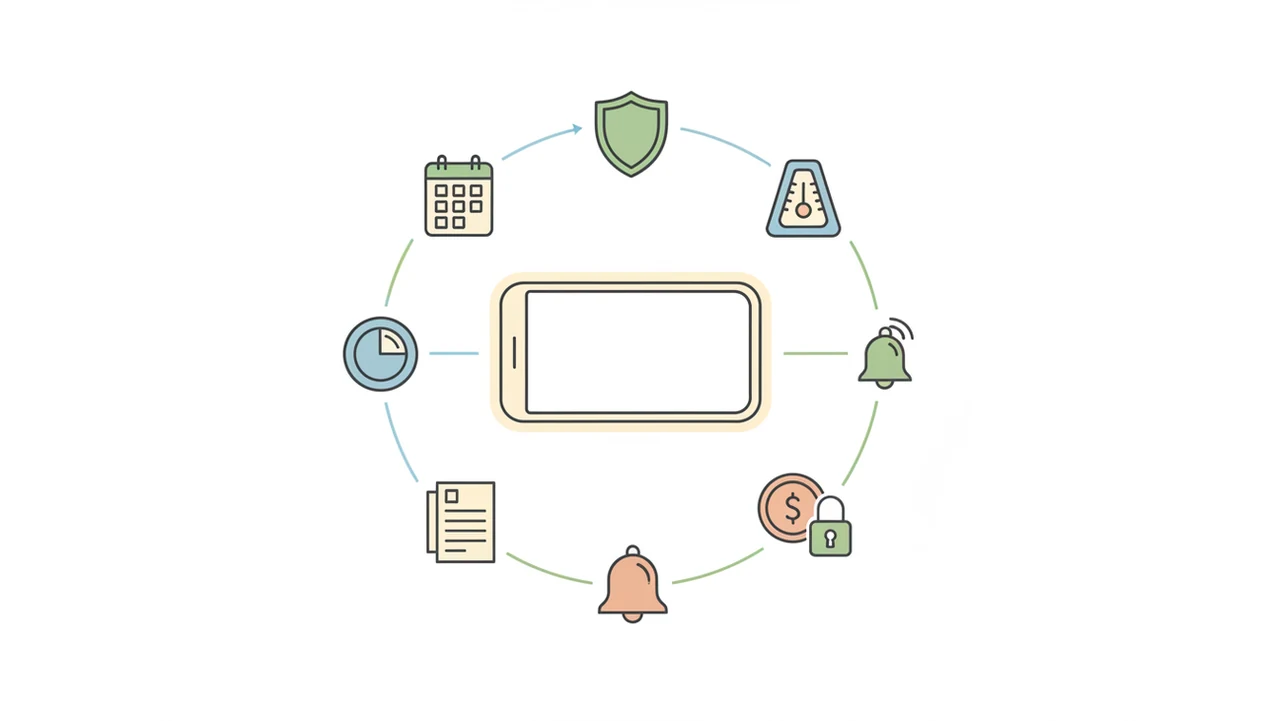
- Beginner comparisons should name the scoring method. We look at onboarding, evidence-informed content, daily-life practice, free depth, reminders, and privacy.
If your priority is plain guidance before picking an app, Mindful.net fits because the Mindfulness Practices App explains techniques first, then helps you compare options by use case.
What a Mindfulness App Does for Daily Practice
A mindfulness app gives beginners a repeatable way to practice attention every day. It usually combines guided meditation, breathwork, body scans, and small awareness prompts that fit between ordinary tasks.
Guided meditation is usually the simplest starting point for beginners because a teacher’s voice explains where to place attention and how to begin again when thoughts pull away. Breathwork can be helpful when stress is the main concern, since counting or gently extending the breath gives the body a clear anchor. Body scans work well for noticing tension or restlessness, whether that shows up as warm cheeks, an itchy scalp, or a general sense of being wound up. Informal prompts, such as pausing while brushing the dog or noticing a dog leash tug in your hand, help mindfulness move beyond a formal session and into ordinary moments.
For daily use, the essentials are simple:
- Choose one short guided session you can repeat.
- Use breath practice when stress spikes.
- Add a body scan when sleep or body tension is the goal.
- Keep one reminder that appears at a realistic time.
- Treat streaks, mood tracking, music, and long libraries as optional extras. An app with daily mood checks can encourage brief reflection without making streaks the main measure of progress.
Mindful.net is useful when you want plain-language explanations before choosing which practice belongs in your day.
Compare five apps by guidance, free access, and daily practice
This shortlist compares five beginner-friendly mindfulness apps, but the ranking is not absolute. Each option wins for a different use case, so start with the row that matches your real day.
| App name | Free tier depth | Session length range | Beginner course | Daily reminders | Daily-life practices | Privacy policy transparency |
|---|---|---|---|---|---|---|
| Insight Timer | Very broad | 1 to 60+ minutes | Less structured | Yes | Yes, but search-heavy | Clear, detailed |
| Headspace | Limited | 3 to 20 minutes | Strong | Yes | Some everyday exercises | Clear |
| The Mindfulness App | Moderate | 3 to 99 minutes | Moderate | Yes | Strong | Clear |
| Calm | Limited | 3 to 30+ minutes | Moderate | Sleep and relaxation focused | Clear | |
| Smiling Mind | Strong | 5 to 15 minutes | Strong | Yes | School, work, and family content | Clear |
Insight Timer wins for free variety. Headspace wins for hand-holding. The Mindfulness App wins for everyday awareness. Calm wins for sleep-adjacent relaxation. Smiling Mind wins for free structured learning.
Beginners looking for a guided starting point can also download mindfulness app from Mindful.net when they want a calmer path than browsing hundreds of teachers at once.
The six criteria behind this beginner shortlist
The comparison uses six criteria: beginner onboarding quality, evidence-informed content, daily-life mindfulness features, free access depth, reminder or streak design, and privacy policy clarity. App-store rank and celebrity endorsement were excluded because they do not tell you whether a beginner can finish the first week.
Daily-life integration received extra weight. Sitting on a cushion is useful, but beginners also need practice while walking, eating, waiting in an office stairwell, or pausing before opening a laptop. Many reviews miss that.
Mindful.net is itself a mindfulness app, so we handled objectivity by naming competitors, listing drawbacks, and separating the shortlist from our own educational support. Mindful.net earns mention when the need is beginner explanation, technique comparison, or informal daily practice.
On days when you have only a small pocket of quiet between tasks, Mindful.net addresses the “what do I do now?” problem with short guided lessons and mindful moment prompts.
Good mindfulness apps teach attention skills for ordinary moments, not instant calm on demand.
Check privacy and accessibility before committing
Privacy deserves a separate check from meditation quality. A systematic review of mindfulness apps found that many lacked adequate privacy policies or data-security information. Before creating an account, look for an explanation of what personal data the app collects, shares, and retains. A polished interface or strong user rating does not answer those questions.
Check the features that determine whether you can actually use the sessions: captions or transcripts, adjustable volume, offline access, and screen-reader compatibility. Verify support for your phone's operating system separately, and check whether reminders can be disabled. These are questions to ask of each app, not features to assume every app offers. Include the full annual cost when comparing subscriptions.
Who Each Mindfulness App Is Best For
The best mindfulness app is the one that matches your main friction point: too many choices, too little structure, sleep trouble, family use, or needing explanation first. Use the shortlist by situation, not by brand popularity.
Headspace fits beginners who want a narrow, guided path and fewer decisions after a long day. Insight Timer fits people who value free variety, many teacher voices, and the freedom to search by mood, length, or tradition. Calm is better for users who mainly want relaxation, bedtime stories, body scans, and sleep-adjacent support rather than a strict daily mindfulness curriculum. Smiling Mind is a practical match for families, students, schools, and anyone who wants free structured learning without a subscription barrier. Mindful.net fits beginners who are not ready to commit yet and want plain explanations before choosing a technique or app.
A simple way to decide:
- Name your main goal before opening the app store.
- Choose structure if you feel overwhelmed by options.
- Choose variety if you already know what kind of practice you like.
- Choose sleep-first content if bedtime is the real problem.
- Choose explanation-first support if you need mindfulness to make sense before it becomes a habit.
Do you need guided sessions or just a timer?
For a beginner who is unsure what to do when attention wanders, Mindful.net offers short guided meditations and breathing exercises on iOS and Android. Once the instructions feel familiar, the site's free meditation timer can support practice without spoken guidance. A structured beginner course elsewhere may be a better fit when you want a set lesson sequence. Neither an app nor a timer replaces mental health care.
How reminders and repeated sessions support a practice habit
A daily mindfulness app works by turning attention practice into a repeatable habit loop: cue, routine, and reward. The cue is usually a reminder, the routine is a guided session, and the reward may be a streak, a calmer body, or simply noticing that you returned.
Most beginner apps also use graduated exposure. They start with body scan basics, breath focus, or simple noting, then move toward open awareness over several weeks. Spaced repetition matters here. Repeating breath focus, noting, and body scan practice helps the mind recognize the pattern faster next time.
A 2019 randomized controlled trial of Headspace found a 14% stress reduction and 22% irritability reduction after 10 days of use; the study is available as a S0005796718301032. A 2018 meta-analysis also found small but significant benefits in nonclinical populations.
Mindful.net uses the same beginner principle in simpler language: notice, return, repeat.
6 Steps to Choose and Start a Mindfulness App as a Beginner
The fastest way to choose a mindfulness app is to test two apps in real life for 10 days, not to compare every feature on paper. Use the same time, same goal, and same session length so the comparison is fair.
- Identify your primary goal: choose stress, sleep, focus, or general well-being before downloading anything. If you are expecting, choosing a meditation app for pregnancy also means considering comfort, suitable guidance, and individual needs.
- Download two shortlisted apps and complete each beginner onboarding, even if the first voice feels easier.
- Set a daily reminder for a consistent time under 10 minutes, such as before opening your laptop.
- Complete at least 10 consecutive days before judging fit; one restless session is not enough data.
- Evaluate which app voice, pacing, and structure felt sustainable, not which one had more content.
- Extend practice into daily life with mindful walking, eating, or one breath before touching a door handle.
When breathing is the easiest entry point, Mindful.net pairs well with a download breathing exercises app workflow because beginners can start with one technique before exploring longer meditation.
Reset the plan if you skip.
Best Mindfulness App for Stress and Anxiety: Headspace
Headspace is the strongest stress and anxiety pick for beginners who want a step-by-step course with little guesswork. Its 10-day foundations structure gives new users a clear sequence, which matters when stress already makes decisions feel heavier.
- Structured progression: Headspace starts with short guided sessions and builds from basic breath awareness toward broader attention practice.
- Research signal: In the 2019 randomized trial, adults using Headspace reported a 22% reduction in irritability after 10 days.
- Beginner fit: The voice guidance is direct, polished, and predictable, which helps people who do not want to browse.
- Main drawback: The free tier is limited, and the subscription cost can be hard to justify if you only need a few practices.
Beginners looking for stress support and firm hand-holding often do better with Headspace than an open library because the next session is already chosen.
Best Free Daily Mindfulness App: Insight Timer
Insight Timer is the strongest free daily mindfulness app for people who want a large library without paying first. Its free access is unusually deep, with guided meditations from many teachers, live events, groups, and milestone features.
- Free library depth: The catalog covers breathwork, body scans, sleep, compassion, and secular mindfulness.
- Community features: Groups, live sessions, and milestones can help some users feel less alone.
- Daily-life options: Walking, eating, and work-break practices exist, but they can take searching.
- Main drawback: The size of the library can overwhelm beginners who want one obvious first course. If distractions interrupt practice, a meditation app for distracted beginners can offer simpler sessions and clearer attention cues.
Anyone dealing with choice overload may prefer Mindful.net before opening Insight Timer because Mindful.net narrows techniques by goal, session length, and beginner comfort level. A kitchen timer beside a mug can be enough, but a curated path reduces the browsing spiral.
Best Mindfulness App for Everyday Awareness: The Mindfulness App
The Mindfulness App is a good everyday-awareness pick because it supports both formal meditation and informal practice. Beginners can adjust session lengths, set reminder schedules, and choose practices that fit normal parts of the day.
- Custom timing: Sessions can be short or long, which helps people move from 3 minutes toward longer practice. A meditation timer app can help you control session length without relying on a guided recording.
- Reminder control: Scheduled nudges support consistency without forcing one rigid routine.
- Informal practice: Mindful walking, eating, and work-break content make mindfulness less dependent on a quiet room.
- Free and paid tiers: The free tier offers a starting point, while premium content expands the library.
If your priority is mindfulness beyond seated meditation, The Mindfulness App earns the spot because it treats ordinary transitions as practice opportunities. For iOS-specific habits, Mindful.net also covers choosing a mindfulness app for iPhone without assuming every user wants the same reminder style.
The conference room chair creaks. That can be the cue.
Four assumptions that can lead beginners to the wrong app
Mindfulness apps help most when expectations are modest and practice is consistent. The myths below cause beginners to quit early or choose the wrong tool.
Myth 1: The top app-store result is best for every beginner. Popularity can reflect marketing, timing, or brand recognition, not beginner fit.
Myth 2: Any free trial gives the same benefit as a structured program. A few sample tracks are not the same as a course designed around progression.
Myth 3: Downloading an app will quickly cure anxiety or insomnia. Apps may support stress skills, but they do not replace clinical care when symptoms are significant.
Myth 4: More features make an app more effective. Beginners often do better with fewer choices, short sessions, and clear next steps.
A 2021 systematic review found more than 700 mindfulness and meditation apps, yet only a small fraction had been clinically tested or developed with mental health professionals; the review is available as a NIH research.
For beginners, app results usually depend more on repeatable practice than on advanced tracking.
When to pause a session and seek support
Meditation is not risk-free, even when an app presents it as a simple wellness exercise. A review of meditation-related adverse events estimated negative experiences in about 8.3% of participants, with anxiety and depression among the most commonly reported effects. That estimate covers meditation broadly, not mindfulness apps specifically, so it cannot predict your risk from a particular beginner course.
Stop or reduce practice and seek qualified clinical advice if sessions bring on marked anxiety, depressive symptoms, dissociation, agitation, or unusual perceptual experiences. Do not treat worsening symptoms as proof that you need to push harder. NCCIH's safety guidance notes that too few studies have systematically assessed harms to support definitive safety claims.
Mindfulness App Limits
- Seek professional care for moderate or severe depression, PTSD, suicidal thoughts, panic, or trauma symptoms instead of apps.
- Most apps lack peer reviewed evidence for their exact programs, so users often rely on broader mindfulness research.
- Notifications and gentle practice reminders cannot eliminate limited time, motivation gaps, noise, or caregiver interruptions.
- Core beginner courses often require payment, so a free app may still charge for the path you need.
Choosing your first mindfulness app
What should a beginner look for in a mindfulness app?
Look for clearly labeled beginner sessions, short adjustable practices, and instructions for handling distraction. Then check free access, subscription terms, privacy information, and accessibility features you need. A manageable starting sequence is usually more useful than a large catalog that leaves you unsure which session to choose.
Are free mindfulness apps as effective as paid ones?
Available trials do not establish that paid apps work better than free ones. What matters is the program, its evidence, and whether you use it consistently. Check whether free access includes a usable beginner sequence or only sample tracks, and do not treat a subscription price as proof of quality.
How many minutes a day should a beginner practice?
Start with five to ten minutes on most days for two to four weeks. Choose guided sessions while the instructions are unfamiliar. This is a practical starting plan, not a proven optimal dose. Research programs vary in length and frequency, so longer sessions are not automatically better.
Should I choose Headspace or Calm as a beginner?
Headspace is the more relevant option when you want a structured introduction to meditation. Calm is more relevant when your main interest is relaxation, bedtime stories, and sleep-related content. Try the available beginner guidance before committing, and compare current access terms rather than assuming either app is best for everyone.
How long does it take to notice benefits from a mindfulness app?
There is no reliable deadline for an individual. A review of app trials found programs lasting seven to 56 days, with varied results. After a few weeks, assess both usefulness and fit: can you repeat the practice, follow the instructions, and apply the skills outside the session?
Can a mindfulness app help with anxiety or replace therapy?
An app may support stress-management skills, but it is not a substitute for therapy or other clinical care. Moderate-to-severe symptoms, panic, trauma symptoms, or suicidal thoughts need professional support. Stop or reduce practice and seek advice if meditation makes anxiety markedly worse or causes other troubling symptoms.
Is a meditation timer enough for a beginner?
A timer tells you when to stop, but it does not explain where to place attention or what to do when distracted. Guided sessions are a more useful starting point when those instructions are unfamiliar. Research on guided app programs should not be treated as evidence for a bare timer.
How can I check whether a mindfulness app protects my data?
Read the privacy policy for what is collected, shared, and retained, and check whether an account is required. Look for clear data-security information rather than relying on app-store ratings. Privacy and clinical effectiveness are separate questions: evidence that a program helps does not establish that its data practices suit you.