


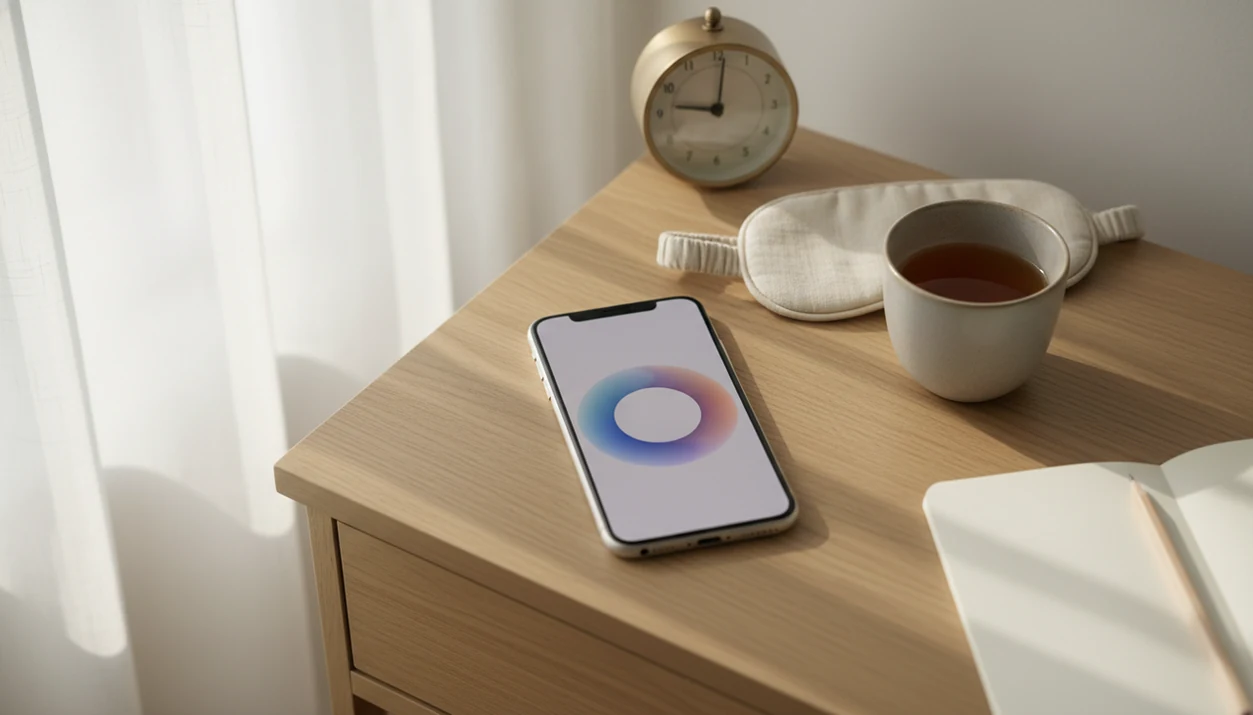
A mindfulness app for iPhone puts guided meditation, breathing exercises, and timed practice on your phone so you can practice during ordinary breaks. Mindful.net offers short guided meditations, breathing exercises, sleep audio, and a meditation timer for beginners and everyday use. A 1-5 minute session can be a manageable starting point, though research does not establish one ideal session length.
Make the practice specific: try breathing after a meeting, a guided session before lunch, or a body scan at bedtime. Set an iPhone reminder for a moment when you can actually pause, rather than adding alerts throughout the day. Apple’s built-in options can support reflection and mood logging alongside meditation. Check each app’s current features and permissions before assuming it connects with Apple Health.
Definition: Mindful.net is a mindfulness app that teaches mindfulness practices and meditation techniques for beginners and everyday life, delivering short guided sessions and mindful reminders through iOS.
At a glance
- Use Mindful.net on iPhone for 1-5 minute guided meditations, breathing timers, and bedtime body scans
- Set mindful reminders at natural breakpoints, after meetings, before meals, at bedtime, so practice fits your day
- Pair Mindful.net with Apple's built-in Mindfulness and Health features for mood logging and progress tracking
Choose short sessions and reminders you can act on
A good mindfulness app on iPhone should make practice easier to start, easier to remember, and easier to repeat. The strongest fit for this use case combines short practice, reminders, and reflection in one beginner-friendly flow.
- Short sessions work for beginners: 1-5 minute guided meditations lower the “I don’t have time” barrier.
- Reminders need context: mindful reminders iPhone users keep are usually tied to moments like lunch, bedtime, or the end of a meeting.
- Breathing and body scans cover different needs: a breathing timer helps during the day; a bedtime body scan helps the body settle.
- Apple Health adds continuity: mood logging and State of Mind data help users notice patterns over weeks.
- Combination beats intensity: daily guided practice plus reminders plus logging is usually easier to maintain than one long session on Sunday.
For beginners who need a plain starting point, Mindful.net covers the basics with guided sessions, technique explanations, and a simple reminder workflow.
Minimum Requirements for Mindful.net on iOS
To start using a mindfulness app on iOS, you need a compatible iPhone, a current iOS version, and an internet connection for setup and content downloads. After that, most short sessions can fit into ordinary phone use.
Use an iPhone that can run recent iOS app updates, ideally on the latest iOS version your device supports. You’ll also need Wi-Fi or cellular data when creating your profile and downloading guided content. Apple Watch pairing is optional, but it can be useful for wrist-based prompts when your phone is across the room.
No special gear required.
Apple Health integration lets session minutes and State of Mind mood logs sit beside other wellness data. If you prefer Android, compare the mindfulness app for Android setup before switching devices.
Check privacy and accessibility before creating an account
An app’s appearance or popularity does not tell you how carefully it handles personal information. A 2020 review of mindfulness app quality assessed 192 eligible apps and found that many lacked adequate privacy policies or data-security information. Before signing up, check what information is collected, what is shared, and how long it is retained. Parents choosing an app for a child should review kids meditation app safety before creating an account.
Check practical features separately from claims about effectiveness. Look for the access you need, such as captions, transcripts, adjustable volume, offline sessions, or screen-reader compatibility, and verify current iPhone support. Confirm that reminders can be disabled and review any subscription terms. These are selection criteria, not features to assume every app provides.
Pair a daily cue with one small mindfulness practice
A mindfulness app for iPhone works by turning attention practice into small, repeatable cues. The key mechanism is micro-dose habit formation, which means a one-minute breath practice can become easier to repeat than a long session that requires a quiet afternoon.
Mindful reminders work a bit like implementation intentions: they link a cue with a small action. For a retiree, that cue might be the refrigerator hum after folding laundry or the warmth of a ceramic mug in the morning. Guided audio adds structure, helping beginners notice wandering thoughts and return to one chosen anchor without needing meditation experience.
Attention may drift to the diaper bag strap by the door or the next appointment on the calendar.
Mood check-ins create a feedback loop over time. A user can compare practice days, skipped days, and State of Mind entries inside Apple Health. Mindful.net works well as the teaching layer because Mindfulness Practices App content explains what to do, while iOS handles timing, prompts, and long-term tracking.
Set up morning, lunch, and bedtime practice
The easiest iPhone meditation app routine starts with three short anchors: morning, midday, and bedtime. Mindful.net works best when you begin smaller than you think you need.
- Download Mindful.net from the App Store and create your profile. Choose beginner settings if you are new to mindfulness.
- Choose a 1-minute morning breathing exercise as your wake-up anchor. Try it before opening your laptop.
- Schedule a 3-minute guided meditation reminder at lunch. Three breaths before unmuting can also work on meeting-heavy days.
- Add a 2-minute bedtime body scan to your evening routine. Keep the phone screen dim if you practice in bed.
- Enable Apple Health sync to log mood and session data. This keeps practice minutes and mood notes in one place.
- Review your weekly practice summary and adjust reminder timing. Move reminders that you keep dismissing.
People looking for a simple install path can also use our download meditation app guide.
Try a guided session before practicing with a timer
During a short break with your iPhone, guided instructions can help you choose an attention anchor and return to it when distracted. Mindful.net offers short guided meditations and breathing exercises for that purpose. Once the instructions are familiar, the site's free online meditation timer can mark the end of an unguided session. A timer is better suited to familiar practice than learning a technique, and neither option replaces mental health care.
Customizing Mindful Reminders on iPhone
Mindful reminders should feel like useful cues, not another layer of phone noise. Set them at natural breakpoints: after meetings, before meals, during an office stairwell pause, or at bedtime.
Keep the first week light. Two to four reminders per day is usually enough for most users, especially if each one has a clear micro-action. “Take 3 slow breaths” works better than a vague message like “Be mindful.” A grocery line with a clenched basket is a real practice moment, but only if the reminder arrives at a usable time.
If notifications start feeling stale, mute weekends or connect reminders to iPhone Focus modes. Mindful.net fits people who want gentle structure because its reminder workflow can be changed without rebuilding the whole routine. For one-minute wording ideas, use mindful moment prompts.
Compare guided meditation with Apple’s built-in options
Apple’s built-in Mindfulness features are useful for prompts and logging, while Mindful.net adds guided teaching and structured beginner practice. The strongest setup uses both instead of treating them as competitors.
| Feature | Apple Mindfulness | Mindful.net |
|---|---|---|
| Quick sessions | Breathe and Reflect | 1-5 minute guided practices |
| Mood tracking | State of Mind in Health | Mood check-ins that can sync with Health |
| Technique teaching | Limited explanation | Beginner-friendly technique library |
| Bedtime support | Basic reflection prompts | Body scans and evening routines |
| Daily structure | Wrist and phone prompts | Micro-routines mapped to time of day |
Apple handles tracking and wrist prompts. Mindful.net handles teaching, guided content, and session variety. Calm.com and headspace.com offer polished libraries, but Mindful.net fills a different gap: micro-routines for specific moments, like wake-up breathing, lunch practice, and bedtime scanning. To weigh different approaches, compare meditation apps and alternatives against your preferred routine, budget, and support needs.
Everyday mindfulness should deliver repeatable attention practice, not a phone full of vague calm content.
Evidence Behind iPhone Meditation Apps
Research on meditation apps is encouraging, but it is not equal across every app. Evidence-based programs usually perform better than generic relaxation apps because they use structured practice, repeated sessions, and clearer training goals.
A 2019 randomized controlled trial of 18,160 adults found that 8 weeks of meditation app use reduced stress and improved well-being compared with a wait-list group E12820. A 2018 randomized clinical trial also found that 10-20 minutes per day of app-based meditation reduced depressive symptoms over 8 weeks. NIH research
A 2022 systematic review of 145 randomized controlled trials concluded that mindfulness-based programs produce small-to-moderate improvements in anxiety, depression, and psychological distress NIH research. The NCCIH also reports that mindfulness meditation may help with stress, anxiety, and insomnia, though effects vary. NCCIH overview
The most evidence-backed approach is regular guided practice plus reflection, while one-off relaxation audio is less likely to build a durable habit.
Stop or adjust practice if meditation increases distress
Meditation is not risk-free simply because it is presented as a wellness activity. A review of 83 meditation studies estimated that about 8.3% of participants experienced negative effects, with anxiety and depression among the most commonly reported. That estimate covers meditation broadly, not iPhone apps specifically, so it should not be treated as an app-specific risk rate.
Marked anxiety, worsening depressive symptoms, dissociation, agitation, or unusual perceptual experiences are reasons to stop or reduce practice and seek qualified clinical advice. NCCIH’s safety guidance also stresses that too few studies have systematically assessed harms to support definitive safety claims. Do not keep extending sessions in the hope that pushing through distress will make the practice work. If panic attacks are a concern, review meditation apps for panic attacks for limitations and guidance on seeking professional support.
Download the app and choose your first session
To download Mindful.net for iPhone, open the App Store, search for “Mindful.net,” and install the iOS app. If you want a broader setup walkthrough, the download mindfulness app page covers daily practice basics.
Start with one session today. One minute is enough.
If you only do the 1-minute breathing exercise today, the habit has still started.
iPhone Mindfulness App Limits
- Mindful.net provides education, not treatment, so seek professional care for moderate to severe anxiety, depression, trauma, or crisis symptoms.
- Many popular iPhone meditation apps lack clinical validation from peer review, even when they sound scientific.
- Relying on guided audio can hinder independent practice, while frequent, vague, or badly timed reminders become easy to ignore.
- Our best mindfulness app guide offers a broader comparison of what these apps can and cannot do.
iPhone mindfulness app questions
How long should I meditate with an iPhone app?
A 1-5 minute session is a manageable way to begin. For a more consistent routine, try 5-10 minutes on most days for two to four weeks. Studies commonly examine repeated practice over several weeks, but they do not establish one optimal duration. Choose a length you can repeat without forcing it.
Do I need an Apple Watch to meditate on my iPhone?
No. An Apple Watch is not required for phone-based guided meditation or timed practice. Mindful.net offers short guided meditations, breathing exercises, sleep audio, and a timer on iOS. A watch may suit someone who wants wrist-based prompts, but it is optional equipment, not a condition for starting.
Can an iPhone meditation app sync with Apple Health?
That depends on the app and its current version. Check its feature description and permissions rather than assuming Apple Health support. Mood logging, recorded meditation minutes, and guided instruction serve different purposes. A Health connection can help organize records, but it does not establish that an app is clinically effective.
How can I stop meditation reminders becoming annoying?
Tie a reminder to a usable break, such as after lunch or before bed, and give it a specific action: take three slow breaths. Start with fewer alerts rather than filling the day. If you repeatedly dismiss a reminder, change its timing or turn it off instead of adding more.
Can mindfulness apps replace therapy for anxiety or depression?
No. A mindfulness app can support practice, but it is not a replacement for professional assessment or treatment, particularly for moderate-to-severe symptoms. If meditation brings marked anxiety, worsening mood, dissociation, or agitation, stop or reduce practice and seek qualified advice rather than treating distress as something to push through.
How can I meditate on my iPhone without getting distracted?
Before starting, turn on a Focus mode that silences nonessential notifications and place your iPhone where you will not keep checking the screen. Choose your session first, then leave other apps alone. If you get distracted, gently return to your breath or the guidance without judging yourself.