


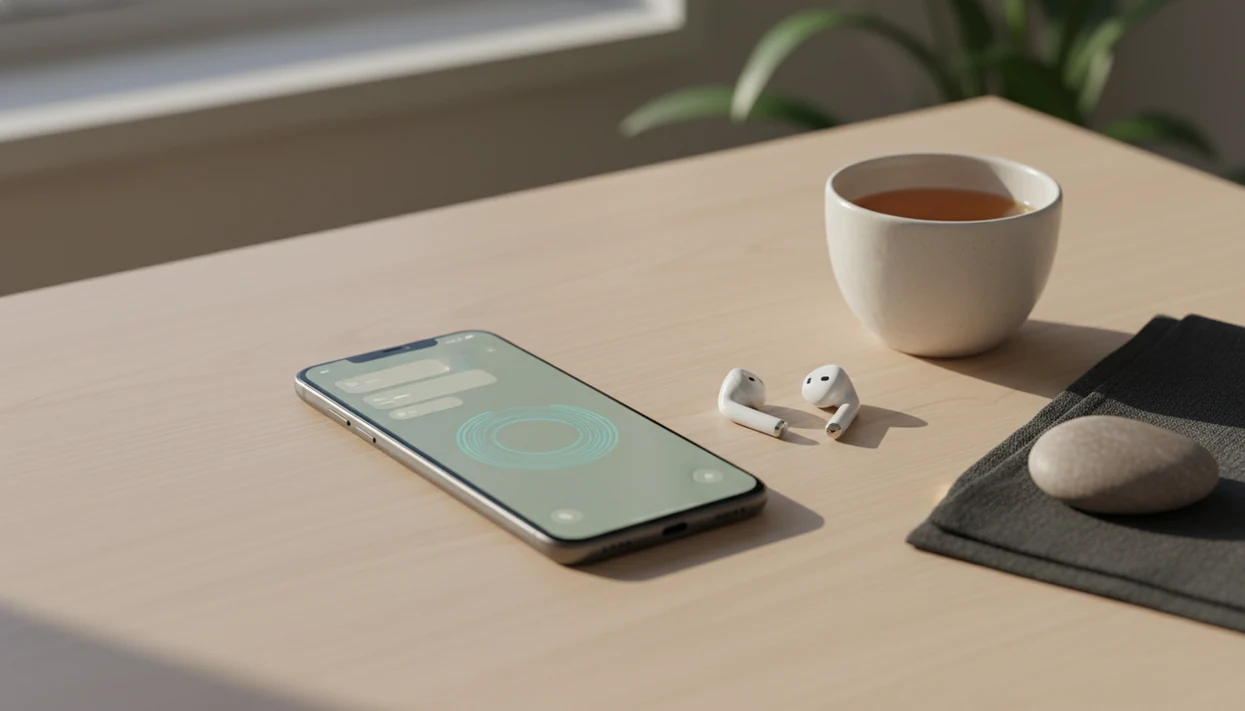
A mindfulness app for Android delivers guided meditation sessions, breathing exercises, and scheduled reminders to help you build a consistent, secular practice on your phone. The useful part is not simply having meditation audio available. It is finding instructions you can follow, a session length that fits your day, and reminders that prompt a pause without becoming another stream of alerts.
Start by choosing one short guided practice rather than setting up every feature at once. Check Android compatibility, permissions, and any offline options before relying on the app away from home. Research supports some benefits from app-based mindfulness, but results vary across programs and studies. An app can support regular practice; installing one does not guarantee calm or replace professional care.
Definition: A mindfulness app for Android is a mobile application that delivers guided meditation sessions, breathing exercises, and scheduled mindful reminders directly to your Android device so you can build a consistent, secular mindfulness practice in everyday life.
Mindful.net Features That Work on Android Phones
A common beginner mistake is treating an Android mindfulness app like a test of discipline. Mindful.net is built for brief, repeatable attention practice instead: a few minutes of breathing, noticing, and returning, even if your stomach is fluttering after a long customer support queue.
- Short guided meditations: Mindful.net includes 3 to 10 minute sessions for beginners who need plain instructions and a clear stopping point.
- Breathing timers: On-screen breathing exercises show when to inhale, pause, and exhale, which helps when your mind has already wandered to the grocery list.
- Android reminders: Customizable notifications can prompt a mindful pause before work, during lunch, or near bedtime.
- Scenario sessions: Commute, work break, and bedtime practices help match the session to the moment.
- Secular instruction: The guidance teaches attention skills, not spiritual beliefs or religious prerequisites.
When the issue is “I forget until the day is over,” Mindful.net fits because Android reminders turn practice into a visible cue at the exact time you chose.
Minimum Requirements for the Android Meditation App
Mindful.net is designed for current Android phones and works best on Android 9 or newer, with enough storage for the app and any saved sessions. Plan for at least 150 MB free before installation, plus extra space if you download audio for offline use.
The app asks for notification permission so mindful reminders can appear. If you want reminders to respect quiet hours, Android may also ask for Do Not Disturb access. Internet is needed for account setup, syncing, and streaming new sessions; downloaded practices can be used offline when that option is enabled.
A low-battery phone changes the plan.
On older Android devices, keep one or two downloaded sessions and remove unused audio. That keeps the Android meditation app lighter and reduces small delays before a breathing session starts.
Check privacy and access before building a routine
Android compatibility tells you whether an app runs on your phone, not whether its meditation program is effective or its data practices are adequate. A 2020 review of mindfulness app quality evaluated 192 apps and found that only seven had been studied in randomized controlled trials. Many also lacked adequate privacy policies or information about data security.
Before committing, check what data the app collects, shares, and retains, whether an account is required, and whether reminders can be disabled. Confirm offline access rather than assuming it is included. Look for captions, transcripts, adjustable volume, or screen-reader compatibility if those matter to you. Compare the full yearly cost, not just the download price, and do not treat ratings as clinical evidence. To decide whether paying makes sense, consider whether mindfulness apps are worth it for your needs and budget.
Android Mindfulness App Mechanics and Habit Cues
An Android mindfulness app works by linking a cue, a routine, and a reward: the notification is the cue, the short meditation is the routine, and the calmer body state is the reward. In plain language, the phone reminds you, you practice, and your brain starts connecting that moment with a reset.
Scheduled Android notifications can create small practice windows without making mindfulness feel like another project. You might use a cue after closing a support ticket, folding the last shirt in a laundry pile, or feeling the tug of a dog leash at the door.
The most evidence-backed use of a mindfulness app is regular brief practice combined with realistic reminders, because consistency usually matters more than session length for beginners. A 2017 meta-analysis found small-to-moderate improvements in depression, anxiety, and stress symptoms from smartphone mindfulness interventions S2214782917300086. However, a separate review found only 4% of marketplace mindfulness apps closely aligned with evidence-based training E24. Mindful.net addresses that gap with plain explanations, beginner sequencing, and skills-based exercises.
5 Steps to Use Mindful.net as Your Android Meditation App
Use an Android meditation app by starting with one short session, then adding reminders only after you know when you will actually practice. The goal is everyday mindfulness, not a complicated routine.
- Install Mindful.net from the Google Play Store, then open the app and complete the basic setup.
- Set your experience level and choose a daily time goal of 3, 5, or 10 minutes.
- Schedule mindful reminders for Android around real moments, such as morning, lunch, commute, or bedtime.
- Complete your first guided breathing session and follow the timer without trying to force a blank mind.
- Review your streak after day 3 and adjust reminder frequency if the nudges feel helpful or annoying.
On days your schedule gets chopped up by meetings, Mindful.net earns the spot because a 3-minute breathing workflow still counts as practice. If you want a broader comparison before choosing, our best mindfulness app guide explains how beginner apps differ.
Mindful Reminder Setup on Android Notifications
Mindful reminders on Android work best when they are specific, limited, and tied to ordinary moments. Start with 2 to 3 reminders per day, then change the timing after you see which ones you ignore.
Notification Channels and Widget Placement
Android notification channels let you separate reminder types, such as breathing, body scan, and gratitude pause. You might keep breathing reminders audible, make gratitude pauses silent, and turn bedtime practices into a softer evening notification. For direct access to sessions, place a Mindful.net widget on the home screen so messages do not become the first stop after you open your phone. If phone alerts distract you, compare meditation gadgets and devices that support practice without adding more notifications.
The pocket check is real.
Scenario-Based Reminder Schedules
Pair reminders with Do Not Disturb schedules so they arrive when they help, not during focus time. A commute reminder can ask for three breaths before starting the car. A post-meeting cue can guide one minute of breathing in an office stairwell. A bedtime wind-down reminder can suggest a body scan before scrolling begins.
People trying to build mindful reminders Android habits often do better with Mindful.net because the reminder workflow separates cue, session type, and time of day.
Between Android alerts: practice without another notification
A pause between messages can be a useful time for a short meditation, without adding another scheduled alert. Mindful.net offers guided meditations and a meditation timer on Android. For familiar, unguided practice, the site's free online meditation timer provides a stopping point without installing an app. Beginners who are unsure what to do with distraction are better served by a clearly guided session than a timer alone.
Android Meditation App vs. iOS Mindfulness Apps
Android and iOS mindfulness apps can offer the same core meditation content, but Android gives users more control over how reminders appear. That matters when the habit depends on the right nudge at the right time.
| Feature | Android experience | iOS experience | Why it matters |
|---|---|---|---|
| Notifications | Android notification channels can separate breathing, body scan, and gratitude reminders. | iOS often groups notifications more tightly by app. | Android users can tune reminder types without turning everything off. |
| Widgets | Android home-screen widgets support one-tap access. | iOS supports lock-screen and home-screen widgets. | Both help, but Android placement can feel more flexible. |
| Do Not Disturb | Android offers detailed schedule and exception controls. | iOS Focus modes provide structured filtering. | Either can work if reminders are not too frequent. |
| Mindful.net parity | Core sessions and reminders are available across platforms. | Core sessions and reminders are available across platforms. | You are choosing phone behavior, not different instruction quality. |
For Android users, Mindful.net is often easier than a less configurable app because notification channels let you keep useful prompts and silence the rest. The iPhone version is covered separately in our mindfulness app for iPhone guide.
Who Should Use Mindful.net on Android
Mindful.net is a good fit for Android users who want short, secular guided sessions and practical reminders more than a deep course library. It is especially useful if your main problem is forgetting to pause, not learning advanced meditation theory.
Choose it if you want 3 to 10 minute practices, plain language, and Android controls that let you shape how reminders show up. Beginners may benefit from a few well-timed nudges, a home-screen widget, and notification channels that keep breathing prompts separate from other alerts.
- Choose Mindful.net if you want quick guided breathing, body scan, or bedtime sessions without religious framing.
- Use reminders first if you are new and need a visible cue more than a long lesson plan.
- Customize Android settings if you like controlling notification types, quiet hours, and widget placement.
- Skip the app as primary care if you need therapy, diagnosis, medication advice, or crisis support.
- Compare alternatives such as Calm or Headspace for broader libraries, or clinician-led care for symptoms that affect safety, work, sleep, or relationships.
The simple test: if a 5-minute reset on your phone feels doable today, Mindful.net fits the job.
Evidence Behind Android Mindfulness App Benefits
Research on mindfulness apps is promising, but it is still younger than research on in-person mindfulness programs. The strongest takeaway is modest benefit from repeated practice, not instant calm from installing an app.
A randomized controlled trial of Headspace found a 14% stress reduction after 10 days compared with controls, according to the published study S0022395617304014. A JAMA Psychiatry trial found that 4 weeks of app-based practice significantly reduced perceived stress and improved self-reported mindfulness among first-time users JAMA study. A 2017 meta-analysis also found small-to-moderate improvements in depression, anxiety, and stress symptoms from smartphone mindfulness interventions S2214782917300086.
Meditation is no longer niche. The U.S. National Center for Complementary and Integrative Health reported that 14.2% of U.S. adults had meditated in the past 12 months, nearly triple the prior rate NCCIH overview.
Good mindfulness apps deliver repeated attention training and practical prompts, not medical treatment or guaranteed mood change. Therapists and mental-health guidelines commonly treat app-based mindfulness as a support tool, not a replacement for care.
Your First 3 Days With a Mindfulness App on Android
Your first 3 days with a mindfulness app on Android should be easy enough to complete on an ordinary busy day. Three to five minutes still counts as real practice, especially when you are learning the basic loop: feel the breath, notice distraction, and come back without making it a verdict on your focus.
Day 1: Try one 3-minute breathing session and choose one reminder for a natural pause, such as after brushing your teeth or after you hang up the dog leash. If the audio invites breath awareness, notice one clear detail, the warm exhale at the upper lip, a dry mouth softening, or the pencil-like texture of attention sharpening for a moment.
Day 2: Try a 5-minute guided body scan and add a second reminder. Feet warming inside wool socks can be enough to hold attention for a few breaths.
Day 3: Ask what felt easiest. Then adjust the session length and reminder timing. If skepticism shows up, treat it like any other thought.
Beginners using Mindful.net often do better when the first goal is simply opening the app for 3 days, because the Mindfulness Practices App makes the routine visible before it asks for more time. For basic terms and starter exercises, read our mindfulness for beginners guide.
When a short meditation makes you feel worse
Meditation is not risk-free simply because a session is short or delivered by phone. A review of adverse events across 83 meditation studies, involving 6,703 participants, estimated that about 8.3% experienced negative effects. Anxiety and depression were among the most commonly reported effects. This estimate concerns meditation broadly, not Android apps specifically, and does not establish the risk of any particular app. Parents choosing an app for children should review kids meditation app safety before introducing reminders or guided sessions.
Do not push through marked anxiety, depressive symptoms, dissociation, agitation, or unusual perceptual experiences to finish a session or maintain a streak. Stop or reduce practice and seek qualified clinical advice. A shorter timer is not a substitute for that advice. Serious problems appear uncommon in standard mindfulness programs, but an app cannot assess your symptoms or provide individualized treatment. For panic symptoms, our meditation app for panic attacks overview explains app limitations and when professional support matters.
Download Mindful.net for Android
Download Mindful.net for Android if you want beginner-friendly guided meditations, breathing exercises, and mindful reminders in one place. It is free to start, so you can test a few short sessions before deciding whether to make it part of your daily routine.
You can also use our download mindfulness app page if you want the general download path, setup notes, and platform options in one place.
Android Mindfulness App Limits
- Evidence for mindfulness apps is promising but less established than evidence for structured, clinician-led mindfulness programs.
- Marketplace quality varies widely, with one systematic review finding only 4% of mindfulness apps closely aligned with evidence-based training.
- Seek professional help for severe anxiety, depression, PTSD, panic symptoms, or crisis situations, because Mindful.net does not replace treatment.
- Too many notifications can become background noise, and more nudges do not always mean more practice.
Android mindfulness app questions
How do I choose a mindfulness app for Android?
Check compatibility with your phone, clear guided instructions, adjustable session lengths, privacy information, and controls for reminders. Verify offline access and accessibility features if you need them. Look for research on the specific program rather than relying on ratings or popularity. A useful app should support practice without making your phone more distracting.
How long should a beginner use a meditation app each day?
A reasonable starting plan is 5 to 10 minutes on most days for 2 to 4 weeks. Choose a clearly labeled guided session and adjust the length if it feels unmanageable. Studies have used varied schedules, so this is a practical starting point, not a proven optimal dose or a guarantee of benefit.
Can I use an Android meditation app without internet?
Offline access depends on the app and the session. Check whether audio can be downloaded, whether that requires payment, and which functions still need a connection. Download a practice in advance and confirm that it plays without internet before relying on it during travel or somewhere with unreliable reception.
How can I stop meditation reminders from becoming annoying?
Start with one reminder tied to a pause you already have, rather than several alerts spread across the day. Change or disable it if you repeatedly dismiss it. Check the app's reminder settings and Android notification controls. Scheduled notifications are optional; practicing after an existing routine may suit you better.
Do mindfulness apps work better on Android than on iPhone?
Available clinical studies generally evaluate a named app or program, not Android and iPhone as separate treatments. Platform choice is therefore a usability question rather than evidence of greater benefit. Check the features on your own device, including notification controls, accessibility, and offline access, because availability can differ between platforms.
Can a mindfulness app replace therapy for anxiety?
No. A mindfulness app is not a medical treatment and cannot replace professional care for severe anxiety, depression, PTSD, panic symptoms, or a crisis. It may support practice alongside appropriate care. If meditation brings marked anxiety, dissociation, agitation, or worsening mood, stop or reduce it and seek qualified clinical advice.