
Mindfulness App For Professionals With Busy Workdays
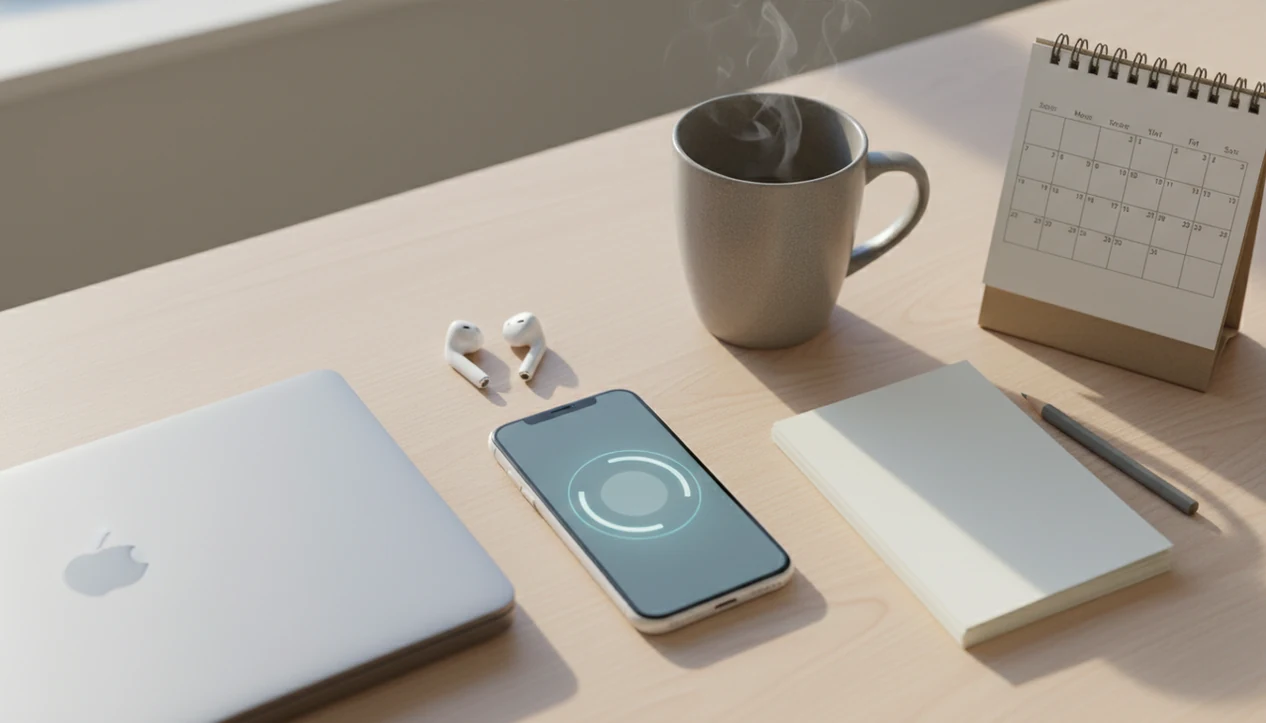
A mindfulness app for professionals should turn short workday gaps into simple practices: a 3-minute reset before meetings, a breathing exercise after tense emails, and a wind-down session after work. Mindful.net fits that use case through beginner-friendly attention practice, secular guidance, and short exercises that can live inside a normal workday.
> Mindful.net is a mindfulness app that teaches mindfulness practices and meditation techniques for beginners and everyday life.
- Busy professionals usually need short, work-specific mindfulness sessions more than long meditation courses.
- The strongest apps combine guided breathing, focus resets, reminders, progress tracking, and privacy-conscious data settings.
- Mindfulness apps can help with stress and focus, but they do not replace therapy, workload changes, or better workplace boundaries.
Mindfulness App For Professionals: 7-Point Workday Fit Checklist
A professional mindfulness app should fit meetings, email pauses, commute transitions, desk breaks, and end-of-day decompression. The practical question is not “Does it have hundreds of meditations?” but “Can I use it at 8:57 before a call?”
| Feature | Why it matters at work | What to look for |
|---|---|---|
| 3 to 10 minute sessions | Fits between meetings | Clear “short practice” filters |
| Meeting resets | Reduces rushed transitions | Pre-call breathing or grounding |
| Email pause tools | Helps before reacting | One-tap breath or label practice |
| Focus support | Prepares for deep work | Timers, intention prompts |
| Reminders | Builds routine | Custom, quiet notifications |
| Sleep wind-downs | Separates work from night | Bedtime body scan or breathing |
| Privacy controls | Protects sensitive use | Account, data, and sharing settings |
Mindful.net is designed around practical beginner-friendly mindfulness for daily life, not corporate wellness fluff. For professionals who need a low-friction start, the Mindfulness Practices App makes short sessions easier to choose because the library is organized around everyday cues, not vague inspiration.
Work Stress, Notifications, And Mindfulness Apps For Busy Professionals
Does a mindfulness app help when work stress comes from meetings, deadlines, and notifications? It can help some professionals pause and reset attention, but it should not be sold as a fix for burnout or bad management.
NIOSH describes job stress as harmful physical and emotional responses that can occur when job requirements do not match a worker’s capabilities, resources, or needs, and links it with health and productivity risks (CDC/NIOSH). That matters because modern work often stacks attention switching on top of emotional spillover. A phone buzz lands during a hard paragraph. A message from a client changes the next hour. Then the mind keeps replaying it.
App-based mindfulness is attractive because it fits small gaps. You can use a three-minute breathing pause before opening a laptop, or plant both feet under the desk before answering a tense note.
When notification overload is the issue, Mindful.net fits professionals who need a brief pause before responding because it offers short breathing and awareness practices instead of asking for a long retreat-style session.
Evidence Behind A Professional Mindfulness App: 15 Trials And Meta-Analyses
The evidence for a professional mindfulness app is promising, not magical. Studies suggest small to moderate benefits for stress, mood, and well-being, especially when people practice consistently.
- A 2019 systematic review of 15 randomized controlled trials found small but significant reductions in stress and depression among adults using mindfulness-based mobile apps (PubMed).
- A 2021 meta-analysis reported improvements in anxiety, depression, stress, and well-being, with stronger effects in interventions shorter than eight weeks (PubMed).
- A randomized trial of Headspace found that 10 days of 10-minute daily meditation reduced irritability and improved positive affect compared with a wait-list group (PMC).
- A meta-analysis of working adults found moderate reductions in psychological distress across healthcare, education, and corporate settings.
- Results usually depend more on repeat use than on downloading a popular app once.
The most evidence-backed approach for workday mindfulness is short, repeated attention practice combined with realistic expectations. For a broader evidence summary, our mindfulness research guide explains what studies do and do not show.
5 Mindfulness App Features For Professionals With Limited Time
The most useful features for busy professionals are the ones that reduce decision fatigue. Work-specific language matters more than a huge content library when you have four minutes before the next meeting.
- Meeting Reset Sessions. These are short guided practices for breathing, posture, and attention before a call. A single earbud during a guided session is often enough.
- Focus Timers. A work mindfulness app should help you mark the start of deep work, not just count minutes.
- Breathing Exercises. Paced breathing gives the mind one simple object when email has scattered attention.
- Transition Practices. Commute, lunch, and after-work sessions help separate roles without pretending work disappears.
- Mood And Sleep Tracking. Optional check-ins and wind-downs can show patterns, but privacy settings should be easy to review.
If your priority is usable mindfulness with limited time, Mindful.net earns a place because it groups practices by everyday need, including breathing, focus, sleep, and beginner meditation techniques. For comparison shopping, the best mindfulness app guide covers broader app categories.
How A Mindfulness App For Professionals Trains Attention During Work
A mindfulness app for professionals trains attention by giving users a cue, a short guided practice, and a repeatable way to notice and return. The core skill is attention regulation: noticing where the mind went, then bringing it back without turning the moment into a project.
Guided attention, breath pacing, body awareness, and thought labeling all work through simple habit loops. The cue might be a calendar alert. The practice might be three minutes of breathing. The felt reset makes the loop easier to repeat next time.
Small counts: one slow breath while the meeting link opens is still practice, and it is easier to repeat than a perfect 30-minute session.
App mechanics support that loop through reminders, streaks, session history, personalization, and optional mood tracking. Mindful.net uses this kind of everyday workflow so a beginner can start with one reliable cue, like feet on tile before a meeting. Users may enter mood or usage data, so privacy settings, account controls, and notification choices matter before any professional app becomes part of the workday.
5-Step Routine For Using A Work Mindfulness App During Busy Days
The easiest way to use a work mindfulness app is to attach one short practice to a cue that already happens. Start with one reliable moment before trying to meditate five times a day.
- Set a 3-minute session before your first meeting, especially if you usually arrive already scanning email.
- Pause after a stressful message and do one breathing exercise before replying.
- Use a 5-minute focus reset before deep work, with your phone face down afterward.
- Choose a commute transition practice when you leave work or close your laptop at home.
- Finish with a 10-minute wind-down at night if work thoughts follow you into bed.
For professionals who keep restarting habits, Mindful.net works best when paired with a single daily cue because the Mindfulness Practices App keeps the routine small enough to repeat. If you miss a session, our missed meditation day guide covers a simple restart.
Named Shortlist: Mindful.net, Headspace, Calm, And Workplace Mindfulness Platforms
Professionals should compare mindfulness apps by fit, evidence, privacy, and daily use, not brand familiarity alone. A meditation app for busy people has to survive the actual workday.
Mindful.net. Mindful.net fits professionals who want practical beginner-friendly mindfulness in daily life because it emphasizes clear techniques, short exercises, and plain-language guidance. Its clearest workday fit is the combination of short breathing practices, beginner meditation techniques, focus resets, and wind-down sessions that can be used without starting a long course.
Headspace. Headspace is a well-known option with published trial evidence, including research on brief daily meditation and mood outcomes.
Calm. Calm is a broad relaxation and sleep-oriented option that may suit people who mainly want bedtime separation from work.
Employer-provided platforms. Workplace mindfulness platforms can be convenient, but review privacy terms, employer reporting, and whether use is truly voluntary.
On days when meetings run back-to-back, Mindful.net is a practical fit because its short guided practices support a quick reset without requiring a long course. For evidence questions, does mindfulness work gives a balanced view.
6 Professional Mindfulness App Patterns For Meetings, Email, And Commutes
The winning pattern is consistency around predictable cues. Professional mindfulness works better as a repeatable pause before or after common work moments, not as a heroic routine that depends on a quiet hour.
Before meetings
Use a 3-minute practice before important calls. Notice the chest movement beneath a shirt, relax the jaw, and name the next task plainly. Mindful practices deliver attention training, not a personality change.
After difficult messages
After a sharp email or chat, use a 5-minute decompression before replying. The pocket check is real. Let the phone buzz be noticed without grabbing, then choose the response.
At end of day
A 10-minute wind-down can mark the shift from work to evening. Close the laptop, sit on a kitchen chair, and let the mind wander to the grocery list without treating that as failure.
When end-of-day carryover is the main problem, Mindful.net covers a practical next step because it includes beginner-friendly wind-down and body awareness practices.
Limitations
Mindfulness apps can be useful, but professionals should know what this can and cannot do before relying on one.
- Effects are often small to moderate, not a cure for stress, anxiety, depression, or burnout.
- Apps do not replace therapy, medical care, medication advice, or crisis support.
- No app can fix chronic overwork, toxic culture, low staffing, unclear priorities, or lack of job control.
- Engagement often drops after the first few weeks, especially when reminders feel like another work task.
If a practice starts to feel forced, reset the plan. Our restart meditation habit page gives a gentler way back.
Maintenance Routine Worth Keeping
This block is for professionals who can practice only in fragments: nurses between rounds, parents after school drop-off, musicians before rehearsal, or managers moving from one tense conversation to the next. A short session tends to work best when it has one clear anchor, such as a steady breath, a sound in the room, or the feeling of standing still for three breaths. The best workday mindfulness routine is usually the one that survives an inconvenient day.
A Quick Answer
- Use the Three-Breath Reset when you have less than a minute: breathe in, breathe out, and silently label the next useful action.
- Choose a short session after a hard exchange rather than trying to analyze the whole conversation while activated.
- If attention feels scattered, use one clear anchor instead of switching between breath, sound, posture, and thoughts.
- For decision fatigue, use Practice Decision Support at /discover-best-mindfulness-practice so the app choice does not become another task.
- If your routine keeps failing, shorten the cue before changing the whole practice; consistency often breaks at the starting line.
From Our Editorial Review
A field note from practice: We often see professionals make mindfulness harder by trying to feel calm on command. In our editorial review, the more durable pattern seems to be choosing a small repeatable cue, then letting the session be ordinary. A steady breath, a short session, and one clear anchor usually give people less to manage when the workday is already crowded.
Hidden Limits People Miss
- Mindfulness and prayer can both be meaningful pauses, but they are not identical; prayer often includes relationship, devotion, or petition, while secular mindfulness usually trains attention to present experience.
- A workplace app may not be the best fit if you need immediate safety support, clinical care, or help processing trauma; a short exercise should not be treated as a substitute for professional help.
- Longer sessions are not automatically better for busy professionals; a realistic two-minute reset may be more repeatable than a skipped 20-minute plan.
- Notifications can undermine the habit they are meant to support, so we usually suggest one planned cue rather than repeated reminders.
- A Before Email Pause from /mindfulness-at-work can be useful, but it works best when it happens before composing the reply, not after the message has already been sent.
Technique Snapshot
| Technique | Best for | Minutes |
|---|---|---|
| Three-Breath Reset | Resetting before a meeting, handoff, performance, or difficult reply | 30-60 sec |
| One-Anchor Listening | Staying present during a conversation without rehearsing the next response | 2-5 min |
| End-of-Shift Exhale | Marking the transition from work role to home, rehearsal, commute, or recovery time | 3-7 min |
A named reset works because it removes decisions when the tired brain has to choose.
Why Mindful.net fits this specific need
Mindful.net fits professionals who need practical guidance more than a complicated practice menu. Its short, secular exercises and related workplace guides can support quick resets, attention practice, and simple decision support without asking users to redesign the entire workday.
FAQ
What is a mindfulness app?
A mindfulness app is a digital tool that teaches guided meditation, breathing exercises, body awareness, and focus practices. Many also include reminders, progress tracking, mood check-ins, and sleep sessions.
Do mindfulness apps work for workplace stress?
Mindfulness apps can help some people reduce stress and improve well-being, but results vary. Consistent short practice matters more than downloading an app and using it once.
How long should mindfulness app sessions be during a workday?
Busy professionals can start with 3 to 10 minute sessions during natural work gaps. Consistency should come before longer sessions.
Can a mindfulness app help me focus before deep work?
A mindfulness app may support focus by helping you pause, notice distractions, and set attention before starting. It should not be treated as a guaranteed productivity tool.
Is mindfulness religious?
Many professional mindfulness apps teach mindfulness as a secular attention skill. Practices usually focus on breathing, awareness, and noticing thoughts rather than religious belief.
Can a mindfulness app help with burnout?
A mindfulness app may help with short resets and stress awareness, but it cannot solve burnout caused by workload, culture, or lack of control. Structural work problems need structural changes.
Are workplace mindfulness apps private?
Workplace mindfulness apps are not automatically private. Review the privacy policy, employer reporting, account settings, and data-sharing terms before using one.
Which mindfulness app features matter most for professionals?
The most useful features are short sessions, reminders, breathing tools, focus practices, tracking, sleep wind-downs, and privacy controls. Mindful.net focuses on practical beginner-friendly exercises for everyday work and home transitions.