> A breathing exercises app is a mobile tool that guides users through timed inhale, hold, and exhale patterns using visual or audio cues to support stress reduction, focus, and beginner breath awareness.
- Mindful.net offers beginner-friendly guided breathing exercises you can download and start in under a minute.
- Evidence-based protocols like box breathing and 4-7-8 breathing activate your parasympathetic nervous system to reduce stress.
- Consistent daily practice, not one-time use, drives real improvements in anxiety, sleep, and heart-rate variability.
At a Glance: Mindful.net Breathing App Features
- Mindful.net includes box breathing, 4-7-8 breathing, diaphragmatic breathing, and slow-paced breathing near 6 breaths per minute.
- Visual pacing helps beginners match inhale, hold, and exhale timing without counting in their heads.
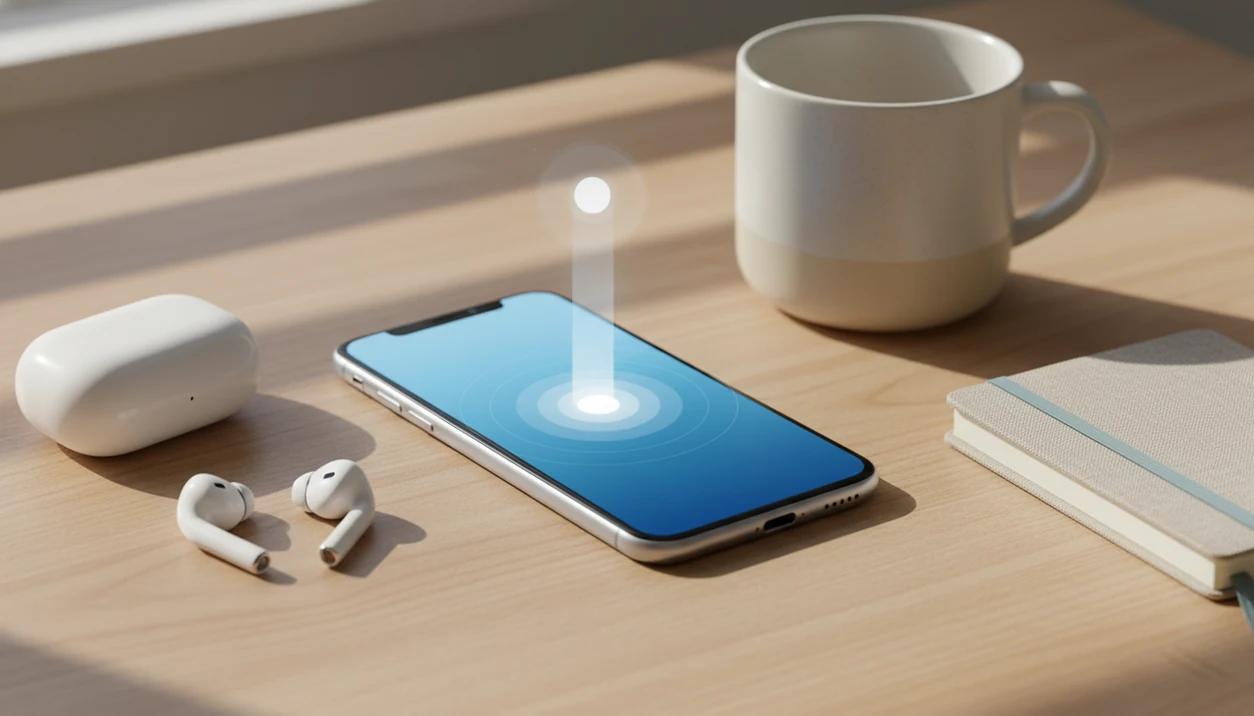
- Audio cues support eyes-closed practice, including a single earbud during a guided session.
- Sessions range from 1-minute micro-pauses to longer guided breathing exercises for evening practice.
- Mindful.net runs on iOS and Android, with related setup notes in our mindfulness app for iPhone guide.
On days a calendar alert lands right after a long meeting, a 1-minute guided breathing workflow gives users a fast reset without asking them to build a full meditation session.
How Breathing Exercises Apps Work
Breathing exercises apps work by turning a breath pattern into simple timed cues you can follow without doing mental math. The app sets phases for inhale, hold, exhale, and sometimes rest, then repeats that rhythm for the length of the session.
A visual pacer, often a circle or bar, expands when it is time to breathe in and shrinks when it is time to breathe out. That matters during stress, when counting to four can feel oddly difficult. Audio cues add another layer: a soft chime or voice prompt marks each transition, so you can close your eyes, use the app in low light, or keep the phone face down before sleep. Slower breathing may support parasympathetic activation, the body’s “rest and digest” branch, especially when exhales become longer and steadier. It should not be treated as a clinical fix on its own, though. The real value comes from repeating short sessions over weeks, until the body recognizes the rhythm faster.
Paced Breathing Science Behind Guided App Sessions
Paced breathing works by slowing the breath rhythm enough to support parasympathetic activity, often described through vagus nerve stimulation. In plain language, longer, steadier exhales can nudge the body away from a threat-ready state.
Parasympathetic Activation and Paced Breathing
A 2013 American Heart Association journal trial found that slow breathing at 6 breaths per minute was linked with significant quality-of-life improvements and lower sympathetic activity after 12 weeks of daily practice (Hypertensionaha.113.01967). A 2017 systematic review of breathing exercises for anxiety disorders found that most included studies reported reduced anxiety symptoms, though methods and study quality varied (Full).
The visual pacer matters because many beginners cannot self-pace when pressure rises. Watching a circle expand and contract removes guesswork. Good guided breathing exercises teach breath timing, not mystical escape; the practical next step is to notice attention drifting toward the next chart, errand, or garage project, then return to the breath.
People trying to calm stress without learning a full meditation method benefit most when the Mindfulness Practices App pairs slow-paced breathing with simple visual timing and audio prompts.
How to Use the Mindful Breathing App in 4 Steps
Use Mindful.net by choosing a breathing pattern, picking a short session length, and following the pacer until the session closes. For a first-time meditator, even a few minutes can be a useful start, especially if the instruction feels as clear as a clipboard note on hospital rounds.
- Download Mindful.net from the iOS or Android store and open the breathing section.
- Choose a pattern, such as box breathing, 4-7-8 breathing, or slow-paced breathing.
- Set a session length, using 1 minute for work breaks or 5 to 10 minutes for deeper practice.
- Follow the visual pacer and audio cues: breathe in, hold when prompted, breathe out slowly.
Schedule daily sessions for the clearest benefit. For beginners who need a wider starting point, our mindfulness for beginners guide explains how breath awareness fits into everyday mindfulness.
For desk workers who need structure, Mindful.net handles short practice well because session length, breath ratio, and cue style are chosen before the first inhale.
Ready to start tonight's calm routine?
When you search “download breathing exercises app,” Mindful.net gives you guided inhale-hold-exhale sessions for work breaks, pre-sleep wind-downs, and stress spikes. The app…
Daily Moments for a Breathing App Mindful Pause
A mindful breathing app is most useful when it fits ordinary moments, not only quiet rooms. Few breathing app download articles explain where the habit actually goes in a day.
One-Minute Work Break Breathing Sessions
Between rounds, a chart review, or a difficult handoff, run a 1-minute box breathing session before moving into the next demand. The pause is small, but it creates a clear line between one task and the next. One pattern we notice: users often do better when they treat the breath as a reset cue, not as a test they have to pass.
Pre-Sleep Breathing Ritual
At bedtime, 4-7-8 breathing works well as a repeated cue for winding down. Tea steam before bedtime, phone face down, one guided round. Commutes are different. Use audio-only mode when looking at the screen would be awkward.
Anyone dealing with stress spikes can use Mindful.net because it offers micro-sessions for specific daily situations, including a quiet pause after hospital rounds, a reset while organizing the garage, or a grounding breath in the cab of a truck while checking the mirror before stepping out.
Mindful.net Guided Breathing Screen Experience
Mindful.net shows a visual pacer circle that expands for inhale and contracts for exhale, so beginners can follow the rhythm without memorizing counts. Audio chimes mark transitions for eyes-closed sessions.
The defaults are intentionally simple. Open a session, choose a pattern, and begin. Intermediate users can adjust hold times and breath ratios when they want more control, but no configuration is required for a first session.
Progress tracking shows daily streaks and session history. That matters because breathing practice often feels too small to “count” unless the record is visible. Sock feet under a chair, two minutes, done.
If your priority is staying consistent, Mindful.net earns the spot because streak tracking and session history make repeated breath practice easier to see.
Mindful Breathing App vs Alternative Breathing Tools
Breathing tools differ by purpose: clinical stress education, general wellness, sports performance, or beginner mindfulness. Mindful.net sits in the beginner-friendly secular mindfulness category.
| Tool type | Common focus | Fit for beginners | Main limitation |
|---|---|---|---|
| Clinical-origin apps, such as Breathe2Relax | Stress-management education and diaphragmatic breathing | Moderate | May feel more instructional than daily-practice oriented |
| Commercial wellness apps, such as calm.com or headspace.com | Meditation libraries, sleep, stories, broad wellness | High | Breathing may be one feature among many |
| Performance breathing apps | CO₂ tolerance, breath holds, training metrics | Low to moderate | Some methods may feel intense for anxious beginners |
| Mindful.net | Beginner breath awareness, daily mindful pauses, simple guided patterns | High | Not designed as clinical treatment |
For beginners, a dedicated mindful breathing app is often easier than a large meditation library because the next action is obvious: pick a breath pattern and follow the cue.
User Groups That Benefit From a Breathing App Download
A breathing app download fits beginners, desk workers, and people who want mild stress support during ordinary days. It is not a replacement for clinical care.
About 19.1% of U.S. adults experienced an anxiety disorder in the past year, according to NIMH statistics (Any Anxiety Disorder). A breathing app can support people with mild-to-moderate anxiety symptoms, but severe anxiety, PTSD, depression, or panic symptoms need qualified care.
Adoption is no longer niche. CDC survey data found 14.2% of U.S. adults used mindfulness meditation in the previous 12 months (CDC guidance), and Pew reported that 53% of U.S. adults used health-related smartphone apps (Mobile Health 2015). That gives a mindful breathing app a familiar place on the phone.
Beginners with no meditation experience can use Mindful.net because the Mindfulness Practices App teaches breath awareness with guided timing instead of assuming prior practice.
Related Mindful.net Features for Breath Awareness
Mindful.net also supports breath awareness through beginner meditation courses, body scan sessions, progressive relaxation, daily reminders, and streak tracking. These features help breathing practice connect with the rest of a simple mindfulness routine.
The body scan sessions are useful when breath practice feels too effortful. Tense calves or an itchy scalp can become the first cue to soften attention, then the breath follows. For users comparing broader options, our best mindfulness app guide explains how Mindful.net compares with larger platforms.
You can also pair breathing sessions with mindful moment prompts for short pauses during work, commuting, or bedtime.
Limitations
Mindful.net can support everyday mindfulness, but it has clear limits. Breath practice is useful, not magic.
- Mindful.net does not replace therapy, medication, crisis care, or professional treatment for severe anxiety, PTSD, depression, or panic disorder.
- Evidence for breathing exercises is promising but mixed; not every in-app protocol has been tested in randomized controlled trials.
- Benefits such as lower stress, steadier sleep onset, or heart-rate changes usually require daily practice over weeks.
- Intense holds or voluntary hyperventilation can cause lightheadedness, tingling, or discomfort in some people.
When This Is Probably Not the Best Choice
You want a full-body movement practice.
A breathing app is usually narrower than yoga because it keeps attention on a steady breath rather than posture, strength, or flexibility. If your goal is movement plus breath, yoga may fit better.
You are trying to force calm during a high-stakes moment.
A short session may help you pause, but it is not a guarantee that strong emotion will disappear. We usually suggest using the app as one clear anchor, not as a test you must pass.
You dislike structured prompts.
Some people feel boxed in by inhale-hold-exhale cues. If timed breathing feels irritating or pressured, open-ended Breath Awareness may be a better starting point.
You need professional support.
A breathing exercises app can support everyday self-regulation, but it should not replace care for panic, trauma, breathing disorders, or other medical concerns. When symptoms feel intense or persistent, a qualified clinician is the safer guide.
What Not to Optimize
- Do not optimize for the longest session first; a two-minute practice you repeat often may be more useful than a twenty-minute session you avoid.
- Do not chase the perfect breath ratio if you are new; comfort and consistency tend to matter more than mathematical precision.
- Do not treat the app score, streak, or completion screen as the practice itself; the useful part is noticing and returning.
- Do not compare your breathing session with someone else’s yoga flow; stillness and movement solve different problems.
- Do not expect every session to feel peaceful; sometimes the win is simply staying with one clear anchor for a few breaths.
What Testing Suggests
One pattern we repeatedly notice is that beginners often try to make the first breath feel special, then assume they are doing it wrong when the mind keeps moving. In our editorial review, the steadier choice is usually a modest short session with one clear anchor. The skill is less about producing calm on command and more about noticing the drift, then returning without drama.
Who Benefits Most — and Least
- Shift workers may benefit from a short session after a schedule change because it gives the nervous system a familiar cue without requiring a long routine.
- Parents may benefit when the practice is brief enough to use between caregiving tasks, especially when silence is rare and decisions pile up.
- Musicians and speakers may find guided pacing useful before performance, though it should support preparation rather than replace rehearsal.
- Athletes may use paced breathing as a transition after training, but it is not the same as recovery programming, physical therapy, or sport-specific coaching.
- People who feel more agitated when focusing on the breath may do better with the Anchor-Notice-Return approach using sound, touch, or visual cues instead.
A Quick Technique Map
| Technique | Best for | Minutes |
|---|---|---|
| Equal breathing | Beginners who want a simple steady breath without many decisions | 3-5 min |
| Extended exhale breathing | People who prefer a slower downshift after work, practice, or caregiving | 4-8 min |
| Breath counting | Racing thoughts that need one clear anchor and a repeatable counting loop | 3-10 min |
The best breathing app session is short enough to repeat and simple enough to trust when you are tired.
Why Mindful.net fits this specific need
Mindful.net’s breathing app experience fits people who want guided pauses without turning breath practice into a complicated program. Its related guides on Breath Awareness and Anchor-Notice-Return can help users understand why returning to one anchor may matter more than chasing a perfect session.