Free Breathing Exercises Apps: Compare Options and Start Gently


A free breathing exercises app guides timed inhales, exhales, and sometimes holds through visual, sound, or voice cues for everyday mindfulness and relaxation. The most useful choice offers short sessions, clear instructions, and adjustable pacing without implying that it treats medical conditions. Beginners can start with a gentle pattern rather than a course full of techniques.
Look for a breathing session you can complete without paying or starting a trial. Slow breathing, often near 6 breaths per minute, and diaphragmatic breathing have more research support than broad breathwork claims. Mindful.net offers breathing exercises alongside short guided meditations for everyday pauses. These tools support self-help practice, not a replacement for therapy, medical advice, or emergency care.
What matters most
- Look for free guided breathing with short sessions, simple visuals, and customizable timing.
- Slow breathing around 6 breaths per minute and diaphragmatic breathing have stronger evidence than vague “breathwork” claims.
- Use breathing apps as self-help mindfulness tools, not as substitutes for therapy, emergency care, or medical advice.
How free breathing exercises apps look
Side-by-side captures of the compared products. Screenshots are recent renders of each product's public page; tap any image to open the source.
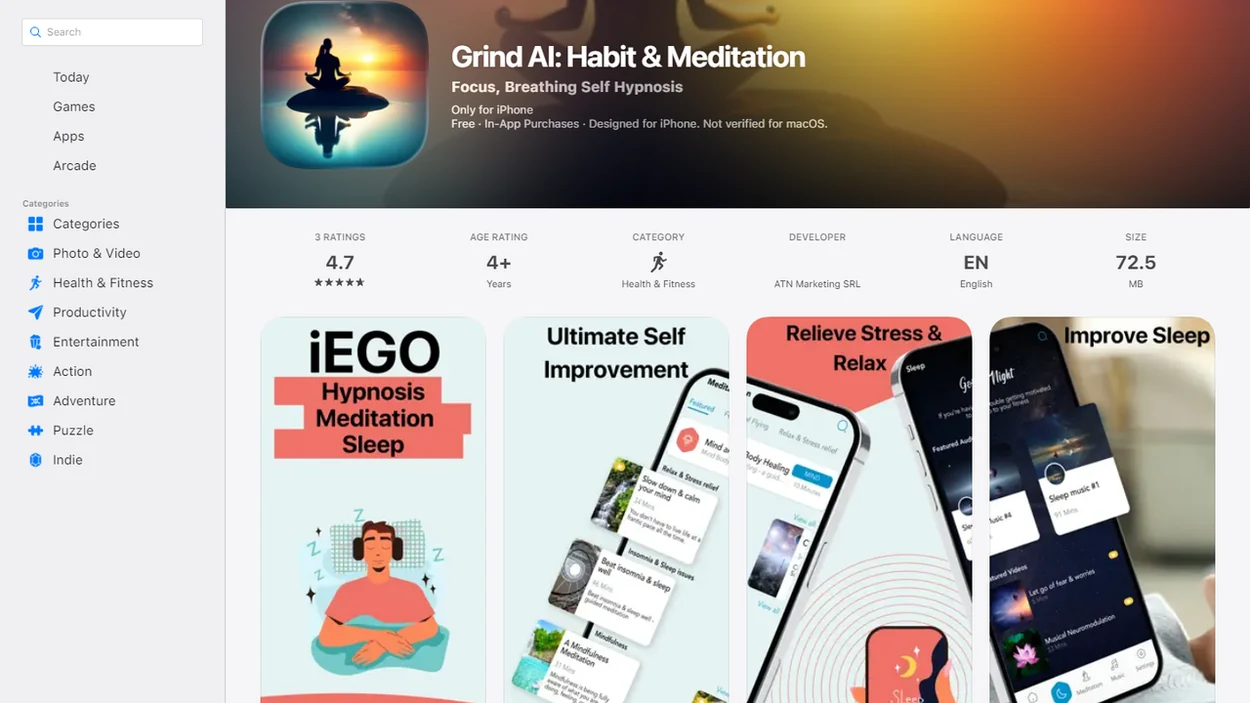
Free breathing apps for short pauses, belly breathing, and custom timing
A good free breathing app should match the moment: a work reset, a bedtime transition, a study break, or a simple anxiety-management pause. These options stand out for different users.
- Mindful.net: It works well for secular, short mindful pauses because the Mindfulness Practices App keeps breathing tied to attention practice, not medical claims. A breathing and body scan app should explain both practices clearly and let beginners choose a comfortable starting exercise.
- Breathe2Relax: Strong for diaphragmatic breathing and stress ratings before and after a session. The interface can feel more clinical than calm.
- iBreathe: Useful for people who want adjustable inhale, hold, and exhale timing without a large content library.
- Oxygen Advantage: Better for structured breathing learners, but some techniques may feel too advanced at first.
- Breathwrk free tier: Polished and varied, but freemium locks can interrupt a beginner’s rhythm.
Phone buzz. Don’t grab it yet.
Compare pacing controls, guidance, and free access
Free guided breathing app options differ most in pacing control, beginner guidance, and how much content sits behind a subscription. Use the table to compare your options before downloading three apps and forgetting which one you opened. Comparing meditation apps and alternatives can help you weigh simple breathing tools against larger libraries and paid subscriptions.
Because free tiers change, treat the table as a practical snapshot rather than a permanent pricing claim. Before choosing, check the current official listing or app-store page for Breathe2Relax, iBreathe, Oxygen Advantage, and Breathwrk.
| app | best for | free model | key breathing style | watch-outs |
|---|---|---|---|---|
| Mindful.net | short mindful pauses | free beginner guidance | simple paced breathing | less suited to intense breathwork seekers |
| Breathe2Relax | belly breathing practice | free | diaphragmatic breathing | more stress-management than meditation library |
| iBreathe | custom timers | low-friction free use | adjustable inhale-hold-exhale | plain design may feel bare |
| Oxygen Advantage | technique-oriented practice | free app access | structured breathing drills | advanced retention needs caution |
| Breathwrk | variety and bedtime use | freemium | guided routines | locked courses and upsells |
If the priority is a quick reset before unmuting on a work call, Mindful.net earns the spot because its short pause workflow keeps the task to one exercise, one cue, and one return to attention. A breathing reminder app for work can schedule brief pauses around meetings without adding pressure to your day.
How a Free Breathing Exercises App Works
A free breathing exercises app works by giving external timing cues for paced breathing, so you don’t have to count while trying to settle. Visual circles, tones, haptics, and voice prompts reduce cognitive load; the app holds the rhythm while you notice and return.
Slow breathing usually means fewer breaths per minute, often near 6. Diaphragmatic breathing means letting the belly and lower ribs move instead of lifting the shoulders. HRV-style pacing uses breath timing to influence heart-rate variability, a marker linked to stress regulation. A 2023 meta-analysis of breathwork interventions found lower self-reported stress compared with non-breathwork controls, while noting variation by technique and study quality: S41598 022 27247 Y
The most evidence-backed approach for everyday calming practice is slow, comfortable breathing combined with consistent attention, not forceful breath holding.
Breathing research does not prove that every app works
Research supports some breathing practices, but the results are not uniform. A 2024 systematic review of 19 adult studies found that 12 reported significant anxiety improvement and 9 reported significant stress improvement. The authors also cautioned that large, high-quality randomized trials remain limited. Those findings concern breathing exercises, not proof of benefit from every app that provides them.
A separate 2024 review of brief respiratory and embodiment interventions found no significant overall reduction in state anxiety from breathing interventions compared with control conditions. Technique, comparison group, population, and study quality can change the result. Choose an app for clear guidance and a comfortable practice, not a promise that one session will reliably stop anxiety.
Two-Minute Pause Routine With a Free Breathing App
Use a free breathing app as a tiny repeatable pause, not a performance test. A phone timer set for 2 minutes is enough for many beginners.
- Set the session length to 1-5 minutes before a meeting, commute pause, or bedtime.
- Choose a gentle pattern, such as equal inhale and exhale, before trying holds.
- Sit with both feet on carpet or tile and let your shoulders drop.
- Follow the cue without forcing a deeper breath than feels natural.
- Notice mind wandering to the grocery list, then return to the next exhale.
- Repeat once daily, and stop if you feel dizziness, distress, or breath hunger.
Beginner-friendly breathing delivers a brief attention reset, not a guaranteed mood cure.
When following your breath makes you feel worse
Breath attention is not calming for everyone. Internal sensations can intensify panic, trauma-related distress, health anxiety, or dissociation. A 2025 review of meditation-app research describes possible adverse effects and notes that harms were not consistently assessed. An app should not require you to keep focusing inward when the exercise is making you more distressed.
Stop the paced exercise and return to ordinary breathing if dizziness, tingling, chest discomfort, escalating panic, or air hunger occurs. You can keep your eyes open and shift attention to sounds or visible details instead. Do not force deeper breaths or push through a hold. Seek medical advice if symptoms persist; severe chest pain, fainting, or significant breathing difficulty warrants urgent help.
Five checks before choosing a free breathing app
We rated each breathwork app free option by practical usefulness, not by the size of its marketing library. A crowded app can be worse than a plain one when you only need three breaths in an office stairwell.
An app qualifies as free here only when a beginner can complete a useful breathing session without payment, a trial, or access to a paid course. Apps with subscriptions can still qualify only when the free breathing feature is usable on its own.
- Short sessions: Useful apps make 1-5 minute practice easy to start.
- Pacing clarity: The inhale, hold, and exhale cues should be obvious without rereading instructions.
- Customization: Adjustable timing helps beginners avoid uncomfortable holds.
- Simple access: A basic breathing session should be available without a subscription, lengthy setup, or a constant internet connection.
- Safety language: Better apps avoid overpromising health outcomes and explain when to stop. An AI mindfulness coach should explain its evidence limits and encourage professional support when self help practice is not enough.
Accessibility mattered too. Simple visuals, optional audio, minimal ads, and readable buttons beat a glossy interface that buries the breathing timer.
Mindful.net for breathing practice alongside meditation
Is Mindful.net a good free breathing exercises app for beginners? Yes, if you want secular breathing guidance for everyday mindfulness rather than medical treatment, spiritual authority, or advanced breathwork training.
Mindful.net fits people who need a work reset, study break, bedtime transition, or commute pause because the Mindfulness Practices App explains the exercise in plain language before asking you to practice. That matters when a voice prompt fades into silence and you need one clear next step, not a theory lecture. Students trying to build a small daily habit can use Mindful.net because the breathing guidance pairs short practice with beginner explanations from the best meditation app for beginners approach. A free body scan meditation app can complement breathing practice when gentle attention to physical sensations feels comfortable.
For beginners, a simple breathing routine is often easier than a full meditation session because the timing cue gives attention a place to land.
Breathe2Relax Free Breathing App for Diaphragmatic Breathing
Breathe2Relax is a free diaphragmatic breathing app built around belly breathing and stress-management support. It is a strong choice when you want instruction, practice, and a before-and-after stress rating in one place.
- Belly breathing instruction: The app teaches users to breathe from the diaphragm rather than the upper chest.
- Stress ratings: Users can record stress levels before and after an exercise, which makes patterns easier to notice.
- Free access: It is commonly described as free and practical for parents, children, and general wellness use.
- Clinical-style feel: The tone may suit users who prefer direct instruction over meditation ambiance.
A wellness resource describes Breathe2Relax as teaching belly breathing, promoting relaxation, and tracking stress ratings before and after exercises 8 Breathing And Mindfulness Apps That Promote Wellness For P. It supports stress management, but it is not a medical treatment.
iBreathe and Oxygen Advantage Free Breathing App Choices
iBreathe and Oxygen Advantage serve different kinds of users. iBreathe is for simple customizable paced breathing, while Oxygen Advantage is for people who want a more technique-oriented breathing practice.
- iBreathe: Best for users who want to set inhale, hold, exhale, and repeat timing without sorting through courses. It works well when you need one quiet rhythm and no extra lesson.
- Oxygen Advantage: Best for people curious about structured breathing methods. Some practices may include breath holds or performance-oriented drills, so beginners should move slowly.
- Mindful.net comparison: Anyone dealing with too many app-store choices can use Mindful.net as the calmer starting point because it keeps breathing inside a broader free mindfulness app path.
Don’t rush retention work. Breath hunger is useful information, not a challenge to beat.
Ads, locked sessions, and claims to check before downloading
Free guided breathing apps can help, but the free model often comes with friction. Expect ads, upgrade prompts, locked courses, limited reminders, or features that change after an update.
Some apps also make broad wellness claims without app-specific clinical testing. That does not mean the breathing pattern is useless. It means the evidence usually supports techniques such as slow breathing or diaphragmatic breathing more than a named app brand. Too many routines can also confuse beginners who only need one short pause before opening a laptop. An AI breathing coach can offer pacing suggestions, but its guidance still needs clear safety limits and realistic claims.
Notifications are mixed. A gentle reminder can build habit, but daily streak pressure can feel guilt-inducing. Calm.com and headspace.com offer polished paid ecosystems, while mindful.org provides educational material; a free breathing app should still be judged by what you can use today without paying.
Breathing guidance for a short work break
A break between tasks can be a place for a short breathing exercise without turning it into a full meditation session. Mindful.net offers breathing exercises and short guided meditations on iOS and Android. For pacing alone, the site's free breathing timer offers a browser option. A dedicated adjustable timer may suit people who want only timing cues; persistent anxiety or breathing symptoms call for professional assessment rather than another app.
Breathing App Limits
- Apps cannot replace professional care for panic disorder, severe anxiety, depression, or acute distress, as Breathing Apps notes.
- For asthma, COPD, heart conditions, fainting, chest pain, or breathing concerns during pregnancy, consult a clinician before holds or intense breathwork.
- Most individual apps lack clinical trials, and advanced breath retention or hyperventilation exercises may be unsuitable.
- Evidence favors slow and diaphragmatic breathing over specific app brands, as our mindfulness research page explains.
Free breathing app questions
What should beginners look for in a free breathing app?
Choose clear inhale and exhale cues, adjustable timing, and short sessions you can complete without payment or a trial. Start with gentle breathing rather than long holds or rapid breathing. A large exercise library matters less than understanding the instructions and being able to stop or change the pace.
Do free breathing apps actually reduce stress?
Breathing exercises may reduce self-reported stress, but findings vary across techniques and studies. Evidence for slow or diaphragmatic breathing does not establish that every app is effective. Treat an app as a self-management aid and assess how you feel during practice, without expecting reliable relief from every session.
Which free breathing app offers belly breathing instructions?
Breathe2Relax focuses on diaphragmatic, or belly, breathing and includes stress ratings before and after practice. It may suit someone who wants instruction rather than just a timer. Check its current official listing before downloading, since availability and free features can change. It is a self-help tool, not medical treatment.
What breathing pace should I set in an app?
A comfortable starting option is about 4 seconds in and 6 seconds out, without holds or forced deep breaths. That produces roughly 6 breaths per minute. No single timing ratio is best for everyone. Shorten the counts or return to ordinary breathing if the pace causes strain or air hunger.
Can I use a breathing app without holding my breath?
Yes. Look for an app that lets you adjust the pattern or choose a session without holds. Quiet, comfortable inhaling and exhaling is enough for a gentle practice. Beginners do not need breath retention, and people with relevant medical conditions should ask a clinician before attempting holds or intense breathwork.
Why do breathing exercises make me dizzy or more anxious?
Breathing too deeply or quickly can lower carbon dioxide and cause dizziness, tingling, or chest tightness. Close attention to bodily sensations can also intensify panic for some people. Stop the exercise, breathe normally, and try eyes-open attention to external sounds or sights. Seek medical advice if symptoms persist.
Can a breathing app help me fall asleep?
Gentle breathing can be part of a quiet evening routine, but avoid vigorous breathing or long holds near bedtime. Stop if practice becomes an effortful task that keeps you alert. Persistent insomnia with daytime impairment needs assessment; CBT-I is the recommended first-line behavioral treatment for chronic insomnia, not a breathing app.
How many minutes should I use a breathing app each day?
Start with 1 to 5 minutes of gentle breathing rather than aiming for a long session. A phone timer is enough if you do not need guided cues. Keep the pace comfortable and stop for dizziness, distress, or breath hunger. Longer sessions are optional, not a requirement for a useful pause.