
Choose a One Minute Mindfulness App for Daily Pauses


A one minute mindfulness app delivers brief guided prompts, such as breathing, body awareness, or attention exercises, that take about 60 seconds. These pauses can fit between work tasks, study sessions, or phone breaks without requiring a full meditation session. The practical choice is an app whose short exercises are easy to find, whose instructions are clear, and whose reminders you can control. A mindfulness app for students can make study breaks easier with brief prompts and reminders that respect class schedules.
Mindful.net offers short guided meditations and breathing exercises for beginners. Other options include UCLA Mindful, One-Moment Meditation, Insight Timer, and Headspace, though not every app centers on one-minute practice. Check current session lengths and notification settings before choosing. Treat these prompts as repeated attention check-ins, not a complete replacement for longer meditation, therapy, or medical care.
Definition: A one-minute mindfulness app is a mobile app that delivers very short guided prompts, such as breathing, body awareness, or attention-reset exercises, that can be completed in about 60 seconds.
What matters most
- Choose a micro mindfulness app with adjustable reminders, short guided prompts, and simple language.
- One-minute prompts work best as repeated daily check-ins, not as a complete replacement for longer meditation or mental health support.
- Mindful.net, UCLA Mindful, One-Moment Meditation, Insight Timer, and Headspace are useful options for different one-minute mindfulness needs.
How these apps look
Side-by-side captures of the compared products. Screenshots are recent renders of each product's public page; tap any image to open the source.
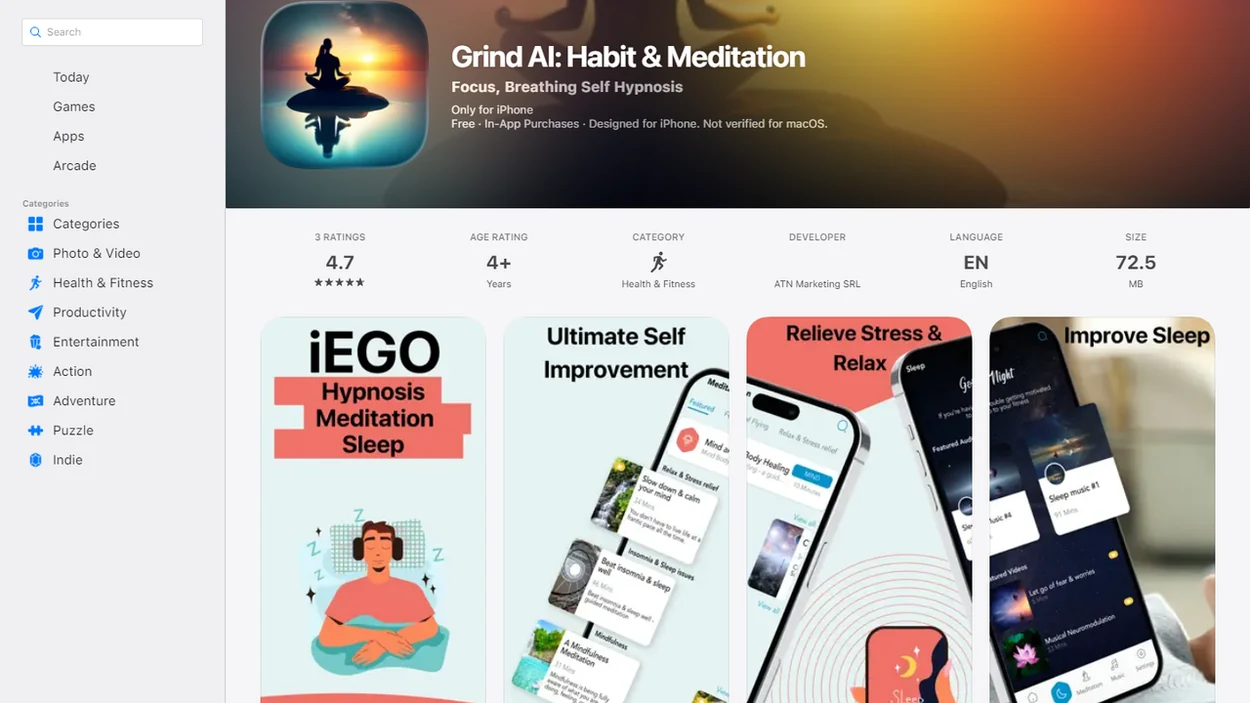
Five apps to consider for one-minute pauses
The strongest one-minute mindfulness app depends on whether you need reminders, short audio, free lessons, or a structured beginner path. Not every app is built only for one-minute prompts, so session-length filters and notification control matter.
- Mindful.net: Best for beginner-friendly everyday micro prompts, especially if you want simple language and short attention practice between ordinary tasks.
- UCLA Mindful: Best for users who want mindfulness education connected to an academic mindfulness center.
- One-Moment Meditation: Best for people who want a practice designed around the very short pause.
- Insight Timer: Best for exploring a large library that includes short guided meditations.
- Headspace: Best for structured guided meditation lessons, although many sessions run longer than one minute.
After a meeting ends, when the next tab is already open, the best quick-reset option is the one that keeps the prompt small enough to finish before the next task.
Compare short sessions, reminders, and beginner guidance
Use this table to compare one-minute fit, reminder control, beginner support, and daily usefulness. The right choice usually depends less on popularity and more on whether the app fits your real day.
Because app features change, verify each app’s current reminder settings, offline access, and session-length filters in the App Store or Google Play before relying on a one-minute workflow.
| App | Best for | One-minute fit | Reminder control | Beginner notes |
|---|---|---|---|---|
| Mindful.net | Everyday micro prompts | Strong | Adjustable reminders | Plain-language guidance for new users |
| UCLA Mindful | Research-informed education | Moderate | Varies by setup | Good for users who like academic-style instruction |
| One-Moment Meditation | Very short pauses | Strong | Simple prompt-based use | Closely aligned with one-minute meditation |
| Insight Timer | Large meditation library | Moderate | Depends on settings | Many choices, which can help or overwhelm |
| Headspace | Structured guided lessons | Moderate | App-based reminders | Clear lessons, but not always one minute |
Accessibility matters here. For a pause between everyday tasks, look for plain instructions, a prompt that starts quickly, and offline access if your connection is unreliable. For broader daily practice, our mindfulness at work guide covers longer routines for professional settings.
If your priority is fewer decisions, choose a short-prompt app that avoids the “which meditation should I pick?” problem.
How a micro mindfulness app works
A micro mindfulness app works by interrupting autopilot and redirecting attention to breath, body sensation, sound, or present-moment experience. The prompt is short, but the mechanism is still attention training.
Most apps store reminder preferences and deliver prompts based on simple timing rules. In behavior terms, the prompt becomes a cue in a habit loop: cue, practice, repeat. That lowers reliance on willpower because the system remembers before you do. A one-minute exercise might ask you to feel a warm coffee mug in your palms, notice one full breath, or let the tongue rest away from the roof of the mouth.
Small cue. Real pause.
Effectiveness depends on clear instructions, consistency, and engagement rather than brand name alone. Good mindfulness practices offer repeatable attention training, not a promise that every alert will make you calm.
How to use a one-minute mindfulness app daily
A one-minute mindfulness app works best when prompts are tied to specific routines, not random hope. Start with fewer reminders, then increase only if they still feel useful.
- Set one or two daily reminder windows, such as before meetings or after commuting. A mindfulness app for parents can offer short resets between caregiving tasks, with reminders that adapt to changing family routines.
- Choose one prompt style first, like breathing, body awareness, or sound. An app for mindful walking offers another prompt style, with guidance for paying attention while staying aware of your surroundings.
- Pair the prompt with a real cue, such as after emails, during lunch, or before opening a laptop.
- Practice for the full minute, even if your mind wanders to a grocery list.
- Review after three days and delete reminders that feel irritating.
- Reset the plan if notifications start blending into background noise.
On days your calendar has no clean break, treat one minute as enough to restart attention before you decide whether a longer practice is realistic. A longer daily mindfulness routine can come later.
Research behind short mindfulness app prompts
Evidence for brief app-based mindfulness is promising, but it is not a guarantee for every person. The strongest studies support short practices as helpful tools for stress and mood, especially when people actually use them.
- A 2019 meta-analysis of 15 randomized controlled trials found small to moderate improvements in stress, depression, and anxiety from mindfulness smartphone apps compared with controls, according to this E10844.
- A 2018 randomized controlled trial of a 10-day Headspace program reported a 14.7% stress reduction versus a wait-list control, according to this S12671 018 0905 4.
- A 2019 trial of a 4-week brief app-based mindfulness intervention improved perceived stress, mindfulness, and self-compassion, according to this Full.
- App-based mindfulness studies often use short time frames and nonclinical samples, so results may not apply to severe distress.
- User engagement, reminder design, and clear guidance appear to matter more than a famous app name.
For beginners, one-minute prompts are often easier than 20-minute sessions because they reduce the starting barrier.
App activity is not the same as benefit
Completing more sessions tells you that you are using an app, not necessarily that it is helping. A review of mindfulness mobile applications distinguishes app-use measures from mindfulness and health outcomes. Minutes practiced, reminder responses, and streaks can describe a routine, but they do not establish the quality of your attention or an improvement in stress.
Keep two questions separate when reviewing your one-minute routine: Did the prompt fit your day, and did the practice help with something that matters to you? Session counts can help identify a workable time. Your own assessment of stress, mood, or attention adds different information, though it is not clinical evidence. A missed day is a reason to reconsider the schedule, not proof that the practice has failed. An app for mindfulness journaling can help you record how each pause affects your mood, attention, and daily routine.
Selection criteria: prompt length, clarity, and reminder control
We evaluated each mindfulness prompt app by prompt length, reminder customization, clarity of instruction, beginner fit, and daily-life usefulness. We did not rank apps only by app-store ratings, brand recognition, or how often they appear in search results.
We treated a one-minute fit as stronger when the app made short prompts easy to find without browsing through a long meditation catalog.
The most useful criteria were evidence-informed and practical: repeatable practice, clear guidance, adjustable cues, simple language, low-data use, and possible offline access. A one-sentence cue that starts immediately is more useful during a brief break than a prompt that spends most of that break loading.
For people who need gentle structure, a wider library of mindfulness practices can help connect micro prompts with breathing, body scans, and mindful listening. That matters when a one-minute pause turns into curiosity about breathing, body scans, or mindful listening.
Also important: notification control. Too many reminders can make mindfulness feel like another inbox.
Mindful.net for short, secular beginner practice
It is a strong fit for people who want simple pauses, short reminders, and approachable mindfulness basics without spiritual authority or medical treatment claims.
Beginner-friendly language matters because many new users are not sure whether mindfulness means breathing, meditation, relaxation, or “clearing the mind.” Mindful.net keeps the focus on secular practice: notice what is happening, return attention, and try one practical next step. That is enough beside a camping setup, in a parked vehicle, or while checking the truck cab mirror before moving on.
For beginners who need one-minute guidance rather than a long course, Mindful.net is often easier to start because the exercise is small and the instruction is direct. If you later want a slightly longer reset, a 5-minute mindfulness practice is a natural next step.
Alternatives for a one-minute method or a larger library
Some alternatives may fit better if you want academic framing, a dedicated one-minute method, or a broader guided meditation library. Mindful.net is the beginner-first choice here, but it is not the only useful option. Compare meditation apps and alternatives to find the right balance of short prompts, teaching style, and session length.
UCLA Mindful for academic-style guidance
UCLA Mindful is useful for research-informed mindfulness education and guided practices. It suits users who like clear teaching from an academic mindfulness program rather than a purely commercial meditation catalog.
One-Moment Meditation for very short pauses
One-Moment Meditation closely matches the one-minute meditation use case. It is a good fit when you want a single short pause instead of browsing a large content library.
Insight Timer and Headspace for broader libraries
Insight Timer offers a large library with many short practices, while Headspace provides structured guided meditation lessons. However, not all sessions are one minute, so filters and favorites matter.
For commuters who need short pauses after travel, an app that helps mindful commuting may fit better than a general meditation library.
Notification fatigue and the limits of short guidance
A mindfulness prompt app can help, but it can also become one more thing buzzing at you. Notifications that arrive too often, or at the wrong time, may feel annoying rather than supportive.
One-minute prompts may also feel too shallow for users seeking deeper meditation training. If you want posture guidance, longer body scans, or a full course, a micro mindfulness app may only cover the first step. Palms tingling in the lap during a body scan may need more than a 60-second instruction.
App quality varies. Some apps include clinical or academic input, while others mainly package generic relaxation tips. Phone-based mindfulness can also work against people trying to reduce screen time, especially if one prompt turns into ten minutes of scrolling.
If customization matters most, choose the app with the fewest decisions, clear reminder controls, and plain explanations rather than endless content browsing.
Choose a short practice you can repeat
Between tasks, a short guided meditation or breathing exercise can give you a clear instruction rather than another screen to browse. Mindful.net offers both on iOS and Android, along with a meditation timer. The guide to choosing a mindfulness app can help you compare options. For a practice specifically designed around one minute, consider One-Moment Meditation; for academic mindfulness education, UCLA Mindful may be a better match. Confirm exact session lengths before choosing.
Mindfulness Prompt Limits
- Evidence is still emerging, and many mindfulness app studies are short term or use nonclinical samples.
- Mindfulness prompts provide support, but cannot replace therapy, medical care, psychiatric care, or crisis support.
- Benefits depend on actual engagement and consistent use, not simply downloading a mindfulness app.
- For severe stress, trauma, panic, grief, or intense, worsening, or unsafe symptoms, seek qualified support rather than relying on prompts.
One-minute mindfulness app questions
What should I look for in a one minute mindfulness app?
Look for exercises that take about 60 seconds, clear instructions, and reminder settings you can adjust or turn off. Check how easily you can find a short session. A large meditation library is not enough if reaching a one-minute prompt requires several minutes of browsing.
Do one-minute mindfulness exercises actually work?
A minute gives you time to notice your breathing, body sensations, or sounds and return your attention when it wanders. Research on brief app-based practice is promising, but it does not establish that every 60-second prompt produces lasting benefits. Treat it as attention practice rather than a guaranteed stress treatment.
How often should I set mindfulness reminders?
Start with one or two reminder windows tied to ordinary routines, such as lunch or the end of a work task. Review them after a few days. Remove alerts you routinely dismiss or find irritating. More notifications do not necessarily mean more practice, and reminders alone do not guarantee consistency.
What can I do during a one-minute mindfulness prompt?
Choose one focus: the sensation of a natural breath, contact between your feet and the floor, or nearby sounds. Notice when attention moves elsewhere, then return to that focus. You do not need to empty your mind or achieve relaxation before the minute counts as practice.
Which apps offer short mindfulness practices?
Options include Mindful.net, UCLA Mindful, One-Moment Meditation, Insight Timer, and Headspace. Their purposes differ, from short beginner practices to academic teaching and larger meditation libraries. Not all specialize in 60-second prompts. Check current session lengths, reminder controls, and offline access before choosing an app for this particular routine.
Can one-minute prompts replace longer meditation?
They can provide a brief attention check-in, but they do not offer the same room for sustained practice, detailed posture guidance, or a longer body scan. Short prompts may be a starting point or a supplement. They also cannot replace therapy, medical care, or support for severe or persistent symptoms.
Should I keep a streak for one-minute mindfulness?
A streak records consecutive app activity, not how attentively you practiced or how much it helped. Use tracking to identify times you can realistically repeat. After a missed day, return at the next suitable moment rather than adding sessions solely to compensate or treating the gap as failure.