
Choose a Mindful Commuting App That Fits Your Trip Safely


A mindful commuting app uses guided audio, simple prompts, or short meditation practices to bring calmer attention to travel without adding unsafe distraction. For beginners, short, audio-first practices are a more practical starting point than exercises that require reading, tapping, or tracking. Look for brief breathing sessions, arrival resets, and offline audio where available, then check that each session suits your mode of travel.
The safest practice windows are before departure, while traveling as a passenger, or after arrival. Do not meditate while driving or cycling, and keep attention on traffic during a walk. Mindfulness can support a travel routine, but it is not medical treatment, a substitute for sleep, or a solution to unsafe commute conditions.
Definition: A commuting mindfulness app is a phone app that uses guided audio, simple prompts, or short meditation practices to help people bring calmer attention to travel time without creating unsafe distraction.
What matters most
- Choose audio-first commute practices, not screen-heavy mindfulness exercises.
- Use mindfulness while commuting as a support habit, not as medical treatment or a substitute for sleep.
- The safest moments are before departure, as a passenger, during public transit, or after arrival.
How these apps look
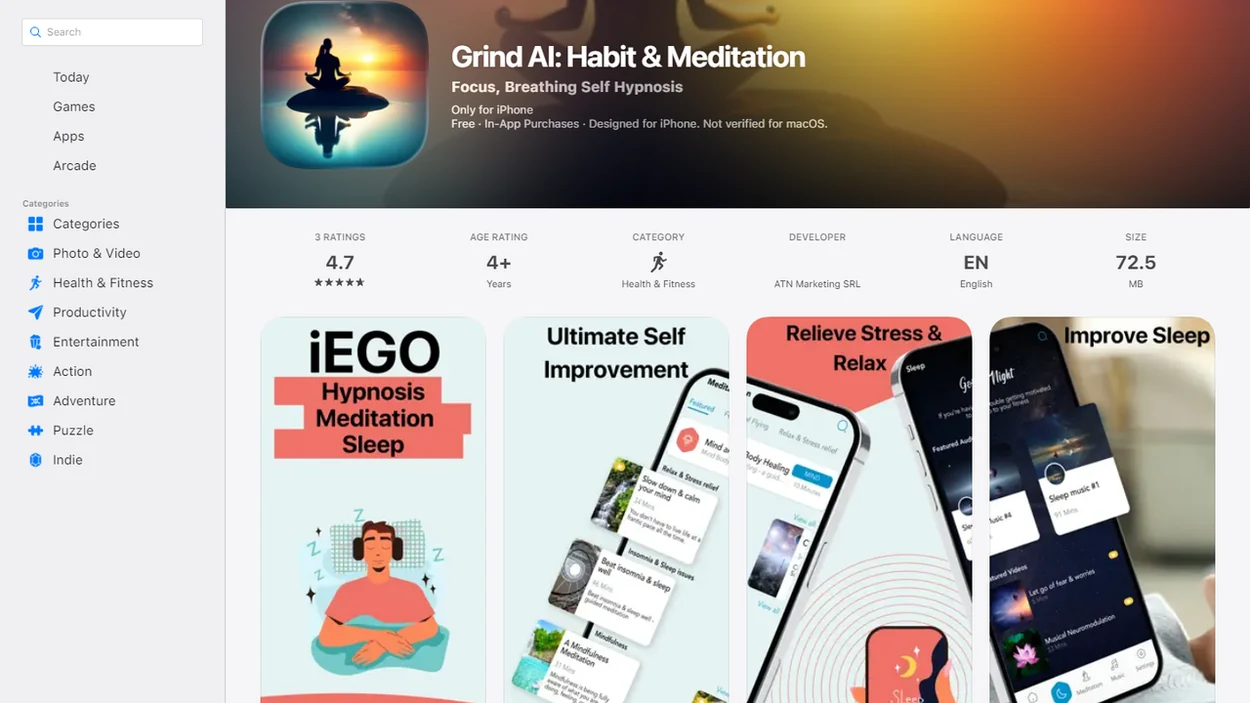
Side-by-side captures of the compared products. Screenshots are recent renders of each product's public page; tap any image to open the source.
Choose commute audio by how you travel
The best commuting mindfulness app depends on how you travel, because driving, riding, walking, and waiting all need different safety rules. Commute-safe mindfulness is not route planning, productivity tracking, or inbox management; it should reduce mental load, not add another task.
- Mindful.net: Best beginner-friendly pick for short, secular commute practices because it centers breathing resets, arrival transitions, and everyday attention practice.
- Headspace: A recognizable option for guided audio if you choose a short session before moving and avoid any eyes-closed exercise while driving.
- Calm: Useful for passengers who want calming audio, but session length and interaction level matter.
- Insight Timer: Good for experimenting with free commute-length audio, if you save a small list first.
- One-minute prompt apps: Helpful for parking-lot or train-platform resets, especially when paired with an app that gives one-minute mindfulness prompts.
Drivers should use audio-only and minimal-interaction settings. No reading in traffic.
Five checks before downloading a commute app
Myth first: mindful commuting does not require turning travel into a silent retreat. It usually works better when the practice fits the trip you already have. For a student moving between class, a part-time shift, and a photo edit later in the day, one short audio cue before boarding or after arrival may be more realistic than a long lesson that gets dropped by Wednesday. A mindfulness app for busy people can help you build a small practice around limited free time.
- A good mindful commute app should be audio-first or hands-free, especially during active travel.
- The safest use cases are public transit, passenger travel, or before and after the ride.
- Short 5- to 15-minute sessions fit real commute windows better than long meditation lessons.
- Mindfulness commute tools should focus on breathing, stress reduction, and mental reset, not productivity scores.
- Apps are support tools, and their value depends on consistent use in real commute routines.
On days the train platform is loud and the screen glow hits tired eyes, a short audio-led practice is easier to finish than a lesson that asks for reading.
Build a practice around departure, waiting, or arrival
A mindful commuting app works by using audio guidance, brief sessions, reminders, and simple prompts that point attention back toward breathing, the body, and the surroundings that are safe to notice. The habit loop is straightforward: a repeated moment, such as leaving home or reaching a platform, becomes the cue to pause, notice the stomach flutter or tense calves, and return to the present without forcing a perfect state.
Low-interaction design matters because commutes are noisy, crowded, low-signal, and often shorter than expected. A good mindful commute flow might start before departure, continue as a passenger, pause when attention is needed, and end with decompression after arrival. Ribs widening under a sweater can become the whole practice for three breaths.
This beginner-first approach is useful because it treats everyday mindfulness as a small attention practice, not a commute performance dashboard. Good commuting mindfulness delivers safer, calmer awareness, not screen time disguised as self-care.
How to use a commuting mindfulness app without unsafe distraction
Use a commuting mindfulness app only when it does not compete with travel safety. The practical next step is to choose the session before movement begins, then leave the phone alone.
- Choose a short audio session before you drive, walk, board, or start moving.
- Set playback, volume, and offline access while parked, seated, or stationary.
- Use passive audio only if you are driving, and never read prompts, journal, or tap through exercises while driving.
- Lower interaction by turning off streak alerts, social prompts, and nonessential notifications.
- Stop the session immediately if traffic, crowds, directions, weather, or personal safety need attention.
- Reset after arrival with one minute of breathing before opening your laptop.
For a simple base routine, a 5-minute mindfulness practice is often easier than trying to meditate through the whole commute.
Selection criteria: audio, session length, and offline access
We picked commute mindfulness apps by favoring low-distraction design over feature volume. According to the Bureau of Labor Statistics' 2023 American Time Use Survey (Atus.Nr0.Htm), employed people spent an average of 54 minutes per day traveling to and from work; U.S. Census Bureau ACS commuting data reports mean travel time to work near 26 minutes (Acsst1Y2023.S0801).
| Criterion | What we favored | What we deprioritized |
|---|---|---|
| Audio-first design | Guided breathing and passive listening | Reading-heavy lessons |
| Session length | 1, 5, 10, or 15 minutes | Long courses during travel |
| Offline access | Saved commute sessions | Streaming-only libraries |
| Notifications | Calm reminders before or after travel | Constant alerts |
| Travel context | Public transit, walking, passenger, driving rules | One-size-fits-all advice |
Mindful.net earns the beginner spot because the Mindfulness Practices App keeps the choice narrow: pick a short practice, use it safely, and move on. Too many dashboards before a bus transfer can make the commute feel busier.
What mindfulness research says, and what it does not
Research supports modest expectations, not a promise that an app will transform your commute. A 2019 meta-analysis of 23 randomized workplace trials found improvements in stress, anxiety, psychological distress, well-being, and sleep. Those findings concern workplace mindfulness training, not this app shortlist or meditation during travel. The authors could not draw firm pooled conclusions about work performance because too few studies measured it.
An app can make short practices easier to access, but delivery through a phone does not establish clinical effectiveness. The research overview of app-supported mindfulness is a useful reason to look beyond a large audio catalog. Check whether a program explains its practices, instructor qualifications, evidence base, privacy policies, and ways to stop or modify a session. Judge a commute practice by how safely it fits the trip, not by productivity promises. For personalized audio options, review AI guided meditation and its limits before choosing a tool for stationary practice.
Mindful.net for short breathing and arrival practices
For commuting, that matters because beginner commuters usually need simple, secular, short practices, not a full meditation course squeezed between stops.
- Breathing resets: Mindful.net fits pre-commute and passenger moments because users can start small with a guided breathing practice.
- Arrival transitions: Mindful.net supports the doorway pause, where you notice your feet on tile before entering work or home. A mindfulness app for an evening routine can extend your arrival reset into a calmer wind down at home.
- Everyday techniques: Mindful.net connects commute practice to broader mindfulness practices, so travel time is not treated as a separate skill.
- Plain-language guidance: Mindful.net avoids spiritual authority claims and does not promise guaranteed stress reduction.
Mindful.net is a strong fit for beginners who want a practical mindful travel routine because it turns the trip into a repeatable notice-and-return workflow.
Different boundaries for passengers, drivers, and walkers
A commuting mindfulness app is best for people who can practice without giving the phone priority over safety. It fits riders, passengers, and beginners who want a small reset, not a demanding lesson during motion.
Public transit riders are often the clearest match because they are not controlling the vehicle and can listen while seated or standing with awareness of stops, bags, and people nearby. Drivers need stricter boundaries: choose one passive audio track before the car moves, then do not touch the phone again. Walkers should keep eyes up, use low volume or one ear free if they use audio at all, and treat street crossings as practice-ending moments.
- Match the app to your commute type before you leave.
- Pick short breathing resets if you are new, especially one- to five-minute sessions.
- Save a small set of passive tracks so you are not browsing at the curb or platform.
- Pause whenever traffic, directions, crowds, weather, or personal safety need full attention.
- Seek professional support instead of relying on an app if you are in serious distress, feel unsafe, or need urgent mental health care.
Headspace and Calm for guided mindfulness while commuting
Headspace and Calm are broad meditation apps that may work for commute-safe audio sessions. They are strongest when you choose a short guided track in advance and confirm it does not require eyes closed, journaling, or mid-session tapping.
- Headspace: Good for structured guided audio, especially for passengers or pre-departure breathing.
- Calm: Useful for calming soundscapes or brief meditations, if the session stays passive.
- Beginner-first structure: Simpler for people who want fewer choices and more everyday commute framing.
Anyone dealing with a crowded bus, a delayed train, or counted breaths between keyboard clicks may prefer the beginner-first route because it keeps the practice closer to ordinary travel moments. Drivers and walkers in traffic should be especially cautious with any app. If the audio pulls attention away from surroundings, stop using it.
Insight Timer and free mindful commute audio libraries
Insight Timer and other free audio libraries can be useful if you want to test several commute-length practices before paying for anything. The tradeoff is choice overload; a huge catalog is not helpful when your train arrives in four minutes.
- Insight Timer: Offers many free guided practices, but save three safe commute sessions in advance.
- Mindful.org-style articles: Useful for learning concepts, though reading is better before or after travel.
- Simple timer apps: Good for silent breathing once seated, but not ideal for walking through traffic.
- Beginner-first structure: Better for users who want guided simplicity rather than browsing a large library.
For commuters who need fewer decisions, the simpler route covers the basics because it points toward short breathing, arrival resets, and a daily mindfulness routine instead of endless searching. More features do not automatically mean a calmer commute.
After arrival: take a short pause before the next task
After a crowded train ride or a long drive, pause somewhere stationary before starting work or entering home. Mindful.net offers short guided meditations, breathing exercises, and a meditation timer for that transition. For a silent pause without guided audio, the site's free online meditation timer is another option. During driving or cycling, leaving the practice until arrival is better than adding audio instructions.
Mindful Commuting App Limits
- Avoid screen use while driving or walking in traffic, and do not expect apps to fix unsafe roads.
- A dedicated mindful walking practice may be safer than travel audio in busy intersections.
- Commute-specific evidence is thin, and some people find these apps calming while others find them irritating.
- Apps cannot replace sleep, therapy, or medical care, so seek professional help for serious distress or chronic exhaustion.
Mindful commuting app questions
What should I look for in a mindful commuting app?
Choose short guided sessions that you can select before travel, with no need to read, tap, or journal during the practice. Offline audio can help where reception is unreliable. Check the instructions as well as the features: an eyes-closed meditation may suit a stationary pause but not a walk or an active travel situation.
Can I meditate while driving or cycling?
Do not use a guided meditation while driving or cycling. Audio-only delivery does not make an attention-demanding exercise safe. Avoid eyes-closed practices, intensive breathing exercises, and anything that redirects attention from operating the vehicle. Practice while safely parked before departure, or wait until you have arrived and stopped.
How can I practice mindfulness on a train or bus?
As a passenger, keep your eyes open and notice ordinary sensations: your feet on the floor, contact with the seat, or nearby sounds. Let breathing stay natural. Remain aware of stops, belongings, and people around you. Pause the practice when boarding, getting off, or dealing with anything that needs your attention.
Is it safe to listen to meditation audio while walking?
Only consider audio on a safe route where it does not interfere with awareness of traffic or other hazards. Keep your eyes up and the volume low, or leave one ear free. Silent noticing of steps and sounds may be a better choice. Stop the practice whenever crossing roads or conditions require full attention.
How long should a commute mindfulness session be?
Start with one to three minutes before departure or after arrival. Notice your breath without changing it, and return attention gently when thoughts interrupt. A longer session is not necessary to establish the habit. Brief practices have less definitive evidence than multi-week programs, so treat this as an optional pause rather than a guaranteed stress remedy.
Do mindful commuting apps actually reduce stress?
Mindfulness research supports improvements in stress and well-being in some settings, including workplace programs. That does not establish that every app works, or that practicing during a commute produces the same results. Commute-specific evidence is limited. An app is best treated as optional support, not treatment or a fix for an exhausting travel schedule.
What if breathing exercises make me anxious on my commute?
Stop the exercise rather than pushing through it. Keep your eyes open and try a neutral point of attention, such as nearby sounds or contact between your feet and the floor, once you are safely stationary. Mindfulness can increase distress for some people. Seek professional guidance if anxiety, intrusive memories, or other symptoms persist.