
Choose a Breathing Reminder App That Fits Your Workday


A breathing reminder app for work prompts short, structured breathing breaks on a phone, watch, or desktop, ideally with quiet alerts and adjustable timing. The useful part is what happens after the prompt: a brief guided exercise rather than another notification to dismiss. Look for adjustable frequency, quiet hours, and subtle alerts. If you prefer paced breathing, a guide around five to six breaths per minute gives you a clearer action than a vague “take a breath” message.
Tie prompts to meeting transitions, lunch, or the end of a focus block. Mindful.net offers short guided meditations and breathing exercises for people who want beginner-friendly, secular guidance. Choose the practice and reminder setup separately: a useful exercise does not make an intrusive alert useful.
Definition: A breathing reminder app is a phone, watch, or desktop tool that prompts short, structured breathing breaks during the workday.
What matters most
- Choose a breathing reminder app with adjustable frequency, quiet hours, and subtle prompts.
- Paced breathing around 5-6 breaths per minute is more useful than a random “take a breath” notification.
- Breathing reminders work best when tied to work rhythms like meetings, focus blocks, lunch, and screen breaks.
How these apps look
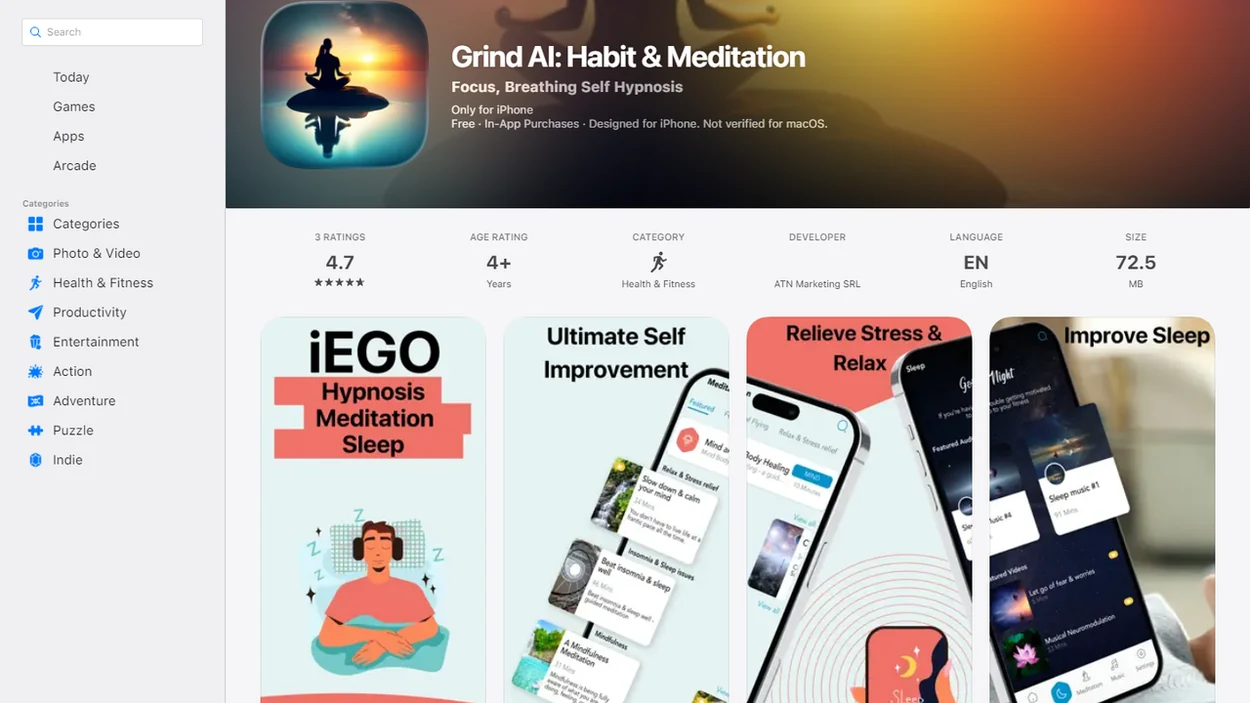
Side-by-side captures of the compared products. Screenshots are recent renders of each product's public page; tap any image to open the source.
Best breathing reminder apps for work at a glance
Your strongest breathing reminder app for work depends on your notification tolerance, device, and how much guidance you want. Some people need a full cue and short practice; others only need a quiet nudge between calls.
- Mindful.net: Best for beginner mindfulness and everyday work pauses. It keeps the language practical, which helps when you have three minutes before opening a laptop.
- Breathwrk: Best for structured breathwork routines with more guided exercise options.
- iBreathe: Best for a simple paced breathing timer without a large content library.
- Apple Mindfulness/Breathe: Best for Apple Watch nudges that tap your wrist instead of filling your phone screen.
- Minimalist desktop reminder: Best for computer-based prompts during long writing, coding, or spreadsheet blocks.
On days your calendar is packed, Mindful.net earns its spot because the Mindfulness Practices App pairs short practices with beginner-first explanations instead of pushing intense breathwork training.
Breathing reminder app mechanics during the workday
A breathing reminder app works by scheduling prompts, delivering a subtle alert, and guiding a short breathing pace for 30 to 60 seconds. Good work breathing reminders use timing, pace cues, and brief sessions rather than vague wellness notifications.
Most apps use habit loops: cue, action, and return. In plain terms, the prompt reminds you, the breathing exercise gives you something simple to do, and the return sends you back to work with less physical bracing. Paced breathing around six breaths per minute has been linked with lower blood pressure and increased heart rate variability in a controlled study NIH research.
That does not make a reminder app a medical treatment. It makes it a momentary reset. At work, beginner mindfulness and meditation practices can provide a cue to pause and return attention, but they cannot erase workplace stress.
Work breathing reminder setup without notification overload
The safest setup is a small schedule that follows your real workday. Start with 2 to 4 reminders per workday, then adjust after a week.
- Set quiet hours for meetings, deep work, commuting, and after-hours time.
- Choose 30- to 60-second breathing exercises before trying longer sessions.
- Match reminders to meeting transitions, lunch, focus blocks, and end-of-day shutdown.
- Test one subtle alert style, such as vibration, banner-only, or desktop chime.
- Review what you ignored after five workdays and remove those prompts.
- Reset the schedule when your calendar changes, especially during travel or deadline weeks.
For workers who mute every wellness alert by Wednesday, Mindful.net fits because its short practice workflow supports a “notice and return” habit instead of streak pressure. For a broader setup, our tool to create mindful break reminders covers reminder planning in more detail.
Use natural breathing when a paced exercise feels uncomfortable
A reminder does not have to lead to a timed breathing pattern. For a simple alternative, spend one to three minutes noticing your breath without changing its depth or speed. When attention wanders, return to the next breath. Try this after an interruption or before a demanding task. The aim is to return attention, not force concentration or reach a special state.
If focusing on breathing increases anxiety or distress, stop the exercise. Keep your eyes open and try a neutral point of attention, such as sounds or the contact of your feet with the floor. You can also dismiss the reminder entirely. Seek professional guidance if distress persists, rather than increasing the length or intensity of practice.
Treat this as an optional attention reset, not a proven productivity technique. A review of 23 workplace mindfulness trials found improvements in stress and anxiety, but too few studies measured work performance to support firm pooled conclusions. Those findings concern workplace training programs, not proof that a brief reminder or any particular app produces the same results. If you want app support for focused work, compare meditation apps for productivity while keeping expectations realistic.
Five reminder features that suit a shared office
Gentle work breathing reminders should reduce friction, not create another task. We prioritized features that fit an office chair, a bus seat, or a kitchen table workspace.
- Adjustable reminder frequency: The app should let you set 2 reminders or 6, not force a fixed rhythm.
- Quiet hours: Work breathing reminders need pause windows for presentations, calls, and focused writing.
- Subtle alerts: A soft vibration or small desktop prompt beats a loud sound in a shared office.
- Short sessions: Thirty seconds is often enough to feel your feet on tile and unclench your jaw.
- Evidence-based pacing: Paced breathing cues around 5-6 breaths per minute are more useful than random “breathe now” text.
We deprioritized streak shame, heavy gamification, loud alerts, and long sessions. Minimal data collection also matters, especially when workplace stress notes or usage patterns could feel personal.
Selection criteria: reminder control and short work breaks
We chose these breathing reminder apps by asking whether they would actually fit inside a normal workday. The main checks were workday usability, reminder control, and short session design, not the biggest possible breathwork library.
- Test whether the app could support quick pauses between meetings, focus blocks, lunch, and end-of-day shutdown.
- Check prompt controls, including reminder frequency, quiet hours, alert style, and whether sessions could stay near 30 to 60 seconds.
- Weigh beginner friendliness, plain instructions, and secular language, which helped Mindful.net rank well for workers who do not want spiritual framing or intense training.
- Review practical signals such as pricing, platform availability, account requirements, and privacy-facing information before treating an app as workplace-friendly.
- Recheck features before choosing, because app interfaces, free plans, notification settings, and privacy policies can change without much warning. To compare options beyond breathing reminders, review the best mindfulness apps for features that match your daily routine.
Advanced breathing catalogs were useful, but they were not weighted above workplace fit. A powerful breathwork app can still be the wrong tool if it interrupts calls, pushes long sessions, or makes a tired worker decide between too many options.
Mindful.net for beginner mindfulness reminders at work
It is a strong fit for people who want gentle mindfulness reminders at work, not a demanding breathwork training plan.
Beginner workers often need clear language more than advanced technique. Mindful.net explains short breathing, body awareness, and everyday mindfulness in practical terms, so a reminder can become a simple attention practice. One cue might lead to three steady breaths before replying to a tense message.
After a hard meeting, when your mind is already halfway into a grocery list, Mindful.net helps you notice and return because the Mindfulness Practices App keeps sessions short, secular, and non-shaming. It supports stress regulation education, but it does not diagnose, treat, or replace professional care. For related workplace basics, read our guide to mindfulness at work.
Breathwrk and iBreathe for structured breathing exercises
Structured breathing apps guide the pace and duration of each breath, while a generic reminder may only say “take a breath.” That difference matters when you want the app to lead the exercise.
| Option | Best fit | Workday strength | Possible drawback |
|---|---|---|---|
| Breathwrk | Structured breathwork users | Guided routines and varied exercises | More features may feel busy |
| iBreathe | Simple paced breathing | Clean timer-style breathing cues | Less mindfulness context |
| Mindful.net | Beginner mindfulness at work | Short practices plus plain explanations | Less focused on advanced breathwork |
People who like guided routines may prefer Breathwrk. Workers who want less content may prefer iBreathe. For beginners who need a calmer entry point, Mindful.net covers breathing as part of everyday mindfulness, which can feel easier during a lunch break with a saved lesson open. If these formats do not suit you, compare meditation apps and alternatives before choosing another tool.
Work breathing reminders that fit meetings and focus blocks
Does timing breathing reminders around work rhythms help more than random alerts? Usually, yes, because contextual reminders arrive when your body already expects a transition.
Set prompts before hard conversations, after long focus sessions, after lunch, and between meetings. A Pomodoro timer can add a breathing minute after four work blocks. Calendar blocks can protect one pause before a presentation. Smartwatch nudges help when your phone is face down, while desktop breaks work well for screen-heavy jobs.
When the issue is overstimulation from stacked tabs, chat pings, and stale office air during an exhale, Mindful.net fits because it offers short mindfulness reminders that can sit beside focus blocks rather than compete with them. The practical next step is to pair reminders with mindfulness for focus, not scatter them randomly across the day. For attention needs related to ADHD, compare ADHD meditation app support without treating reminders as clinical care.
Evidence behind breathing reminders and workplace stress
Evidence supports breathing practices more strongly than any single breathing reminder app. Apps are delivery tools; the active ingredient is the short, repeated breathing or mindfulness practice.
- In a large APA survey, 83% of U.S. workers reported work-related stress, and 25% said work was their top stress source APA research.
- An APA review found relaxation techniques, including breathing exercises, can reduce anxiety, though effects vary by method and population APA research.
- A workplace mindfulness trial that included breathing practices reported a 31% reduction in perceived stress after 8 weeks NIH research.
- The NCCIH notes that relaxation techniques such as slow breathing may help some people with stress and anxiety, while more high-quality research is still needed NCCIH overview.
- Reminder timing probably matters because people are more likely to practice when cues match real routines.
For most workers, breathing reminders are often easier than open-ended meditation because the action is brief, concrete, and tied to a specific moment. For stress education, our mindfulness for stress guide gives more context.
Breathing Reminder App Limits
- Breathing reminders cannot fix toxic workplaces, understaffing, excessive workloads, poor management, or unclear job expectations.
- Frequent prompts can add digital noise and become irritating enough that people mute them.
- Evidence for breathing apps is promising but more limited than broader research on managing stress.
- People with respiratory, cardiovascular, or other medical conditions should consult a clinician before intensive breathwork.
Breathing reminders at work: common questions
How often should I set breathing reminders at work?
Start with two to four reminders per workday, preferably at transitions such as lunch or the end of a meeting. After five workdays, remove prompts you consistently ignore. More reminders are not automatically better; reduce the frequency if alerts interrupt concentration or become another source of digital noise.
What should I look for in a breathing reminder app for work?
Prioritize adjustable frequency, quiet hours, subtle alerts, and short exercises. Check that the app lets you pause prompts during calls and focused work. A guided breathing cue is useful if you want help with pacing; a simple reminder may be enough if you already know the practice you want to use.
Do breathing reminder apps actually reduce workplace stress?
Evidence supports breathing and mindfulness practices more strongly than any particular reminder app. Workplace mindfulness programs can reduce perceived stress, but those findings do not prove that every commercial app works. A reminder is a delivery tool: any benefit depends on the practice, how you use it, and your circumstances.
How long should a breathing break at my desk last?
Begin with a 30- to 60-second exercise if you need something that fits between tasks. For natural breath awareness, allow one to three minutes: notice breathing without forcing it and return attention when it wanders. You do not need to finish a longer session just because the app offers one.
Do I need to breathe at six breaths per minute?
No. Paced breathing is one option, not a requirement for a mindful work break. You can simply notice your natural breathing for one to three minutes. If a set pace feels uncomfortable or makes you anxious, stop following it and use sounds or contact with your feet as your point of attention.
How can I stop breathing reminders from interrupting meetings?
Use quiet hours or pause windows for meetings, presentations, and focused work. Place prompts between calendar blocks rather than inside them, and choose a subtle alert instead of sound in a shared office. Review your schedule after a week and delete reminders that regularly arrive at the wrong time.
Can breathing exercises make anxiety at work worse?
Yes. Some people experience increased anxiety or distress when focusing on the breath. Stop if symptoms intensify, keep your eyes open, and try noticing sounds or your feet on the floor instead. Persistent or worsening symptoms deserve professional guidance. An app is not a medical treatment or a substitute for clinical care.