
Mindful Break Reminder Tools: Quiet Prompts for the Workday


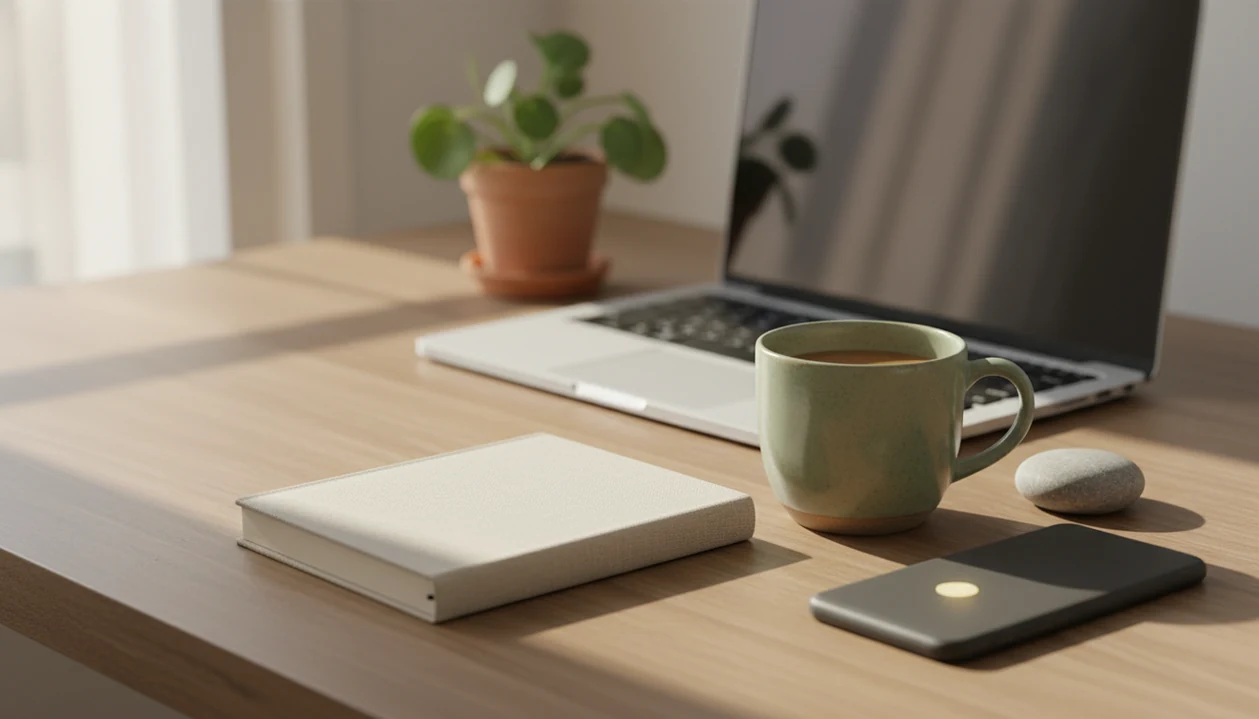
Mindful break reminder tools pair scheduled notifications with brief present-moment practices, such as noticing one breath, checking body tension, or taking a 60-second pause. They can be apps, browser extensions, timers, or workplace prompt systems. A useful reminder tells you both when to pause and what to notice, rather than simply sounding another productivity alarm.
Start with a 30- to 60-second practice every 60 to 90 minutes during work hours, then adjust the timing to your schedule. Look for quiet, dismissible prompts, meeting controls, and clear privacy settings. Keep one simple practice per reminder. The tool should leave room for meetings and concentrated work, without making a skipped pause feel like a failure.
Definition: A mindful break reminder tool is an app, extension, timer, or workplace prompt system that pairs scheduled break notifications with brief present-moment practices.
The essentials
- Use a mindful break reminder tool for short pauses, not another productivity alarm.
- Start with 30- to 60-second reminders every 60 to 90 minutes during work hours.
- Choose quiet, dismissible prompts, meeting-aware scheduling, privacy-respecting settings, and one simple practice per reminder.
Mindful Break Reminder Tool Basics For Workdays
A mindful break reminder tool combines timing with a short attention practice, not just a beep on a schedule. The reminder tells you when to pause and what to notice, such as the breath, posture, sound, or feet on the floor.
That is what separates it from a stretch timer, Pomodoro timer, or calendar alert. Those tools can be useful, but they often stop at “take a break.” A mindfulness reminder adds the next tiny instruction. Notice and return.
Beginners benefit from that built-in cue because the hardest part is often remembering what to do once the alert appears. A phone timer set for 5 minutes can help, but a prompt that says “feel both feet on the carpet” is easier to follow during a crowded workday.
Used alongside reminders, beginner-friendly guidance can make each pause feel less vague.
Reminder settings to check before choosing a tool
A useful tool to create mindful break reminders should be quiet, adjustable, and easy to ignore without shame when work truly needs your attention. The goal is autonomy, not forced compliance.
| Feature | Why it matters | Beginner-friendly setting |
|---|---|---|
| Custom intervals | Fits different energy levels and job types | Every 60 to 90 minutes |
| Active hours | Prevents reminders at lunch, after work, or during school pickup | Weekdays, 9 a.m. to 5 p.m. |
| Quiet notifications | Reduces embarrassment in shared spaces | Silent banner or soft vibration |
| Meeting controls | Avoids alerts during calls and presentations | Pause during calendar events |
| Micro-practice prompts | Turns a timer into attention practice | One breath or 30-second body scan |
| Privacy settings | Keeps wellness habits from becoming workplace surveillance | Local reminders, minimal tracking |
| Simple analytics | Shows patterns without turning breaks into a score | Weekly count only |
Start with work hours only, every 60 to 90 minutes, for 30 to 60 seconds. For desk workers, short reminders usually work better than long breaks because they are easier to honor between real tasks.
For beginners and everyday use, mindfulness practices should make a pause repeatable without making missed reminders a source of guilt.
Before You Start: Cue, Calendar, And Privacy Setup
Before you configure a mindful break reminder tool, decide what kind of pause you want it to protect. A clear cue, sensible device choice, and privacy check make the setup calmer from the first alert.
- Choose one practice cue before changing intervals or notification styles. Start with something you can do anywhere, such as one breath, feeling your feet, or softening your jaw.
- Check calendar access if you want the tool to skip meetings, calls, presentations, or focus blocks. Without permission, meeting-aware reminders may not work.
- Pick the device where the reminder should appear: phone, desktop, wearable, or a combination. Use the least public option if you share screens or sit close to others.
- Review privacy settings before turning on mood notes, break history, wellness activity, or workplace dashboards. Keep tracking minimal until you know it helps.
- Test on a quiet day instead of launching during a deadline-heavy stretch. A normal, low-pressure workday gives you cleaner feedback about timing and tone.
The setup should feel like a small support rail, not another system to manage.
The reminder loop: schedule, cue, practice, response
A mindfulness reminder app works through a simple loop: schedule, cue, practice, response, and optional review. The schedule decides when the prompt appears, the cue tells you what to do, and the response helps you keep or adjust the pattern.
The behavior model is close to habit formation and implementation intentions. In plain language, you connect a specific moment with a specific action: “When the reminder appears, I will take one slow breath.” That pairing changes the alert from an interruption into a habit cue.
This is why the cue should be concrete enough to perform immediately. A reminder that says 'breathe' is easier to ignore than one that says 'inhale once before you answer the next message.'
Small things matter here. A conference room chair creaking softly can be enough to pull attention back before you speak. Three breaths before unmuting is a real practice, even if nobody else notices.
Evidence for the exact app category is limited. Related research supports breaks and mindfulness separately, but notification fatigue is real. Too many prompts can make your brain treat every reminder like background noise.
Evidence Behind Work Break Reminders And Mindful Pauses
The evidence supports the ingredients behind mindful break reminders more strongly than the exact app category. Short breaks, reduced uninterrupted sitting, and brief mindfulness practice have all been studied, but reminders are support tools, not medical treatment.
- Digital eye strain symptoms are common after prolonged screen use, according to large workplace and public-health surveys, which supports regular screen breaks for many screen-heavy jobs. Source: American Optometric Association on computer vision syndrome, Computer Vision Syndrome
- Office workers often spend a large share of the day sitting, and public-health research commonly recommends movement breaks alongside better workstation setup. Source: WHO sedentary behavior guidance, WHO report
- Work-rest scheduling studies suggest short, frequent breaks may reduce musculoskeletal discomfort for some computer-based workers compared with fewer, longer pauses. Source: NIOSH computer workstation ergonomics, CDC guidance
- Workplace sitting interventions, including prompts and activity-supportive programs, have been associated with less total sitting during the workday. Source: Cochrane review on workplace sitting interventions, Full
- Brief mindfulness practices have been studied in randomized trials for stress and well-being, but mindful break reminder apps specifically still rely on indirect evidence. Source: JAMA Internal Medicine review of meditation programs, PubMed research
Clinicians typically recommend matching breaks with the cause of strain, such as movement for prolonged sitting, eye rest for screens, and professional care for persistent symptoms. If screens leave you wired, our guide to mindfulness when overstimulated covers quieter reset options.
Choosing between guided apps, browser prompts, and timers
The right mindful break reminder tool depends on whether you want meditation cues, workplace timing, device nudges, or a simple reminder online. Compare your options by fit, not by a universal winner. You can also compare meditation apps and alternatives to decide whether guided sessions or simpler reminders suit your workday.
- Mindful.net: Best for beginners who want practical secular mindfulness cues, short exercises, and plain-language support. Guided mindfulness apps such as Headspace and Calm can help when a bare timer feels too vague.
- Browser break extensions: Good for people who work mainly in Chrome, Edge, or Firefox and want break reminder online prompts tied to screen time.
- Desktop break apps: Useful for a Windows break reminder or Mac setup where you want active-hour rules and stronger break visibility.
- Calendar reminders: Enough for people who already live in Outlook or Google Calendar and only need a nudge, not guided practice.
- Wearable prompts: Helpful when you move between rooms and miss laptop notifications.
For beginners, a mindfulness reminder app usually works best when it gives one cue at a time, while calendar alerts fit people who already know which practice they want. If you prefer guided instruction, Ten Percent Happier versus Mindful compares two options for matching support to your preferences.
The Mindfulness Practices App category is most useful when you want reminders plus instruction, not just a countdown. For other ways to combine instruction and reminders, consider Ten Percent Happier alternatives that suit your practice preferences.
Set up your first week of mindful break reminders
Use a tool to create mindful break reminders by starting with one simple schedule and one simple cue. Add complexity only after the first week feels realistic. A weekly mindfulness planning tool can help you organize short pauses and review which cues work best.
- Set active hours to match your normal workday, and turn reminders off during lunch or after-hours time.
- Choose an interval of 60 to 90 minutes for desk work, with optional shorter eye breaks if screens are intense.
- Write one practice cue such as “feel your feet on tile,” “notice one breath,” or “relax your jaw.”
- Test the notification style with sound off first, especially if you work near other people.
- Review after a week and ask whether you practiced, snoozed, or dismissed most prompts.
- Adjust one setting at a time, such as interval length, active hours, or cue wording.
A three-minute breathing pause before opening a laptop can be enough to learn the pattern. If breathing is your main cue, an app that reminds me to breathe at work may fit better than a general productivity timer. For longer pauses outside busy work periods, guided ten minute meditation tools can provide a clear practice structure.
Quiet Timing Rules For Non-Intrusive Work Break Reminders
“Can mindful break reminders work without interrupting meetings?” Yes, if the tool respects calendar events, do-not-disturb settings, and active-hour boundaries. The reminder should wait its turn.
For desk work, a reasonable default is every 60 to 90 minutes, plus optional 20-second eye breaks if you stare at a monitor for long stretches. A soft banner is usually better than a sound. In a shared office, visible pop-ups can still feel awkward if they expose personal wellness text on a large screen.
Snooze matters. A reminder that can be delayed for 10 or 15 minutes feels less bossy than one that keeps flashing. Forced lockouts may help some people with repetitive strain risk, but they can backfire during client calls or live support queues.
Too frequent is not more mindful. Overly frequent reminders increase annoyance and may lead users to disable the tool within a few days.
For a broader setup, the mindfulness at work guide explains how to fit pauses into ordinary office routines.
Common Mistakes With A Mindfulness Reminder App
A reminder becomes a guilt alarm when every dismissed prompt feels like a failure. If every missed prompt feels like failure, the system is too strict for real work.
Another mistake is making every break too long. Ten minutes sounds healthy on paper, but it may not survive a normal Tuesday with back-to-back meetings. A 45-second pause is less impressive and more likely to happen.
Forced lockouts can also be a poor first setting. They fit some safety and ergonomics needs, but gentle prompts are often better for attention practice. You want to notice and return, not fight your laptop.
Over-customizing too early creates its own mess. Different intervals for Monday, Wednesday, writing time, admin time, and focus blocks can become a tiny project. Reset the plan.
The smallest useful response is one breath. If you dismiss a reminder without even that, rewrite the cue until it feels doable. For attention-specific practice, mindfulness for focus gives more examples.
If a mindful pause makes you feel worse
A reminder is an invitation to pause, not an instruction to continue through distress. If focusing on your breath increases anxiety, try keeping your eyes open and noticing sounds or the contact of your feet with the floor. Keep the practice short. Stop if anxiety, intrusive memories, or a sense of disconnection intensifies, and seek professional guidance if symptoms persist.
Before choosing guided exercises, check that you can stop or modify them and that the provider explains its evidence base and privacy practices. An overview of app-supported mindfulness evidence provides context for evaluating app claims; delivery through an app does not itself establish clinical effectiveness. At work, practice should remain optional, not become a way to blame employees for stress caused by excessive demands or unsafe conditions. When considering a personalized meditation plan app, check how it adapts practices, protects information, and supports your choices.
Mindful Break Reminder Limits
- Evidence for mindful break reminder apps is limited, and reminders cannot replace adequate sleep, ergonomic equipment, or workload changes.
- Seek medical or mental health care for fatigue or stress, rather than relying on reminders alone.
- Frequent, loud, or poorly timed notifications can cause desensitization, while workplace logging of breaks, moods, or wellness activity raises privacy concerns.
- If stress is the main issue, mindfulness for stress is a better starting point than more notifications.
Mindful break reminder questions
What should a mindful break reminder say?
Use one instruction you can follow immediately: “Notice one natural breath,” “Feel your feet on the floor,” or “Check your jaw for tension.” A specific cue gives the pause a purpose. Avoid packing several exercises into one notification or using messages that criticize you for missing a break.
How often should I set mindful break reminders at work?
Start with reminders every 60 to 90 minutes during your work hours, using a 30- to 60-second practice. This is a practical starting point, not a proven optimal interval. After a week, adjust the schedule if prompts repeatedly land during meetings, interrupt concentrated work, or become easy to ignore.
How can I stop break reminders from interrupting meetings?
Choose a tool with active hours, snooze controls, and support for calendar events or do-not-disturb settings. Check whether meeting controls require calendar permission before granting access. If the tool cannot recognize meetings, pause it manually or schedule reminders around predictable transitions. Start with silent notifications rather than audible alerts.
Do mindful break reminders improve focus or productivity?
They can cue a pause and help you return attention to a chosen task, but reminders themselves are not established productivity treatments. Research supports workplace mindfulness more strongly for stress and well-being than for objective work performance. Findings from longer training programs should not be treated as proof that a brief notification improves output.
Should I use a forced-break app or a dismissible reminder?
For mindfulness practice, begin with a dismissible reminder so you can respond without losing control of your work. Forced lockouts may suit some ergonomic or safety requirements, but they are not necessary for noticing a breath or bodily sensation. If you keep dismissing prompts, change the timing or cue rather than immediately making the tool stricter.
Can I use a regular timer instead of a mindfulness app?
Yes. A regular timer can provide the timing, while a written cue supplies the practice: for example, “When the timer rings, notice one breath.” A dedicated tool may be more useful if you need active hours, meeting controls, or guided exercises. Check which features it actually offers before relying on them.