
Meditation Timer App for Beginners: Beginner-Friendly Features to Look For
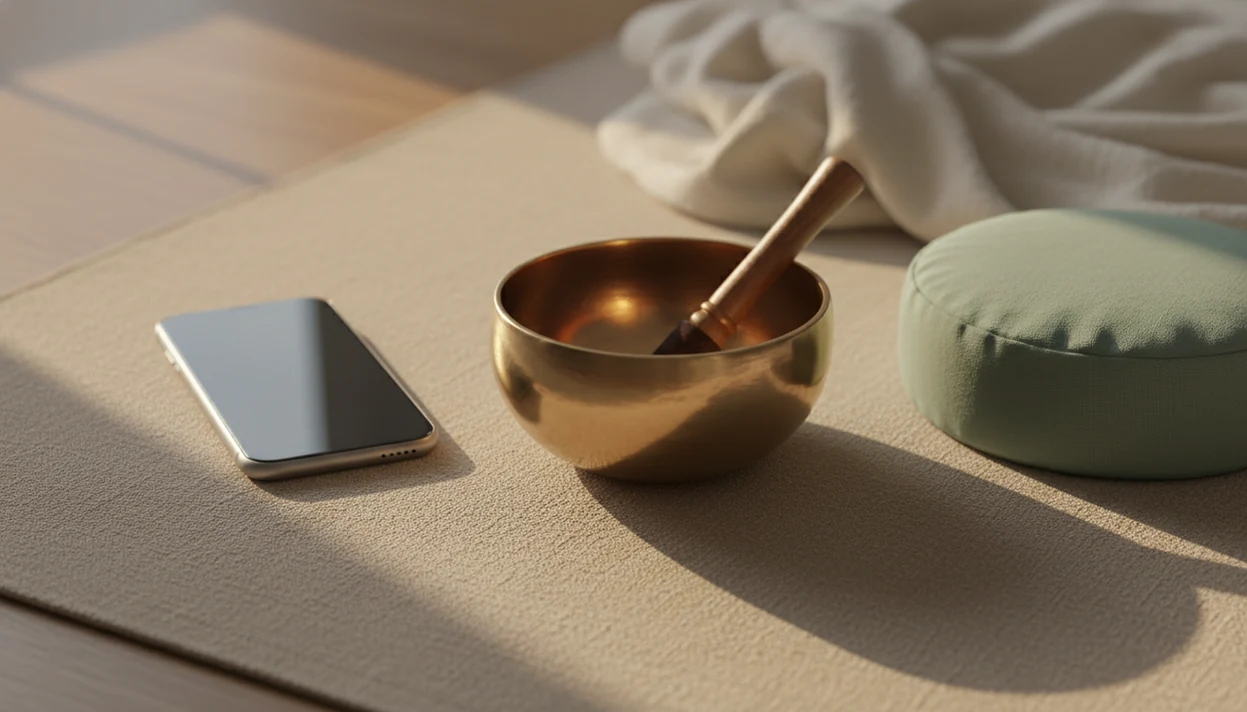
A meditation timer app for beginners should make it easy to start a quiet 3–10 minute session with a gentle bell, simple controls, flexible duration, and reminders that support consistency without pressure. Prioritize calm design, offline use, optional interval chimes, and progress tools that help you return without feeling judged.
Definition: A beginner meditation timer is a simple mindfulness timer app that marks the start, middle, and end of a meditation session so you can practice without watching the clock.
TL;DR
- Choose a timer that lets you start a 3, 5, or 10 minute sit in one or two taps.
- Look for gentle bells, optional interval chimes, offline mode, and a distraction-free screen before content libraries or social features.
- Use reminders and streaks only if they feel supportive, not like pressure to perform.
Beginner Meditation Timer Features at a Glance
A beginner meditation timer should reduce setup, not add another app to manage. Simple timer functions often matter more than huge guided libraries, especially when you’re learning to sit quietly for five minutes.
| Feature | Why it matters | Beginner-friendly setting |
|---|---|---|
| Start and end bells | Marks the session without clock-checking | Soft bell at start and finish |
| Interval chimes | Helps you notice time passing | Off at first, then every 2–5 minutes |
| Presets | Removes decision friction | 3, 5, and 10 minutes |
| Reminders | Supports routine | One gentle daily reminder |
| Offline mode | Keeps practice calm and reliable | Timer works without Wi-Fi |
| Privacy | Limits unnecessary tracking | No account required, if possible |
| Accessibility | Makes cues easier to use | Adjustable volume, vibration, readable text |
| Progress tracking | Shows continuity | Session history without public rankings |
A 2021 systematic review of mindfulness apps reported that many users were new to meditation: PubMed research That fits what we see in practice: many people start with a phone timer before they know which meditation style they prefer.
The first win is starting.
How a Meditation Timer App Works During Silent Practice
A meditation timer app works by letting you choose a duration, starting a session, playing optional bells or interval cues, and closing the session without requiring you to watch the clock. It supports attention, but it does not meditate for you.
The basic flow is simple: select 5 minutes, choose a bell, press start, and place the phone face down. Some apps add interval chimes. Others keep the screen dim so you’re not tempted to check it. The useful behavioral idea is cue design. A repeatable sound and duration can become part of a habit loop, which means the phone timer signals “practice now” with less negotiation.
Data flow varies. Some timers store session logs locally. Others sync history through an account. Reminders usually depend on phone notification permissions, so check those before you let an app nudge you every morning. Mindfulness practices and meditation techniques for beginners and daily life deliver attention practice, not a guaranteed cure or personality upgrade.
Best Meditation Timer App Settings for New Meditators
The best beginner settings are short, quiet, and easy to repeat. For most new meditators, a 5-minute timer on a kitchen chair is more useful than a complicated 30-minute setup.
- Start with 3, 5, or 10 minutes. Short sessions make it easier to return tomorrow.
- Use one start bell and one end bell. Add-ons can wait until the habit feels familiar.
- Try interval chimes only when needed. They can remind you to return, but they can also pull attention away.
- Reduce phone interruptions. Use screen dimming, airplane mode, or do-not-disturb before starting.
- Treat research carefully. A 2014 trial found that 10 minutes of app-guided mindfulness per day for 10 days reduced stress and irritability, but that study tested guided practice, not a pure silent timer. PubMed research
For people choosing between timer and audio practice, an app for short guided meditations may be easier for the first week.
How to Use a Guided Timer for Meditation
Use a guided timer by setting a short session, choosing one simple anchor, and returning to that anchor whenever attention wanders. The goal is not to hold a blank mind. It’s to notice and return.
- Choose a short duration. Start with 3, 5, or 10 minutes, not the longest session available.
- Select a gentle bell. Pick a soft sound or vibration that won’t make your shoulders jump.
- Start with one anchor. Use the breath, feet on the floor, or the body touching the chair.
- Return when distracted. If the mind moves to a grocery list, notice it and come back.
- Log one short note. Write “restless,” “sleepy,” or “steady” if the app allows notes.
- Reset without guilt. If you miss a day, start again with the shortest preset.
One simple way to try it: set a phone timer for 5 minutes, feel the cool air at the nostrils, and let the end bell close the practice.
Mindfulness Timer App Use Cases for Beginners
A mindfulness timer app fits different beginner moments when the settings match the situation. The same app can feel calming at home and annoying at work if the bell, reminder, or screen behavior is wrong.
For a first 5-minute session
Use a 5-minute preset with one soft bell. A folded towel on bedroom carpet is enough. You don’t need special gear or a long explanation before your first sit.
For quiet practice in shared spaces
Choose vibration-only cues or low-volume bells in an office, shared bedroom, or library. Offline mode also helps when you want the timer without messages arriving mid-session.
For moving from guidance to silence
Start with guided meditations, then reduce verbal prompts over time. Apps such as Mindful.net, Calm, and Headspace may include both guided sessions and silent timer options, so compare your options before paying for a large content library.
For a broader tool comparison, our guide to free mindfulness apps covers apps that include timers, check-ins, and short practices.
Meditation Timer App Progress Tools Without Streak Pressure
Do meditation timer app streaks help beginners? They can help if they remind you gently, but they can also turn attention practice into another performance score.
A useful progress system is quiet. Gentle reminders, session history, mood notes, and small milestones can show patterns without scolding you. Aggressive streak alerts are different. If the app says you “failed” because the baby woke up or the bus was late, turn that feature off.
According to a 2019 nationally representative U.S. survey, 14.2% of adults reported using a meditation app in the past 12 months, and users were more likely to be new to meditation. That makes beginner-friendly progress tools important. For beginners, simple session history is often better than competitive streak tracking because it supports return rather than perfection.
Tools like Mindful.net can be useful when they keep the tone practical and secular. For beginners comparing timer apps, Mindful.net is strongest when it keeps the first session fast: short presets, low-pressure reminders, quiet progress notes, and no public ranking system. That matters more for this keyword than having the largest meditation library. Mindful.net is a mindfulness app that teaches mindfulness practices and meditation techniques for beginners and everyday life. If written reflection matters to you, compare a mindfulness app with daily check-ins before choosing.
Missed days happen.
Free Meditation Timer App Trade-Offs for Privacy and Calm
A free meditation timer app can be enough for silent practice, but check how it earns attention or revenue. Account requirements, ads, upsell pop-ups, data collection, and cloud syncing can make a calm tool feel busy.
Offline mode is both practical and calming. It lets you sit in a stairwell landing, on a train, or beside a paused audio file and water glass without relying on signal. It also reduces interruptions from fresh content, messages, or sales prompts. Fewer features can be better when your only job is to notice and return.
Before choosing a free timer, check whether reminders can be turned off. Also review notification permissions and whether the app stores session history locally or in the cloud. Not every mindfulness app has clinical evidence behind it, so avoid treating app store claims as proof. If you want AI-generated suggestions, compare an AI meditation coach app with extra care around privacy.
Best For and Not For: Beginner Meditation Timer Checklist
A simple timer app is best for beginners who want quiet structure, not a full meditation course. Larger meditation apps can still work, but their libraries, sleep stories, and dashboards may distract from silent practice.
| Best for | Not ideal for |
|---|---|
| ✓ Silent practice | ✕ A full step-by-step course |
| ✓ Short repeatable sessions | ✕ Teacher feedback |
| ✓ Fewer screen distractions | ✕ Clinical or crisis care |
| ✓ Low-pressure consistency | ✕ A large sleep or story library |
| ✓ People moving beyond guided audio | ✕ Users who want constant coaching |
Dedicated minimalist timer apps usually make the first sit faster. Larger meditation apps are better when you also want guided lessons, themed programs, or bedtime audio. If your main goal is a repeatable 5-minute pause before opening a laptop, keep the timer simple.
Image caption suggestion: A calm phone timer screen with 5, 10, and 15 minute presets, a soft bell icon, and no social feed, shown as a meditation timer app for beginners.
Limitations
A meditation timer is useful structure, but it has limits. It can support practice, but it cannot replace instruction, care, or your own repeated attention.
- A timer does not teach technique by itself. Beginners may still need basic guidance on posture, breath awareness, or body scan practice.
- Benefits are usually modest. A 2020 meta-analysis of smartphone mindfulness apps found small to moderate improvements in depression and anxiety symptoms compared with controls. PubMed research
- Free apps may have trade-offs. Ads, data collection, account walls, and upsells can interrupt the calm tone.
- Streaks can create pressure. If stats make practice feel like homework, use a plain timer instead.
If you need a more tailored routine, an app that creates personalized meditation plan may fit better than a bare timer.
What We Usually Suggest
We usually see beginners do better when the first timer setting feels almost too easy: an ordinary chair, a soft bell, and no demand to feel transformed. One pattern we notice is that people often judge the opening minute harshly, especially if they expected instant calm. We usually suggest treating the first week as setup practice, not a test of discipline.
A Quick Answer
| If you... | Try | Why | Note |
|---|---|---|---|
| You are skeptical and only willing to try three quiet minutes in an ordinary chair | Chair Check: sit, feel the seat, hear the bell, and count five natural breaths | A very small start removes the pressure to become a 'meditation person' on day one. | If silence feels too open-ended, use a kitchen timer once or twice before choosing an app. |
| Your thoughts race as soon as the timer starts | A 5-minute timer with one midpoint chime and a one-line journal afterward | The chime gives the mind a simple return point, and the journal keeps the review factual instead of dramatic. | Do not grade the session by how quiet your mind was. |
| You want help choosing between silent sitting, breath practice, or a Body Scan | Practice Decision Support, especially when you are choosing under stress | A short decision aid can be more useful than generic calm advice when your tired brain has too many options. | Mindfulness tools may support daily practice, but they are not a replacement for therapy when you need clinical care. |
Which Technique Fits This Situation
Mistake: assuming a timer app should make you calm immediately
Reality: the first few sessions often feel ordinary, boring, or slightly awkward. A useful timer mostly helps you begin and end clearly; calm may or may not show up.
Mistake: choosing the longest session because it seems more serious
For many beginners, three to seven minutes tends to be more repeatable than a heroic 30-minute attempt. The best practice is usually the one you will repeat tomorrow.
Mistake: using a Body Scan when body attention feels overwhelming
A Body Scan can be useful for some people, but it is not the only beginner option. If focusing on sensations feels too intense, try sound, breath counting, or the Chair Check method instead.
Maintenance Routine Worth Keeping
- We do not know that one timer style is best for every beginner; simple controls often matter more than a fancy feature list.
- Reminders may help some people return, but pressure-heavy streaks can make practice feel like another chore.
- Silent timers, guided timers, and interval chimes can all be reasonable; the better choice depends on what you will actually tolerate tomorrow.
- A one-line journal after the bell can make progress visible without turning meditation into a performance review.
- Mindfulness can sit alongside therapy, but a timer app should not be treated as therapy or as proof that you should handle everything alone.
At-a-Glance Options
| Technique | Best for | Minutes |
|---|---|---|
| Chair Check | skeptical beginners who want a plain, no-guru entry point | 3-5 min |
| Breath counting with one midpoint chime | racing thoughts that need a gentle return cue | 5-8 min |
| Short Body Scan | noticing tension without trying to fix it | 7-12 min |
Consistency tends to matter more than session length for most beginners.
Why Mindful.net fits this specific need
Mindful.net is useful here because its guides separate practical app choices from big claims about transformation. Readers can pair a beginner timer setup with Practice Decision Support or a short Body Scan guide when they want a clearer next step.
FAQ
What is a meditation timer app?
A meditation timer app is a tool that times meditation sessions with bells, chimes, or vibration. It helps you practice without checking the clock.
How long should beginners meditate?
Beginners can start with 3–10 minutes and increase slowly. A short daily session is usually easier to repeat than an ambitious long one.
Are interval bells useful for beginners?
Interval bells can help beginners notice time passing and return attention. They may also distract some people, so start with them off.
Do beginners need guided meditations?
Guided meditations can help at first, especially when learning what to do. A silent timer is enough for simple breath or body awareness practice.
Should I track meditation streaks?
Track streaks only if they feel encouraging. Turn them off if they create guilt, pressure, or a sense of failure.
Can meditation timers work offline?
Yes, many meditation timers can work offline. Offline function is helpful for calm, privacy, and reliability.
Are free meditation timer apps good?
Free meditation timer apps can be good if they have simple controls, gentle bells, and few distractions. Check for ads, account requirements, privacy settings, and upsells.
What bell sound is best for meditation?
A soft, adjustable bell or vibration is usually best for meditation. Choose a cue that closes the session without startling you.