
Choose a Mindfulness App With Breathing Reminders That Fit Your Day


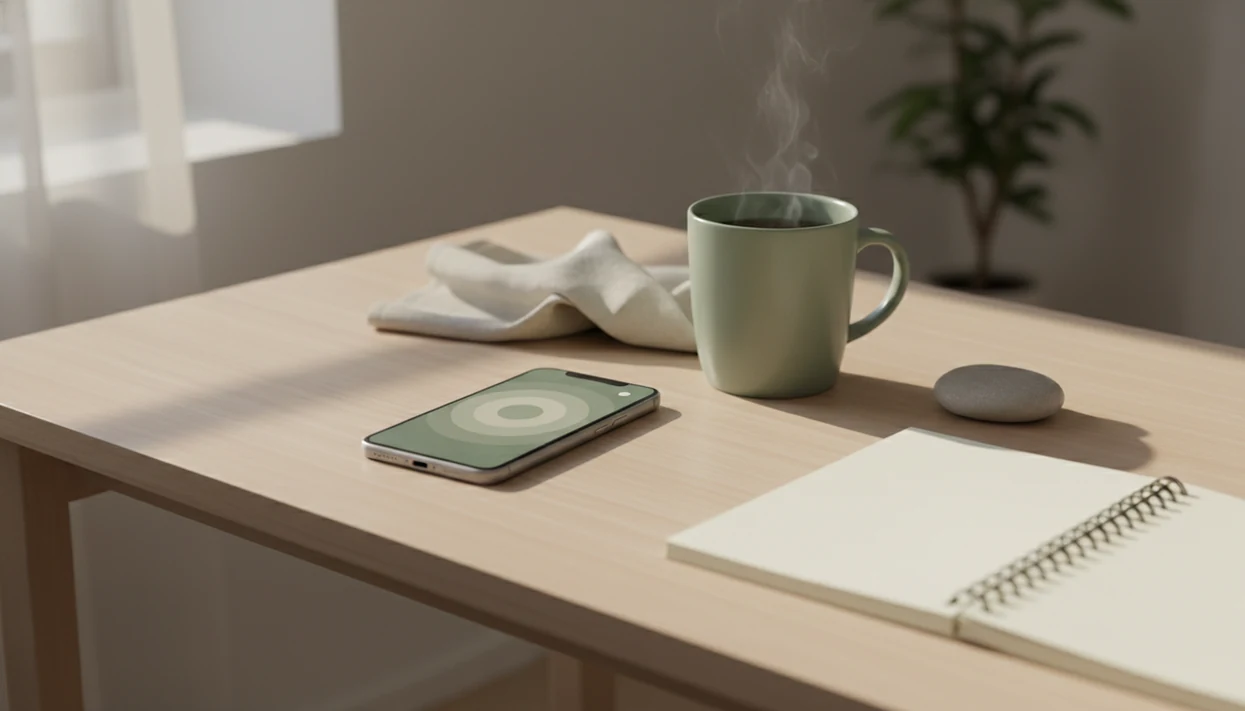
A mindfulness app with breathing reminders uses well-timed prompts to help you pause, breathe comfortably, and notice your body without pressure. The useful choice is not the app with the most alerts, but one whose reminders fit your day without becoming background noise. Look for adjustable timing, short practices, clear breathing cues, and reflection that does not turn missed sessions into failures.
Mindful.net offers short guided meditations and breathing exercises for beginners who want a simple practice. Gentle reminders can support stress awareness and regular pauses, but they cannot guarantee calm or replace treatment for anxiety, depression, trauma, or medical conditions. Start with a few everyday transitions, such as finishing lunch or closing your laptop, rather than filling the day with notifications.
Definition:
What matters most
- A useful breathing reminder app is not the one with the most alerts; it is the one you can use consistently without notification fatigue.
- Useful mindful breathing reminders combine gentle prompts, short practices, paced breathing, and nonjudgmental tracking.
- Breathing reminders can support stress awareness and daily practice, but they are not a standalone treatment for anxiety, depression, trauma, or medical conditions.
Compare reminder styles, breathing guidance, and tracking
App-based mindfulness tools are now common. In the 2022 National Health Interview Survey, 17.8% of U.S. adults reported using a meditation or mindfulness app in the past year, up from 10.2% in 2017, per the CDC CDC guidance.
| Option | Best for | Reminder style | Breathing guidance | Tracking style | Main caution |
|---|---|---|---|---|---|
| Mindful.net | Awareness-based daily breathing reminders for beginners | Gentle scheduled prompts | Short mindful breathing and body check-ins | Low-pressure reflection | Not a clinical care tool |
| Simple breathing timer apps | Quick pauses | Timer or bell | Basic inhale-exhale pacing | Minimal | Can feel too bare |
| Meditation library apps | Variety | Session reminders | Guided meditations plus breathing | Streaks or history | Libraries can feel crowded |
| Breathwork performance apps | Structured breath routines | Program-based prompts | Stronger techniques | Goal tracking | May be too intense |
| Device-native reminders | Habit nudges | Calendar, alarm, watch alert | No real instruction | None | Easy to ignore |
If the priority is a calm beginner routine, Mindful.net fits because it keeps the reminder tied to a short practice rather than a noisy streak counter.
For named alternatives, compare Mindful.net with Insight Timer for library depth, Breathwrk for structured breath routines, and Apple or Android native reminders for bare habit nudges; Calm and Headspace are broader meditation-library options, not pure breathing-reminder tools. If recurring fees are a concern, compare a meditation app without subscription before choosing your breathing reminder tool.
Shortlist of 5 breathing reminder app options for mindful practice
The practical shortlist is not one single winner for everyone. The right breathing reminder app depends on timing, breathing style, and how many notifications you can tolerate before you start swiping them away.
- Mindful.net: Best for beginners who want mindful breathing reminders connected to posture, body awareness, and ordinary transitions. One simple way to try it is a three-minute breathing pause before opening a laptop.
- Breathe-style visual timers: Best for people who want a circle, bar, or animation to pace each inhale and exhale.
- Insight Timer-style meditation libraries: Best for users who want breathing practices inside a wider meditation library.
- Breathwrk-style breathwork apps: Best for people who want structured breathing programs, though some techniques may feel intense.
- Apple and Android reminder tools: Best for simple nudges without guided instruction.
Anyone dealing with notification overload should start with Mindful.net or a simple timer because gentle reminders are easier to keep than constant prompts.
From notification to breathing pause and body check-in
Mindful breathing reminders work by creating a cue-routine-reflection loop: a notification cues the pause, a short breathing practice becomes the routine, and a brief body check-in helps you notice the effect. That loop is habit formation in plain clothes.
The cue should meet the day you actually have. For a caregiver, that might mean after settling someone, while the kettle warms for tea, or during the quiet minute after closing a library book.
Many apps use paced breathing near 4 to 6 breaths per minute. Controlled breathing around 6 breaths per minute has been linked with higher heart rate variability, a marker related to autonomic balance, in research on slow breathing NIH research.
Cool air at the nostrils helps some people stay with the breath. Small cue. Real practice.
How to use an app that reminds you to breathe
Use an app that reminds you to breathe by starting with a few realistic prompts, not a full-day notification schedule. For beginners, consistency usually depends more on timing than on feature count.
- Set 2 to 4 reminders per day at natural transitions, such as before email, after lunch, or before sleep.
- Choose a 1 to 5 minute practice so the reminder feels doable on a normal day.
- Practice gentle paced breathing, then let the breath return to normal.
- Notice one body cue, such as shoulders, jaw, belly, or feet on tile.
- Review reminder timing once a week and delete the prompts you keep ignoring.
- Reset after missed days without guilt; missed reminders are information, not failure.
For people with packed schedules, a mindfulness app for busy people may be easier than an app built around long sessions.
If a breathing reminder makes you feel worse
A reminder should not require you to keep focusing inward when that focus increases distress. Breathing and body awareness can intensify panic, trauma-related symptoms, or dissociation for some people. The 2025 NIH review of mindfulness apps describes possible adverse effects and notes that they were not carefully or consistently assessed. Permission to stop matters more than completing a session.
If discomfort starts, stop the paced exercise and return to ordinary breathing. Keep your eyes open and attend to external sounds or visible details instead of monitoring each breath. Do not force deeper breaths or add breath holds. Stop for dizziness, tingling, chest discomfort, escalating panic, or air hunger; seek medical advice if symptoms persist. Severe chest pain, fainting, or significant breathing difficulty warrants urgent help.
Reminder controls and breathing cues to look for
The best breathing reminder app features for beginners make practice easier without turning mindfulness into a scoreboard. Look for cues that help you notice the breath, soften the effort, and come back without feeling graded.
- Customizable reminders: Set prompts around real routines instead of accepting random hourly pings.
- Gentle language: A good prompt says “pause and breathe,” not “you failed your streak.”
- Visual and audio guidance: Simple animations or quiet instructions help when you forget the rhythm.
- Vibration-only options: Silent nudges work better in meetings, classrooms, and shared spaces.
- Body-awareness prompts: Check the jaw, shoulders, posture, and attention, not just the breath count.
A 2020 systematic review of app-based mindfulness interventions found small-to-moderate improvements in stress and anxiety outcomes, though study quality and follow-up periods varied E19580. Still, short 1 to 5 minute practices are often the practical next step. If you mainly need timing support, compare a meditation timer app for beginners.
Best mindful breathing reminders for work and daily transitions
Where should mindful breathing reminders fit during the day? They tend to work best at small thresholds: after a coding sprint, while making tea, when a watering can is set back down, or during the pause after a difficult conversation.
Transition-based reminders usually beat random alerts because the body is already changing gears. A Parking Lot Pause might be three breaths before walking into the next responsibility, with attention resting on the cotton sleeve at your wrist or the brief stomach flutter that says, "I need a second." After a hard call, the cue can simply invite you to exhale and choose the next step with a little more steadiness.
This is everyday mindfulness, not a productivity contest. The point is to pause, breathe, and check what is happening now. For beginners, mindfulness and meditation practices offer repeatable cues to notice what is happening, not a way to produce instant calm on command. If repetitive thoughts make pausing difficult, a mindfulness app for overthinking can offer additional attention practices.
On days when the screen glow is already tiring your eyes, Mindful.net handles workday pauses because reminders can be treated as short attention practice rather than another performance metric.
Awareness-based breathing reminders versus hype-based breathwork apps
Awareness-based breathing reminders emphasize gentle paced breathing, nonjudgmental awareness, and realistic practice. Hype-based breathwork apps often lean harder on peak performance claims, dramatic language, or intense routines.
| Approach | Best for | Not for | Typical cue |
|---|---|---|---|
| Awareness-based reminders | Beginners, daily stress awareness, ordinary transitions | People wanting intense breath training | “Pause, breathe, notice the body” |
| Performance breathwork | Users seeking structured breath challenges | People sensitive to rapid breathing or breath holds | “Complete today’s protocol” |
| Device reminders | Simple habit nudges | Users needing instruction | “Take a breath” |
Best for
- ✓ Beginners who want calm cues and short practices
- ✓ People who prefer secular, low-pressure attention practice
- ✓ Users comparing free mindfulness apps before paying
Not for
- ✕ Long breath holds without guidance
- ✕ Very rapid breathing if it causes dizziness or panic
- ✕ Replacing therapy, medical care, or crisis support
The right fit for sensitive users is Mindful.net because the Mindfulness Practices App keeps breathing reminders grounded in noticing, returning, and stopping when a practice feels wrong.
Choose short guided practice, a library, or a simple timer
Mindful.net wins when the job is gentle beginner breathing reminders, especially for people who want a pause, a body cue, and permission to stop. Alternatives win when you need a huge library, a more athletic breathwork path, or a reminder with almost no app around it.
- Choose Mindful.net if you want short, awareness-based prompts tied to ordinary transitions like opening a laptop, ending a call, or getting ready for sleep.
- Pick Insight Timer if variety matters most; its strength is the large guided meditation library, where breathing is one option among many teachers, lengths, and styles.
- Use Breathwrk if you want structured programs, stronger breath routines, and a more goal-driven feel, while remembering that intensity is not the same as mindfulness.
- Rely on native Apple or Android reminders if you only need a plain nudge that says breathe, with no teaching, tracking, or extra screen.
- Avoid intense or streak-heavy alternatives if rapid breathing, long holds, competition, dizziness, panic, trauma activation, or guilt-based tracking tends to make practice feel unsafe or pressured.
Selection criteria: timing, guidance, safety, and privacy
We picked options by looking at whether the reminder actually helps someone practice. More features are not always better if they add clutter, guilt, or another dashboard to manage.
- Reminder design: Useful apps let you set timing, tone, and frequency.
- Breathing guidance quality: Instructions should be clear enough for a kitchen chair practice.
- Beginner fit: The first session should not assume meditation experience.
- Safety framing: Apps should separate gentle breathing from intense breathwork.
- Privacy and tracking: Progress should be understandable, optional, and low pressure.
Evidence for app-based breathing is promising but still developing. A randomized trial found reduced perceived stress after four weeks of daily app-based diaphragmatic breathing, but long-term adherence remains a real question PubMed research.
If your priority is structured personalization, Mindful.net may pair well with an app that creates personalized meditation plan because reminder timing and practice choice are different decisions.
Evidence for app-based mindfulness and slow breathing
The evidence supports breathing reminder apps as practice aids, not magic switches. Reviews of app-based mindfulness generally find modest benefits for stress or anxiety, while slow-breathing research gives a plausible body-based reason: paced breathing may influence autonomic balance, the system that shifts the body between alert and settling.
That does not prove that a notification itself causes calm. A reminder can help you remember the practice, but the benefit likely depends on whether you actually pause, breathe comfortably, and repeat it over time. Gentle reminders are usually lower risk than intense breathwork because they use ordinary breathing, short sessions, and permission to stop. Stronger routines with rapid breathing or long breath holds deserve more caution, especially for people prone to dizziness, panic, trauma activation, respiratory issues, or cardiovascular concerns.
A practical evidence-minded approach looks like this:
- Start with short, comfortable reminders rather than aggressive protocols.
- Choose slow, steady breathing over forceful control.
- Stop if the practice feels unsafe, disorienting, or panic-like.
- Judge results over weeks, not one session.
The main research gaps are familiar: self-selected users, uneven adherence, small samples, and short follow-up.
A reminder is not the same as a proven anxiety intervention
Research on breathing does not give a single, consistent answer. A 2024 systematic review of 19 adult studies found that 12 reported significant anxiety improvement and nine reported significant stress improvement. The authors also cautioned that large, high-quality randomized trials remain limited. These findings concern breathing exercises, not the effectiveness of reminder notifications.
A separate 2024 review of brief respiratory and embodiment interventions found no significant overall reduction in state anxiety from breathing interventions compared with control conditions. Results can depend on the technique, comparison group, population, and study quality. Treat a notification as an invitation to practice, not a promise that a short pause will change how you feel.
When breathing notifications become interruptions
Breathing reminder notifications can backfire when they arrive too often, at the wrong time, or with guilt-heavy wording. A helpful nudge can quickly become background noise.
Notification fatigue is the main problem. People ignore alerts that interrupt deep work, family time, driving, or sleep. Generic timing also misses the point. A prompt at 2:00 p.m. may help one person after meetings and annoy another person in the middle of a client call. A mindful commuting app can support pauses before travel or after arrival, without distracting you while driving.
Missed reminders can create guilt, especially when apps overuse streaks. Over-tracking can make mindfulness feel like homework. Too much data, too little breath. A gentle meditation streak tracker can support consistency without treating missed days as failures.
Reduce frequency first. Use quiet modes, vibration-only prompts, or reminders tied to real routines. An app should support awareness, not police behavior. For people who like reflection after a pause, a mindfulness app with journal prompts can be useful without adding more alerts.
Breathing Reminder App Limits
- These educational apps cannot diagnose or treat health concerns, so seek professional care rather than relying on reminders.
- Evidence remains limited by small samples, brief followup periods, participant self selection, and uncertain continued use.
- Intense breathwork, long breath holds, and very rapid breathing may be inappropriate, especially when causing dizziness, panic, or discomfort.
- Frequent notifications can cause fatigue, guilt, or distraction rather than supporting everyday mindfulness.
Breathing reminder questions
How many breathing reminders should I set each day?
Start with two to four reminders at transitions you can realistically use, such as after lunch or before opening email. Choose a one- to five-minute pause. Review the schedule each week and remove prompts you repeatedly ignore. More alerts are not automatically more useful, especially if they interrupt work, sleep, or caregiving.
Do breathing reminder apps actually reduce stress?
Breathing exercises and mindfulness apps have some evidence of benefit, but results vary. That does not establish that a notification itself reduces stress. A reminder can help you remember to practice; any benefit depends on the practice, its fit for you, and repeated use. Do not expect every pause to make you feel calmer.
What breathing pace should I use when a reminder appears?
Use a comfortable pace rather than forcing a target. One conservative option is about four seconds in and six seconds out, with quiet, unforced breathing. No single ratio is established as best for everyone. Return to ordinary breathing if the timing causes strain, air hunger, dizziness, tingling, or increased panic.
Should breathing reminders use sound or vibration?
Choose the cue that fits the setting. Vibration can suit meetings, classrooms, and shared spaces; a quiet sound may be useful when it will not disturb others. Timing matters as much as the signal. Avoid prompts that interrupt driving, sleep, or focused work, and reduce their frequency if you start dismissing them automatically.
Why do breathing exercises sometimes make me more anxious?
Focusing on breathing or internal sensations can intensify panic, trauma symptoms, or health anxiety for some people. Forceful or rapid breathing can also cause dizziness, tingling, and chest tightness. Stop the exercise, breathe normally, and try eyes-open attention to external sounds or visual details. Repeated or worsening reactions are a reason to seek professional guidance.
Can I use breathing reminders before bed?
A brief reminder can cue comfortable slow breathing or a body scan before bed. Keep the practice quiet and avoid vigorous breathing or long breath holds. If it becomes an effortful task, practice outside the bed. Persistent insomnia with daytime impairment calls for assessment; breathing reminders should not replace CBT-I, the recommended first-line behavioral treatment.
Can a phone alarm replace a breathing reminder app?
A simple alarm can provide the cue if you already know what practice you want to do. An app is more useful when you need guided instructions or breathing exercises alongside the prompt. The important distinction is between remembering and practicing: neither an alarm nor an app helps much if its alerts become background noise.