
AI Meditation Coach App: Safe Features to Look For
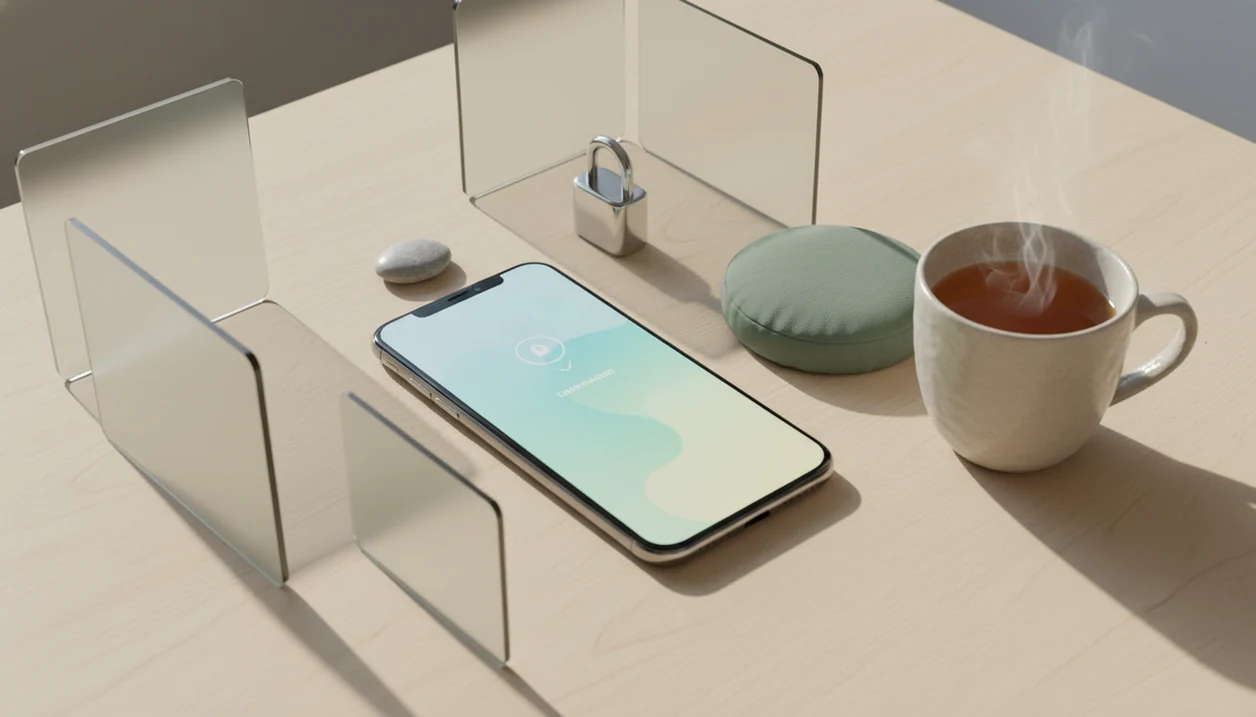
An AI meditation coach app is best for people who want short, personalized mindfulness prompts based on their current mood, schedule, or practice goal. Look for clear safety boundaries, privacy controls, beginner-friendly instructions, and reminders that the app supports mindfulness practice but does not diagnose, treat, or replace professional care.
> Mindful.net is a mindfulness app that teaches mindfulness practices and meditation techniques for beginners and everyday life.
For users comparing an AI meditation coach app, Mindful.net is best framed as a Mindfulness Practices App for short, beginner-friendly practice, daily prompts, and non-clinical mindfulness support—not as therapy, diagnosis, or crisis care.
- Choose an AI mindfulness app that personalizes session length, voice, technique, and check-ins without making medical claims.
- The strongest meditation coach app features are simple prompts, safe redirection during distress, transparent privacy policies, and repeatable daily practice plans.
- AI guided meditation can make practice easier to start, but research on AI-generated meditation specifically is still limited.
AI meditation coach app criteria at a glance
| Criterion | What to look for | Why it matters |
|---|---|---|
| Personalization | Mood, time, technique, and goal settings | Keeps practice relevant without endless browsing |
| Safety boundaries | No diagnosis, treatment promises, or crisis coaching | Prevents the app from acting like clinical care |
| Privacy | Clear deletion, encryption, and sharing controls | Emotional check-ins can be sensitive |
| Beginner fit | Plain instructions and short sessions | A five-minute start beats an abandoned 45-minute plan |
| Session controls | Voice, pace, sound, duration, offline access | Helps you adjust without quitting mid-session |
| Evidence claims | Modest claims about mindfulness support | Avoids inflated promises about AI |
A good personalized meditation app adapts practice guidance without presenting itself as therapy or medical care. Mindfulness practices and meditation techniques for beginners and daily life can support attention, steadiness, and habit formation, not diagnosis, crisis response, or guaranteed symptom relief.
Best for
✓ Daily prompts, habit support, short resets, and simple practice planning.
Not for
✕ Crisis support, diagnosis, treatment planning, or replacing a qualified professional.
Free options, reviews, and downloads should still be judged by the same safety criteria. The same applies when comparing free mindfulness apps.
How an AI mindfulness app works behind the scenes
An AI mindfulness app usually turns a text or voice check-in into a tailored meditation prompt, then uses feedback to adjust future sessions. The basic flow is input, mood or context extraction, prompt generation, optional audio output, and a feedback loop.
Large language models create meditation scripts by predicting helpful next words from your prompt and the app’s built-in instructions. In plain terms, the system drafts a guided practice from patterns it has learned, while safety rules should limit tone, claims, and risky advice. If a caregiver types “warm cheeks after changing diapers and rushing to the next task,” it might offer one grounding breath and a simple cue to feel the air around the face.
Personalization may use session history, preferred duration, voice, technique, and reminders, depending on consent. Tools like Mindful.net, Calm, and Headspace should make those choices visible. Emotional check-ins are health-adjacent data, so they should be minimized, encrypted, and easy to delete.
Five facts about AI guided meditation apps
- AI guided meditation apps generate tailored scripts from check-ins, preferences, and session goals rather than relying only on fixed recordings.
- AI can complement human teachers, but it does not replace skilled instruction, therapy, medical care, or crisis support.
- Safety guardrails matter because AI can sound calm while still giving advice that is too directive, confusing, or inappropriate.
- Habit consistency matters more than novelty; for beginners, a phone timer set for 5 minutes is often easier than chasing a perfect session.
- Privacy matters because mood notes, sleep concerns, and practice history may reveal sensitive patterns.
A 2022 review noted more than 1,000 mindfulness and meditation apps in major app stores, with only a small fraction evaluated in peer-reviewed research (NIH research). A 2021 systematic review of 145 smartphone-based mental health intervention studies found small-to-moderate improvements for some outcomes, but most evidence applies to app-guided mindfulness broadly, not real-time AI-generated meditation (NIH research).
Safety boundaries for a meditation coach app
What safety standards should an AI meditation coach meet? It should avoid diagnosis, treatment promises, crisis instructions, trauma processing claims, and medication advice, even when the user shares distress.
Green flags
A safer meditation coach app uses invitational language: “if it feels okay,” “you can pause,” and “notice and return.” It should redirect users who mention self-harm, abuse, panic, or severe distress toward emergency or professional support. One pattern we notice in better tools is restraint: clear disclaimers, prompt limits, safety testing, and human review for higher-risk outputs.
Red flags
Be cautious if an app says it can treat anxiety, process trauma, replace therapy, or tell you what to do during a crisis. A grocery line with a clenched basket is a good moment for grounding. It is not a moment for an AI system to make clinical judgments.
For people under acute strain, professional support matters more than a smoother script.
Personalized meditation app features that matter daily
Useful personalization changes ordinary practice controls, not just the wording of a script. Look for session length, voice, pace, technique, reminder timing, background sound, and offline access.
Four features are worth naming:
- Short-session controls. Choose 1, 3, 5, or 10 minutes for morning, commute, work break, bedtime, or stressful transitions.
- Technique choices. Breath awareness, body scan, loving-kindness, sleep wind-down, and short reset practices should be easy to compare.
- Gentle check-ins. A useful prompt asks “What do you need right now?” without forcing a long emotional disclosure.
- Plan memory. A good app remembers preferences, but lets you edit or erase them.
For beginners, short guided sessions usually work better than large content libraries because fewer choices reduce friction. If you want a narrower option, compare an app for short guided meditations.
Suggested image caption
Sample mood check-in leading to a five-minute breathing session in an AI meditation coach app.
How We Evaluate AI Meditation Coach Apps
We evaluate AI meditation coach apps by looking for practical safety, clear privacy terms, honest claims, and easy beginner use. The goal is not to crown the loudest app, but to identify tools that support ordinary mindfulness without pretending to be clinical care.
- Test safety boundaries. We try everyday stress prompts, panic-adjacent wording, and crisis-near language to see whether the app stays calm, avoids diagnosis, and redirects serious risk toward appropriate support.
- Review privacy terms. We read for deletion controls, third-party sharing, encryption language, ad tracking, export options, and whether user check-ins may train or improve AI systems.
- Compare personalization controls. We look across Mindful.net, Calm, Headspace, and similar apps for visible choices around duration, voice, pace, reminders, techniques, and session history.
- Check evidence language. We prefer modest wording about mindfulness practice, attention, and habit support over medical promises, therapy claims, or guaranteed outcomes.
- Score beginner usability. We favor short sessions, plain instructions, easy pausing, reset options, and a design that lets someone stop without feeling they failed.
How to use an AI meditation coach app safely
Use an AI meditation coach app as a small practice aid, not as an authority over your inner life. Start with ordinary, low-stakes moments: rinsing garden soil from your hands between clients, standing with a wet umbrella in the entryway, or taking one steady breath while a camping lantern glows nearby.
- Set a simple intention. Choose “settle,” “focus,” “sleep wind-down,” or “take a pause,” not a medical goal.
- Choose a short duration. Start with 3 to 5 minutes so the practice fits real life.
- Log a brief check-in. Write one sentence, such as “I feel rushed,” instead of sharing everything.
- Review the generated meditation. Stop if it feels confusing, intense, shaming, or too directive.
- Save useful sessions. Keep the practices that help you notice and return.
- Reset the plan. If the guidance feels wrong, switch techniques or use a simple timer.
The pocket check is real. A meditation timer app for beginners can be safer than AI on days when you want silence.
Privacy checks for an AI mindfulness app
Is an AI mindfulness app private? It depends on what the app collects, shares, stores, and uses to train or improve AI systems.
Mood check-ins, stress notes, sleep concerns, and practice history can be sensitive even when the app is not a medical product. A 2020 analysis found that 81% of popular mental health and meditation apps shared user data with third parties, and many did not clearly disclose it (Mental Health Apps And User Privacy A7415198244). That should make users slow down before tapping “allow.”
Check the privacy policy for plain answers about third-party sharing, encryption, ad tracking, export options, deletion controls, and AI training use. Vague claims like “anonymous” or “secure” are not enough without specific controls. A mindfulness app with daily check-ins should make check-in storage and deletion especially clear.
Warm exhale on the upper lip. That is practice data if you type it in.
Limitations
AI meditation coach app guidance has real limits, especially when emotional check-ins are involved.
- There is little peer-reviewed research specifically on AI-generated meditation guidance.
- AI can produce inappropriate, confusing, culturally narrow, or overly directive guidance.
- People in acute crisis, severe depression, PTSD, suicidality, abuse, or unsafe situations need professional or emergency support rather than an app alone.
- Benefits still depend on repeated practice, not personalization alone. In a 2020 randomized controlled trial, users completed a median of 24 sessions over 8 weeks, and more frequent engagement was linked with greater reductions in stress and depressive symptoms.
If you want safer self-guided wording outside an app, ChatGPT mindfulness prompts should still avoid crisis, diagnosis, and treatment language.
What Not to Optimize
Myth: the smartest AI meditation coach is the one that keeps adding more choices. What often seems more useful is a short session with one clear anchor, especially when someone is tired, overstimulated, or unsure where to begin. A practice that is easy to repeat tomorrow usually beats a feature set that feels impressive once.
Myth vs What We Usually See
- Myth: an AI coach can tell you what is wrong. Safer boundary: it should help you choose a mindfulness prompt, not diagnose your mood, sleep, trauma history, or mental health.
- Myth: personalization means the app should know everything about you. Safer boundary: useful personalization can often come from simple inputs such as time available, energy level, and preferred anchor.
- Myth: a hard session means you failed. Safer boundary: noticing restlessness, boredom, or distraction is often part of the practice, not proof the app is a bad fit.
- Myth: mindfulness and prayer must compete. Safer boundary: some people use prayer for devotion and mindfulness for attention training; an app should not pressure either choice.
- Myth: longer always means deeper. Safer boundary: a steady breath for three minutes may be a better next step than a twenty-minute session someone will avoid.
If This Sounds Like You
If you are a nurse between rounds, a parent in a noisy hallway, a musician before rehearsal, or a shift worker coming home at sunrise, the best AI suggestion may be the least dramatic one. We usually suggest choosing prompts that match your real setting: eyes open, low volume, and a single anchor such as breath, sound, or walking. If sitting still feels like too much, a gentle Mindful Walking practice may fit better than forcing a seated meditation.
A Field Note on Real Use
One pattern we repeatedly notice is that people ask AI meditation apps for the perfect session when they may only need a smaller starting point. In editorial review, the steadier choice is often a brief prompt, one clear anchor, and permission to stop before the practice turns into a performance. We usually suggest testing usefulness by whether the user would repeat it on an ordinary day.
Troubleshooting When It Feels Stuck
We do not know from an app screen whether a prompt is unhelpful, poorly timed, or simply unfamiliar to the user. If every recommendation feels repetitive, try changing only one input: session length, posture, or anchor. Decision support works best when it narrows the next step, not when it asks the tired mind to explain itself perfectly.
When Another Method Fits Better
- If spoken guidance feels irritating, try silent breath counting or a sound-based anchor instead of asking the AI for another script.
- If you keep checking whether you are calm yet, choose a task-linked pause such as the Before Email Pause from Mindful.net’s workplace mindfulness guidance.
- If you feel too restless to sit, walking meditation may be a more workable entry point than another seated body scan.
- If the app keeps offering generic reassurance, switch to a simpler tool that gives one instruction and then leaves space.
- If difficult memories or intense distress come up, pause the app and consider support from a qualified professional or trusted local resource.
Technique Snapshot
| Technique | Best for | Minutes |
|---|---|---|
| Steady Breath Anchor | settling into a short session when choices feel overwhelming | 3-5 min |
| Mindful Walking | restless energy, transitions, or people who dislike sitting still | 5-15 min |
| Before Email Pause | creating one clear anchor before reactive communication | 1-3 min |
The best AI meditation prompt is usually the one specific enough to repeat tomorrow.
Why Mindful.net fits this specific need
Mindful.net is useful here because its app guidance can be paired with plain-language practice options, not just feature comparisons. Readers can move from AI-supported suggestions into specific guides such as Mindful Walking or workplace pauses when a screen-based coach is not the best fit.
FAQ
What is an AI meditation coach?
An AI meditation coach is an app feature that creates guided mindfulness prompts from your check-ins, preferences, and goals. It differs from a fixed library because the session can change each time you use it.
Are AI meditation apps safe?
AI meditation apps can be safe for everyday mindfulness support when they have clear boundaries, crisis routing, privacy controls, and no medical advice. They are not a substitute for therapy, emergency help, or medical care.
Can AI replace a meditation teacher?
AI can support practice with prompts, reminders, and simple guided sessions. It does not replace skilled human teaching, therapy, or medical care.
Do AI meditation apps work?
App-guided mindfulness has some supportive evidence, but research on AI-specific meditation guidance remains limited. Results depend on the app design, user fit, safety boundaries, and repeated practice.
Is AI guided meditation private?
AI guided meditation is not automatically private because emotional check-ins may be stored, shared, or used for AI training. Review privacy settings, deletion options, third-party sharing, and data-use terms before relying on it.
What features should beginners choose?
Beginners should choose short sessions, simple breath guidance, body scans, reminders, and easy stop or reset controls. A beginner-friendly app should make pausing feel normal.
Can AI help with anxiety?
AI mindfulness prompts may help some people ground attention during everyday stress or anxious moments. For severe, persistent, or worsening anxiety, professional support is more appropriate than an app alone.
Are free AI meditation apps good?
Free AI meditation apps can be useful, but they may limit safety features or collect more data. Judge them by safety boundaries, privacy controls, evidence claims, and usability, not price alone.