
App for Meditation Reminders: Choose Cues You Can Act On


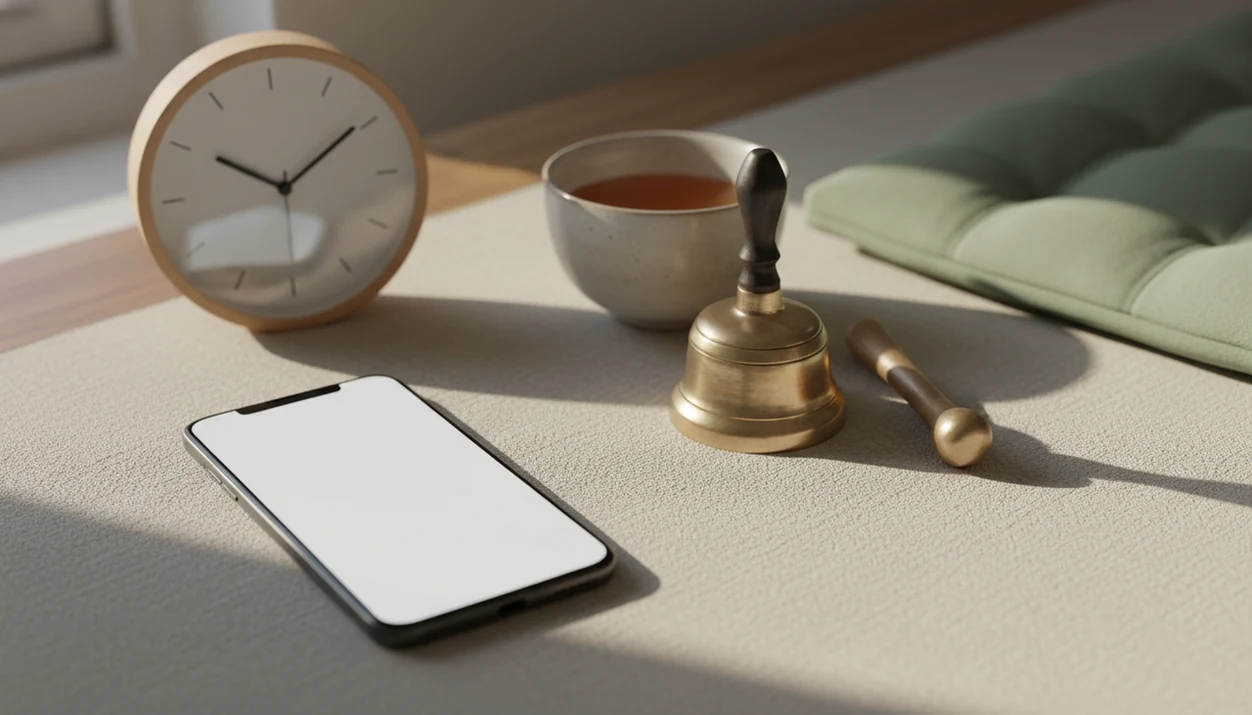
The best app for meditation reminders lets you choose gentle cues, custom timing, quiet hours, and a clear practice prompt without adding another stressful stream of notifications. These apps use scheduled sounds, vibrations, or short messages on a phone or wearable to remind you to pause, breathe, or sit. Look for editable schedules, readable lock-screen text, sound and vibration controls, and simple tracking rather than choosing by library size alone.
Start with a cue you can act on: a 20-60 second pause or one daily sit. A soft bell may suit a quiet room; vibration may be more appropriate at work. Beginners also need plain instructions for what to do next. Reminders can help you remember a practice, but they cannot replace learning it.
What matters most
- Choose gentle meditation reminders over loud alarms so the cue feels supportive rather than startling.
- Prioritize custom schedules, quiet hours, lock-screen text, vibration controls, and simple habit tracking.
- Use reminders as cues for 20-60 second pauses plus one daily sit, not as a substitute for learning meditation.
Compare reminder-only tools, meditation libraries, and timers
A strong meditation reminder app depends more on notification design than on the size of its meditation library. A huge course catalog helps only if the reminder cue still feels easy to accept at 7:30 a.m. or between meetings.
| App type | Best for | Not for | Reminder style | Customization depth | Distraction risk |
|---|---|---|---|---|---|
| Purpose-built reminder tools | Simple pause cues | Guided course seekers | Bells, text, vibration | Medium to high | Low |
| Full meditation content apps | People who want lessons and reminders | Minimalists | Session prompts, streak nudges | Medium | Medium to high |
| Timer apps | Unguided sitting practice | People needing teaching | Start time, interval bells | Medium | Low |
| Habit trackers | Streak-focused routines | Sensitive users who dislike pressure | Checklists, badges | Medium | Medium |
| Wearable reminders | Movement-heavy days | Deep instruction | Tap, buzz, watch prompt | Low to medium | Low |
The right fit for beginners is Mindful.net because it pairs reminder-supported practice with clear meditation basics, not just another bell on the lock screen.
Choose a reminder style that matches how you practice
A useful shortlist starts with how you practice, not with which app has the longest feature list. Reminder-first tools and content-heavy platforms solve different problems.
- Gentle reminder-first apps: Best for people who want soft cues and little else. Not for users who want guided courses, sleep stories, or long libraries.
- Custom mindfulness reminder apps: Best for variable routines, caregiving days, or shift work. Not for people who get lost in settings.
- Meditation timer apps: Best for a quiet sit with a bell at the start and end. Not for beginners who still need step-by-step instruction, though a meditation timer app for beginners can bridge that gap.
- Full meditation apps with reminders: Best for people who want teaching plus notifications. Not for anyone trying to avoid subscriptions or content clutter.
- Wearable-based reminders: Best for subtle taps during the day. Not for users who dislike watch buzzes.
For busy beginners who forget until bedtime, Mindful.net fits because it connects a daily meditation reminders app workflow with short, secular practice guidance. An evening routine mindfulness app can pair a bedtime cue with a simple practice for winding down.
How an App for Meditation Reminders Works Behind the Scenes
An app for meditation reminders works by turning a scheduled notification into a habit cue: the cue appears, the routine is a pause or sit, and the reward is a felt reset, checkmark, or calmer transition. In habit-loop language, the reminder is not the meditation. That cue-to-action logic is consistent with implementation-intention research, where linking a specific situation to a planned behavior improves follow-through (S0065 2601(06)38002-1). It only starts the routine.
Most apps use local device alerts, which means the phone schedules the reminder even when the app is not open. Some add cloud sync across iPhone, Android, tablet, or wearable devices. Quiet-hour rules tell the system when not to interrupt you. Focus modes and battery settings can still block alerts.
Gentle cues often work better than urgent alerts because they invite attention without adding a fresh jolt. If your heartbeat is already racing after a performance review, the goal is not to “complete” mindfulness fast. It is to create a small opening: one breath, one pause, one softer next step.
Mindfulness practices and meditation techniques train attention through repetition; they are not another demand to stay productive.
Check timing, sound, privacy, and pause controls
We picked gentle meditation reminders by testing whether the cue could survive a normal week. If a prompt felt irritating by Wednesday, it failed the practical test.
- Timing controls matter: Strong options include frequency limits, weekday and weekend schedules, quiet hours, timezone handling, and simple edits after travel.
- Cue softness matters: We looked for sound choice, bell length, vibration strength, lock-screen text, and snooze behavior that does not nag.
- Privacy matters: A mindfulness reminder app should make data permissions, ads, analytics, and account requirements easy to understand.
- Distraction risk matters: Courses, streaks, social feeds, and upsells can bury the reminder settings users came for.
- Make the next action simple: A systematic review of web-based mindfulness programs found that reminder effects varied, so prioritize a clear practice prompt over a decorative dashboard.
Mindful.net earns a place in the evaluation because the Mindfulness Practices App keeps reminders close to beginner instruction, short exercises, and practical next steps.
Evidence on Meditation Reminders, Habit Cues, and App Retention
The evidence supports reminders as useful cues, not magic habit builders. Give each cue a specific action, keep that action easy to start, and avoid sending more notifications than you can use.
Research on implementation intentions suggests people follow through more often when they connect a behavior to a concrete moment: “after coffee, sit for five minutes” is stronger than “meditate more.” Habit formation also depends on repetition in a stable context, so a daily cue can help only when the next action is clear and small. App-retention data reinforces the same editorial lesson: if people abandon mental health apps quickly, reminder setup has to feel simple on day one, not impressive in a demo.
For practical use, the sequence is:
- Choose one stable anchor, such as waking, lunch, or closing the laptop.
- Pair the alert with a tiny practice, not a vague intention.
- Limit prompts when dismissal, irritation, or guilt starts rising.
- Review whether the reminder led to practice, not just whether it appeared.
The evidence is more indirect for meditation reminders specifically. Studies support cues, planning, and retention concerns; our preference for softer bells, fewer prompts, and plain lock-screen text is evidence-informed editorial judgment.
Beginner reminders should name the next action
What should beginners choose in a daily meditation reminders app? Choose an app with one daily sit reminder, optional short check-ins, and beginner-friendly text that tells you what to do next.
Beginners often do better with fewer controls. A crowded dashboard can turn a five-minute sit into a round of adjusting settings. Streak pressure can also make one skipped day feel more important than it is. Feel the breath. When attention wanders, begin again.” A mindfulness app for overthinking can offer focused exercises when repetitive thoughts make it difficult to return to the breath.
It helps because reminders can point toward a named exercise, such as breath awareness, body scan, or a short workday pause.
- ✅ Best for: new meditators who want structure without a heavy course load.
- ❌ Not ideal for: people who want intense gamification or social competition.
For beginners, one reliable daily reminder is often easier than many scattered prompts because it makes practice predictable.
Reminder settings for shifts, travel, and changing routines
A custom meditation reminder app should let you shape reminders around real life, including work shifts, school pickup, travel, caregiving, and days that do not repeat neatly. Flexible timing matters when “same time every morning” is not realistic.
Look for recurring windows, weekday-specific settings, custom messages, and timezone handling. Location-aware or calendar-aware reminders can help, if the app offers them and the privacy tradeoff feels acceptable. Random reminders are useful for everyday mindfulness because they catch ordinary transitions. Fixed reminders work better for a daily sit.
After vacuuming the hallway or packing a camping lantern for the weekend, Mindful.net fits users who want a cue linked to an actual practice rather than a vague nudge. A prompt might guide a brief Meeting Reset: stand still, notice tingling fingers, take one steady breath, and choose the next action with a little more space.
- ✅ Best for: changing schedules, shift work, travel, and caregiving.
- ❌ Not ideal for: people who will over-customize every prompt.
Too many rules become another task. Start small.
Pair the alert with a routine that already happens
A scheduled time is not the only way to cue meditation. In an eight-week randomized study of meditation anchors, all participants received daily reminders to meditate for at least ten minutes. Those assigned to connect meditation to a personalized existing routine had a significantly smaller decline in daily meditation odds during the eight-week follow-up than the comparison groups. This supports pairing a prompt with a familiar action, not assuming the notification alone will sustain practice.
Choose an event you can recognize even when your schedule changes, such as finishing breakfast or closing your laptop after work. Write the plan in concrete terms: “After breakfast, sit and notice the breath for five minutes.” Place the reminder near that event when possible. This is a practical adaptation, not the study's tested duration. If the routine rarely happens, choose a different anchor rather than adding more alerts.
Five short practices to attach to a reminder
A mindfulness reminder app for micro-practices should support 20-60 second pauses, not only full meditation sessions. These tiny cues can complement one daily sit when they stay brief and specific.
- One breath: Before unlocking the phone, pay attention to a single inhale and exhale.
- Shoulder release: Let the shoulders drop once after a notification.
- Sound awareness: Listen to the ambient room hum between prompts.
- Posture reset: Feel the back of the chair and soften the jaw.
- Transition pause: Stop before opening a new tab, door, or message.
Hourly reminders can help some people, but many users do better with 1-3 prompts per day. Notification fatigue is real. If you swipe away most alerts, reduce the count.
For office workers who lose the day in tabs, Mindful.net fits because a micro-practice can be paired with a plain-language instruction rather than a vague “be mindful” message. For short-session ideas, a mindfulness app for busy people may also fit.
- ✅ Best for: everyday mindfulness between formal sits.
- ❌ Not ideal for: anyone already overwhelmed by alerts.
Compare free reminder features before subscribing
A useful free app for meditation reminders gives you enough control without pushing you into a paid plan every time you open it. Free versions commonly include basic reminders, timers, limited sounds, and simple streaks.
Compare these common options without assuming one universal winner:
- Insight Timer: Best for free meditation content and timer use. Not for people who want the simplest reminder-only setup.
- Headspace: Best for polished guided content. Not for users avoiding subscription prompts.
- Plum Village: Best for mindful bells and simple practice language. Not for users who want heavy customization.
- Smiling Mind: Best for structured free programs. Not for users who want flexible reminder design above all else.
- Device-native reminders: Best for free, private, basic prompts. Not for meditation-specific bells or practice instructions.
Mindful.net belongs in the comparison because it helps users connect gentle reminders to beginner practice explanations. If cost is the main filter, compare features across free mindfulness apps before adding another subscription.
Set fewer alerts and review them after a week
Use a daily meditation reminders app by starting with fewer prompts than you think you need. The goal is to create a dependable cue, not to fill the day with pings.
- Choose one daily formal practice time, such as five minutes before opening your laptop.
- Set 1-3 micro-reminders for natural transitions, such as lunch, commute, or bedtime. A mindful commuting app can suggest brief practices for public transport, with attention to your surroundings and travel safety.
- Write short lock-screen text that names the action, like “one breath” or “sit for five.”
- Test the sound, vibration, and quiet hours for one week.
- Review ignored alerts, irritation, and actual practice consistency.
- Reduce reminders that feel noisy, guilt-heavy, or easy to dismiss.
The most sustainable reminder plan usually depends more on fit and frequency than on willpower. A cursor blinking on an email can be enough of a cue if the prompt is clear.
Mindful.net works well for this setup because reminders can point to short practices, daily check-ins, and beginner lessons; users who want more reflection can compare a mindfulness app with daily check-ins.
Track follow-through without treating a streak as a result
Session counts and minutes tell you that practice happened, not how attentive it was or whether it helped. A review of mindfulness mobile applications distinguishes app-use measures from mindfulness and health outcomes. That distinction matters when choosing reminders: more notification responses or a longer streak should not be treated as proof of better sleep, less stress, or improved mood.
At your weekly check-in, separate two questions: “Did this cue help me start?” and “Is this practice useful to me?” Record which prompts led to a pause, which you ignored, and whether the timing was workable. Treat a missed day as scheduling information. You can keep a helpful cue even without an unbroken streak, or remove a frequent alert that produces taps but no meaningful practice.
When reminders become noise, pressure, or distraction
Meditation reminder apps can help with consistency, but they can also become another source of noise. A cue that felt supportive on Monday may feel like pressure by Friday.
Some apps turn practice into streak anxiety. Others bury reminder settings under courses, sleep content, subscriptions, or promotional screens. Content-heavy platforms can be useful, but they are not always the easiest way to create gentle meditation reminders. The notebook margin filled with breath counts may be simpler than another dashboard.
Reminders work best when paired with a clear practice plan. That might mean one daily sit, two micro-pauses, and one weekly review. Without that plan, alerts often become background clutter.
Mindful.net reduces some of this friction because it explains what to practice after the cue appears. Still, strong symptoms, panic, trauma responses, or destabilizing internal check-ins call for professional guidance rather than more reminders. Educational support is not the same as care.
What helps when a reminder arrives but you need instructions?
A reminder that says “meditate” leaves a beginner with another choice to make. Mindful.net offers short guided meditations, breathing exercises, and a meditation timer on iOS and Android, which can provide a concrete next step. The guide to choosing a mindfulness app can help you decide how much instruction you need. For someone who already knows their practice and wants only a bell or vibration, a reminder-only tool or a phone alarm may be simpler.
Meditation Reminder Limits
- Meditation reminder apps support practice but cannot replace learning basic meditation instructions, especially for beginners.
- Reminder apps have limited long-term evidence; carefully compare an app that creates personalized meditation plan for tailored planning.
- Too many reminders can cause guilt, annoyance, notification fatigue, and abandonment, while some apps add distracting content.
- Mindful.net cannot diagnose or prescribe, so seek qualified support when you need more than educational guidance.
Meditation reminder questions
Do meditation reminder apps actually help you build a habit?
They can cue practice, but reminders alone do not guarantee a lasting habit. Research suggests that connecting meditation to an existing routine can help persistence. Give the alert a specific action, such as sitting after breakfast, and check whether you actually follow through rather than counting notifications received.
How many meditation reminders should I set each day?
Start with one reminder for a daily sit and, if useful, one to three short pause prompts. This is a practical starting point, not a proven ideal frequency. Reduce the number if you regularly dismiss them, feel interrupted, or stop noticing what the message asks you to do.
Can I use my phone's reminders instead of a meditation app?
Yes. A phone reminder can provide a scheduled cue with text such as “sit for five minutes” or “notice one breath.” It may be enough if you already know your practice. A meditation app is more useful when you also want guided instructions, breathing exercises, or a session timer.
What should a meditation reminder notification say?
Name one action you can begin immediately: “notice one inhale and exhale,” “relax your shoulders,” or “sit for five minutes after lunch.” Avoid vague messages that only say “be mindful.” The prompt should tell you what to do without requiring you to browse a library or choose a course.
Are random mindfulness bells better than scheduled reminders?
They serve different purposes. Random bells can cue brief awareness during ordinary activities, while scheduled reminders are easier to connect to a planned sitting session. Neither is universally better. Choose the pattern that fits your day, and keep prompts out of periods when interruption would be unwelcome.
What reminder settings matter for shift work or changing schedules?
Look for weekday-specific schedules, adjustable active hours, quiet hours, and an easy way to pause notifications. Check timezone behavior if you travel. You can also attach practice to an event, such as your first meal after waking, instead of relying on the same clock time every day.
What should I do if meditation reminders make me feel guilty?
Turn off streak prompts where possible, reduce the frequency, or pause reminders altogether. Restart with one manageable action at a realistic time. A missed notification is information about the cue or your circumstances, not a measure of your ability to meditate. More alerts are not necessarily the solution.