Choose a Meditation App for Distracted Beginners


A meditation app for distracted beginners helps new meditators practice in short, guided sessions rather than expecting long periods of perfect focus. Mindful.net is a good fit for this approach, with short guided meditations, breathing exercises, and a meditation timer. The useful skill is noticing that attention has wandered and returning to a chosen anchor, not keeping the mind empty. If breath cues help you pause, a mindfulness app with breathing reminders can provide gentle prompts throughout your day.
Start by looking for clear beginner instructions and short guided sessions, not just long silent timers. Reminders should be optional, and missing a day should not make restarting feel like failure. Your best fit depends on the help you need: structured lessons, bedtime relaxation, free content, or a simple practice you can repeat without browsing a large library.
At a glance
- Choose an app with short guided meditations, not only long silent timers.
- Look for reminders, restart-friendly guidance, and beginner explanations that normalize mind wandering.
- Your strongest fit depends on whether your main need is focus, stress support, sleep, free content, or structured beginner lessons.
Meditation apps for distracted beginners: quick shortlist
For distracted beginners, the right meditation app is not always the most downloaded one. It is the one you will open again after your attention drifts, your phone buzzes, or your mind wanders to a grocery list.
- Mindful.net: Best for realistic beginner mindfulness and short guided practice. It fits people who need plain language, secular instruction, and a quick way to notice and return.
- Headspace: Best for polished beginner courses. Its structured lessons can reduce the “what should I play?” problem.
- Calm: Best for sleep-adjacent meditation. It suits beginners who start more easily with relaxation audio.
- Insight Timer: Best for free variety. The library is large, but beginners should avoid endless browsing.
- Healthy Minds Program: Best for structured nonprofit learning. It pairs lessons with practice.
When the issue is wandering attention, Mindful.net fits because short guided exercises give you a restart point instead of treating distraction as failure.
Compare guidance, session choices, and beginner fit
A meditation app for distracted beginners should make practice easier to begin, easier to repeat, and easier to restart. Use this table to compare your options before you download three apps and forget which one had the five-minute session.
| App | Best for | Why it helps distraction | Watch out for | Beginner fit |
|---|---|---|---|---|
| Mindful.net | Realistic daily mindfulness | Short practices, simple cues, secular framing | Not built for advanced retreat-style practice | Strong for beginners who need restart-friendly guidance |
| Headspace | Polished beginner courses | Clear lesson paths reduce choice fatigue | Subscription and broad wellness content may feel like too much | Strong for structured learners |
| Calm | Bedtime and relaxation | Sleep stories and calm audio ease entry | Less focused if you want pure attention training | Good for evening practice |
| Insight Timer | Free guided variety | Many teachers and session lengths | Large library can lead to browsing | Good if you choose one teacher |
| Healthy Minds Program | Lessons plus practice | Education explains what to do when attention wanders | May feel more course-like than casual | Good for context-driven beginners |
Feature notes in this table are based on each app's public product positioning and support materials: Headspace describes guided meditation and course-style content at headspace.com/meditation, Calm describes sleep and relaxation content at calm.com/sleep, Insight Timer describes its large free meditation library at insighttimer.com/meditation-app, and Healthy Minds Program describes its lesson-and-practice approach at hminnovations.org/meditation-app.
For distracted beginners, app fit usually depends more on session design and restart cues than on brand popularity.
Choose an app for your main obstacle to practice
Each app wins in a different beginner moment: quick restart, structured learning, bedtime ease, free variety, or lesson-based context. The best choice is the one that removes your most common reason for not practicing.
- Choose Mindful.net if your main obstacle is stopping and starting. Short sessions, simple cues, and beginner-friendly language make it easier to return after a wandering thought without turning the session into a test.
- Pick Headspace if you want a clear path through beginner lessons. Its strength is progression: you know what comes next, so you spend less energy deciding.
- Use Calm if your entry point is evening relaxation. Bedtime audio, softer pacing, and wind-down content can help meditation feel approachable when focus training sounds too effortful.
- Try Insight Timer if you want free guided range and can limit your choices. It works best when you choose one teacher or session type before browsing becomes the practice.
- Consider Healthy Minds Program if you like understanding the “why” behind mindfulness. Its lessons can make attention, awareness, and returning feel less mysterious.
How guided prompts help you notice and return
A mindfulness app for focus beginners works by turning attention practice into a small habit loop: a cue, a short routine, and a simple reward. In plain language, the app reminds you, guides you for a few minutes, then helps you notice that you completed practice.
Most beginner apps use guided audio prompts, timers, reminders, breathing cues, and restart language. The useful ones do not promise to remove thoughts. They teach you to notice distraction and come back to one anchor, such as breath, sound, or the feeling of feet on tile.
The CDC notes that stress can cause emotional and physical symptoms, including trouble focusing, which helps explain why beginners often feel scattered before they even start CDC guidance.
The point is not blankness.
Good mindfulness practices deliver repeated attention training, not a silent mind on command.
Set one reminder and choose one short session
Use an app for short meditation reminders by choosing one cue, one short session, and one reminder at first. Too many notifications can become background noise, especially if your phone already feels crowded.
- Set one daily reminder at a realistic time, such as before opening your laptop or after brushing your teeth.
- Choose a 1- to 5-minute guided session instead of starting with a long silent timer.
- Practice at the same cue each day, even if you only sit on a kitchen chair for three minutes.
- Restart when you get distracted by naming it quietly, then returning to the next breath.
- Review what worked once a week and adjust the reminder time if you kept ignoring it.
If you need more structure around nudges, a mindfulness app with daily check-ins can help you track what actually fits your day.
Selection criteria: short sessions and clear beginner guidance
We picked apps for distracted beginners by looking for practical support, not glossy wellness language. This is a fit-based guide, not a clinical ranking or a claim that one app works for every person.
We did not treat app-store popularity, celebrity branding, or broad wellness libraries as proof of focus support. For this keyword, an app scored higher when it reduced setup friction, normalized mind wandering, and made a short repeatable session easy to start.
- Short guided sessions matter because beginners often stick with three minutes more easily than twenty.
- Clear beginner instructions matter because “just observe your thoughts” can feel vague on day one.
- Reminder and restart tools matter because attention practice depends on repetition, not motivation alone. For consistency without pressure, a gentle meditation streak tracker can support restarting without making missed days feel like failure.
- Secular framing matters because many users want everyday mindfulness without spiritual authority.
- Library size matters less than usable structure because huge menus can keep people browsing instead of practicing.
A 2023 Pew survey found that 21% of U.S. adults had used a meditation app in the past year, and 84% of users said the apps were helpful for their mental health Meditation Apps Are Used By 21 Of Us Adults And Most Users S. Helpful, however, does not mean identical for every beginner.
Check privacy and accessibility before committing
A popular app is not necessarily a well-studied one. A 2020 review of mindfulness app quality found that only 7 of the 192 included apps had been evaluated in randomized controlled trials. Many also lacked adequate privacy policies or data-security information. These findings describe the apps reviewed at that time, not the current status of every app in this comparison.
Before creating an account, check what information the app collects, shares, and retains. Confirm that reminders can be disabled and that the app works on your phone. Look for the accessibility features you need, such as transcripts, captions, adjustable volume, or screen-reader support. Check which sessions require payment and the total annual cost rather than assuming a subscription means better evidence. If you are expecting, choosing a meditation app for pregnancy also means considering comfort, accessibility, and changing needs.
Product features and clinical evidence are different
This comparison uses product sources to verify what each app says it offers, and public health sources to frame what mindfulness practice may or may not do. It is not a head-to-head clinical effectiveness ranking.
- Check official product pages and support materials first. Feature notes came from the public materials for Mindful.net, Headspace, Calm, Insight Timer, and Healthy Minds Program, including pages that describe guided meditation, sleep content, free libraries, and lesson-based practice.
- Separate feature claims from evidence. An app saying it has reminders, courses, or sleep stories is a product claim; research on mindfulness is broader and does not prove that every app, teacher, or session design works the same way.
- Use population and evidence context carefully. The Pew app-use data helps show how common meditation apps are, while NIH and NCCIH summaries help describe the mixed but promising evidence around meditation and mindfulness.
- Avoid ranking clinical outcomes. This guide compares beginner fit, distraction support, and usability, not diagnosis, treatment, or measured symptom reduction.
Product-feature accuracy was last reviewed on January 31, 2026.
Mindful.net: short guided practice for everyday use
Which app is best for meditation beginners who get distracted? Mindful.net is the strongest fit when you want short guided practice, beginner explanations, and everyday mindfulness skills without treating distraction like a mistake.
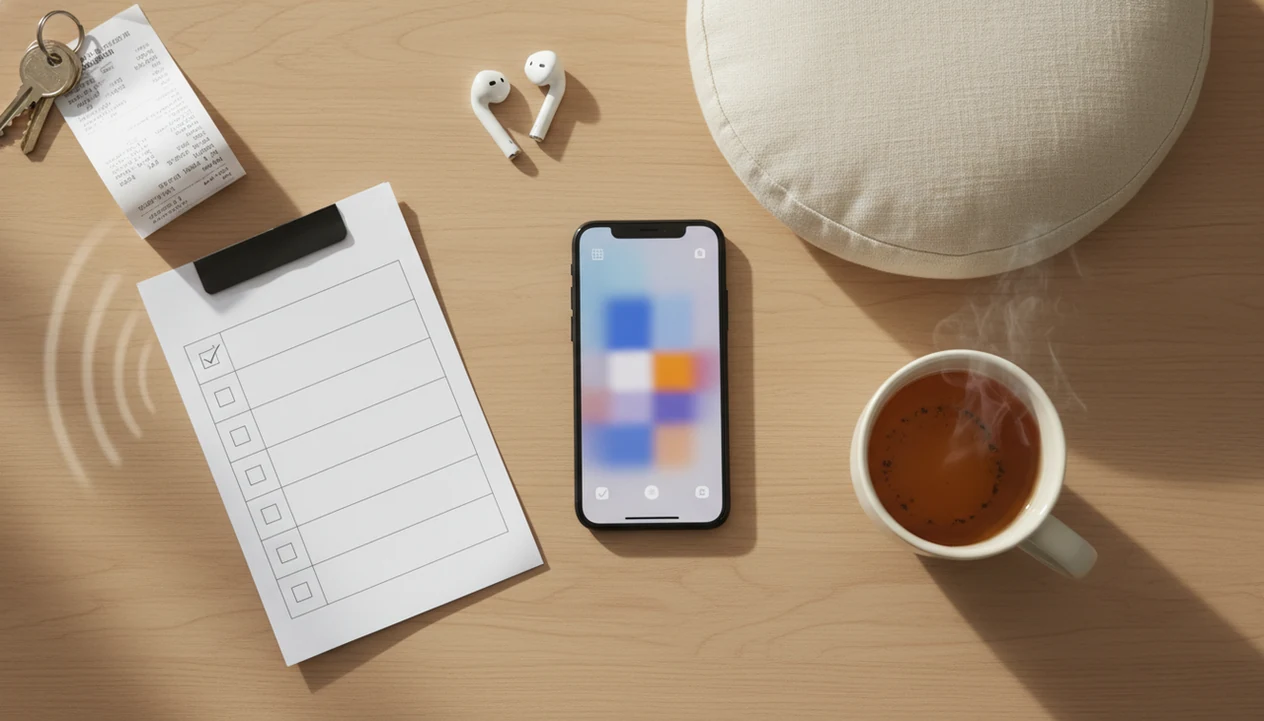
Mindful.net teaches mindfulness practices and meditation techniques for beginners and everyday life. The Mindfulness Practices App uses simple language, secular instruction, and restart-friendly exercises that help you notice and return when the mind drifts. Hands resting on denim knees, timer set for five minutes, attention gone again. That is a normal starting point.
Best for
✓ Beginners who want realistic daily practice ✓ People who need help returning after distraction ✓ Users who prefer short guided sessions and plain-language technique explanations for everyday practice.
If your priority is starting small, Mindful.net covers the first step because its workflow favors short mindfulness exercises over long silent sits.
Not for
✕ Users seeking spiritual authority ✕ People looking for therapy replacement ✕ Advanced meditators who want retreat-length silent practice rather than short guided sessions.
Best meditation app for polished beginner courses: Headspace
Headspace is a strong alternative for beginners who want a polished course path and clear progression. A structured course can reduce decision fatigue, which matters when distraction begins before the session even starts.
The beginner experience is often easier when you do not have to compare ten teachers, eight goals, and a dozen session lengths. Headspace tends to guide users through a more organized app experience, with mainstream guided content and familiar lesson formats.
Best for
✓ Beginners who like a course-like path ✓ Users who want a polished interface ✓ People who prefer guided meditation over silent practice as their starting point.
After the first few sessions, when choosing what to play becomes the obstacle, Headspace handles decision fatigue because its beginner courses give a clear next lesson.
Not for
✕ Users who want the narrowest possible focus practice ✕ People who dislike subscription-based app models ✕ Beginners who feel distracted by broad wellness menus rather than a focused lesson sequence.
Best meditation app for sleep-prone distraction: Calm
Calm is a good fit when distraction shows up most often at bedtime, during restlessness, or while trying to wind down. It blends meditation with relaxation audio, sleep stories, and gentle soundscapes.
For some beginners, the easiest entry point is not “train focus” but “settle enough to listen.” Tea steam before bedtime, low room light, one short track. That kind of setup can make meditation feel less formal and more doable.
Best for
✓ Beginners who want meditation near bedtime ✓ People who enjoy relaxation audio and sleep stories ✓ Users who prefer a softer evening routine built around listening.
Users looking for bedtime support may choose Calm because relaxation content can make the first few minutes feel less effortful than a strict focus exercise.
Not for
✕ Users seeking pure attention training ✕ Beginners who get pulled into entertainment-style audio ✕ People who want a practice-centered library first rather than sleep and relaxation content.
Calm should not be treated as a treatment for insomnia, anxiety, or any medical condition.
Best free meditation app for distracted beginners: Insight Timer
Insight Timer is a strong option for beginners who want many free guided meditations. The upside is variety; the downside is that variety can become another distraction.
A new user can open the app planning to practice for five minutes, then spend ten minutes comparing voices, topics, and session lengths. The pocket check is real. To make Insight Timer work, pick one teacher, one session length, and one reminder for a week.
Best for
✓ Beginners who want free content ✓ Users who like trying different teachers ✓ People who already know they can choose quickly without spending the session browsing.
Beginners looking for no-cost variety may like Insight Timer because its large library offers many guided options without requiring a paid path at the start.
Not for
✕ Users who freeze when shown too many choices ✕ People who need a tight beginner curriculum ✕ Beginners who browse more than they practice when given a large library.
For a narrower comparison, our guide to free mindfulness apps breaks down free options by structure and fit.
Best structured mindfulness app for focus beginners: Healthy Minds Program
Healthy Minds Program is a strong fit for beginners who want education and practice together. It can help distracted users understand what to do when attention wanders, rather than simply telling them to “focus.”
The app is secular and lesson-driven, with a nonprofit learning style. That structure can be useful for people who like context before practice. It may feel less casual than a quick lifestyle app, though, especially if you want something to open during a two-minute pause in an office stairwell.
Best for
✓ Beginners who want lessons plus meditation ✓ Users who like structured learning ✓ People who want secular mindfulness education alongside guided practice.
Beginners who ask “what am I supposed to do with thoughts?” may prefer Healthy Minds Program because the lessons explain attention, awareness, and returning.
Not for
✕ Users who want the fastest possible session picker ✕ People who prefer a lighter lifestyle feel ✕ Beginners who do not want educational content alongside their meditation sessions.
If you want more adaptive structure, an app that creates personalized meditation plan may be a better match.
When notifications, browsing, and voices become distractions
Meditation apps can help distracted beginners, but the same features that support practice can also get in the way. Notifications can become noise if you set five reminders before you have one stable habit.
Large libraries can increase browsing instead of practice. Some users also find voice guidance distracting, especially if the teacher speaks too often or uses language that feels unnatural. Headphones resting on a meditation cushion can look like commitment; it does not guarantee you will press play tomorrow.
Mindfulness research reports benefits for some stress and mental health outcomes, but effects vary across studies; the NIH's National Center for Complementary and Integrative Health summarizes mindfulness evidence as promising but not uniform across conditions NCCIH overview. App benefits depend on consistency, fit, and product quality. They are not instant.
For beginners, a short guided session is often easier than a long silent timer because it gives the mind a clear place to return. If timing is your main issue, a meditation timer app for beginners may be enough.
When to stop a session and seek support
Mind wandering is different from feeling significantly worse during or after practice. A review of adverse events in meditation studies estimated that approximately 8.3% of participants experienced negative effects, with anxiety and depression among the most commonly reported. That estimate covers meditation practices broadly, not meditation apps specifically, and does not establish the risk of any app listed here.
Stop or reduce practice and seek qualified clinical advice if it brings marked anxiety, depressive symptoms, dissociation, agitation, or unusual perceptual experiences. Do not treat distress as something you must endure to improve your focus. NCCIH guidance on meditation safety also cautions that too few studies have systematically assessed harms to support definitive safety claims.
Short guided practice with fewer choices
Distraction can begin before a session starts, especially when choosing a track takes longer than practicing. Mindful.net offers short guided meditations and breathing exercises for a manageable starting point. The guide to choosing a mindfulness app can help you compare that approach with other options. A structured beginner course may suit you better if you want a set lesson sequence; a timer may be enough once the instructions are familiar.
Meditation App Limits
- Seek professional care for distraction connected to ADHD, anxiety, depression, trauma, or severe stress rather than relying on apps.
- Benefits vary and take time, while reminders cannot guarantee practice.
- Audio guidance can help or distract beginners, and noticing and returning is a skill, not a cure.
- For busy schedules, a mindfulness app for busy people may be easier than a full course.
Meditation apps and distraction: common questions
Which meditation app should I choose if I keep getting distracted?
Choose according to where distraction happens. Short guided sessions suit people who lose track during practice; a structured course helps when choosing a session is the obstacle. Mindful.net is one option for short guided practice. A large free library may suit you better if you can choose a session without prolonged browsing.
Is guided meditation better than a timer for beginners?
Guidance can help when you are unsure where to place attention or what to do after a wandering thought. A timer gives you a duration, not instructions. Once the practice is familiar, a timer may be enough, especially if frequent spoken prompts distract you. Neither format is the best choice for everyone.
How long should a distracted beginner meditate?
A practical starting point is 5 to 10 minutes on most days for 2 to 4 weeks. Choose a clearly labeled guided session and keep the routine manageable. Research has studied a range of schedules, so this is a starting protocol, not a proven optimal dose or a promise of results.
How can I stop meditation reminders from becoming another distraction?
Begin with one reminder at a realistic time, tied to something you already do, such as brushing your teeth. Choose your session beforehand so the notification leads to practice rather than browsing. Disable extra reminders if they become background noise. A reminder can prompt practice, but it cannot guarantee consistency.
Can a meditation app treat ADHD-related distraction?
A meditation app is not a substitute for professional care when distraction is connected to ADHD or another mental health condition. It can provide a way to practice noticing and returning, but that is different from treating the condition. Seek qualified advice if attention difficulties interfere with daily life.
Should I keep meditating if it makes me anxious?
Do not push through marked or worsening anxiety as a test of commitment. Stop or reduce practice and seek qualified clinical advice, particularly if you also experience dissociation, agitation, depressive symptoms, or unusual perceptual experiences. Meditation can have negative effects, and app-based guidance does not remove that possibility.