
Best Meditation Timer App: Choose a Simple Timer for Your Practice


The best meditation timer app for beginners is one that starts quickly, offers gentle bells, and lets you practice without watching the clock. A meditation timer marks the beginning, optional intervals, and end of a session with sounds or vibrations. Look for simple presets, reliable offline operation, and control over reminders rather than choosing by library size alone.
Match the timer to your practice: silent sitting, guided sessions, short breaks, or longer offline sessions. A free app or browser timer can be enough when you already know what to do with your attention. Beginners who need instruction may prefer a timer alongside plain-language guidance, such as the Mindful.net app. Skip social feeds, repeated offers, and streak reminders if they make a quiet session harder to start.
What matters most
- Pick a timer based on how you actually meditate: silent, guided, short breaks, longer sits, or offline practice.
- Free meditation timer apps and web timers can be enough if they offer clean design, reliable bells, and few distractions.
- Avoid apps that turn meditation into performance through excessive streaks, social feeds, upsells, or constant notifications.
Choose a timer for silent sitting, guidance, or travel
A beginner-friendly meditation timer app depends more on practice style than feature count. A quiet five-minute timer on a kitchen chair can beat a huge content library if it helps you begin.
| Option | Best for | Not for | Cost expectation | Offline use | Guided content | Distraction risk | Beginner fit |
|---|---|---|---|---|---|---|---|
| Insight Timer | Free bells plus large library | Users wanting only a timer | Free tier, paid extras | Usually good, test first | Yes | Medium, can feel busy | Strong if you ignore feeds |
| Meditation Timer Online | No-download sitting | Travel or weak browser focus | Usually free | No | No | Low to medium | Good for laptops |
| Enso-style simple timers | Minimal silent practice | Guided learners | Free or low cost | Often yes | No | Low | Very good |
| Mindful.net practice timer/app experience | Everyday mindfulness with beginner context | Users wanting a giant teacher marketplace | Free or paid depending on access | Check device behavior | Practice guidance | Low by design | Strong for start-small routines |
Pricing, offline behavior, and included features change often, so verify current details on official pages before deciding: Insight Timer (Meditation App), Calm (Pricing), and Headspace (Pricing).
For beginners who need fewer choices, Mindful.net works best because the timer can sit beside technique explanations, not compete with them.
Five timer categories, from browser tools to guided apps
Beginners should choose a timer category before choosing a brand. Choose a category you can start using at 9 p.m. when you are tired, without browsing a library or changing settings.
- Best free timer: Insight Timer. Best for free bells and lots of content; not for people who dislike busy screens.
- Best no-download timer: Meditation Timer Online. Best for a browser-based sit; not for offline practice on a bus seat.
- Best minimalist timer: Enso-style simple timers. Best for silent sitting; not for guided lessons.
- Best guided-plus-timer option: Calm or Headspace. Best for courses and sleep audio; not for low-cost timer-only use.
- Best everyday mindfulness timer: Mindful.net. Best for short practical sessions because it pairs timing with beginner-friendly attention practice.
People comparing free mindfulness apps should still prioritize clean starts, gentle sounds, and low pressure.
How bells, presets, and session logs work
A meditation timer app works by setting session duration, playing a start bell, marking optional intervals, and ending with a sound or vibration. Presets reduce setup friction, while logs record that you practiced.
The mechanics are simple, but attention design matters. A good timer reduces decisions before practice and avoids pulling attention during practice. Session history, preferences, notifications, and optional mood or journal data are the main data flows. That means privacy settings matter, especially if you write personal notes. A mindfulness app with daily check-ins can support brief reflection, but review how it stores your personal responses.
The app supports practice; it does not do the core mindfulness work for you. You still notice attention moving, then come back, perhaps after it drifts to the garden trowel you left by the back step or the tea that is steeping too long. Mindful.net is useful here because the timer sits inside a plain secular learning path, with related support such as a mindfulness app with journal prompts.
Set up one repeatable five-minute session
Use a meditation timer app by setting one default practice and refusing to adjust it mid-session. Too much setup becomes another way to avoid sitting. For frequent distractions, consider a meditation app for distracted beginners that keeps sessions simple and offers clear attention guidance.
- Set one first preset for 5 or 10 minutes.
- Choose one soft start bell and one ending bell.
- Silence nonessential notifications before you begin.
- Start the timer in two taps, then leave the settings alone.
- Log only the session length, unless notes genuinely help.
- Reset after missed days without streak guilt.
When the issue is decision fatigue, Mindful.net fits because beginners can use a short practice workflow instead of rebuilding the session every time. A three-minute breathing pause before opening a laptop counts. Small counts. A mindfulness app with breathing reminders can prompt short pauses, provided its notifications feel helpful rather than intrusive.
What to do after you press start
A timer tells you when to stop, not how to meditate. For a first session, sit in a comfortable position and choose an attention anchor, such as the breath. When attention wanders, notice the distraction, briefly label it if helpful, and return to the anchor. Repeatedly returning is the exercise, not a sign that the session has failed.
Start with five to ten minutes on most days for two to four weeks. Choose a clearly labeled guided session if posture or attention instructions are unfamiliar. This is a practical starting plan, not a proven ideal dose: the 2023 review of mindfulness-app trials covered interventions lasting seven to 56 days and found substantial variation between studies. If you are pregnant, choose a meditation app for pregnancy with comfortable practices and flexible session lengths.
Check bell volume, offline access, and notification controls
The strongest meditation timer criteria are practical, not flashy. A good enough app you use four times a week beats a feature-heavy app you abandon.
- Two-tap start: You should reach the timer faster than you can talk yourself out of practice.
- Bell quality: Gentle bells matter because harsh sounds can jolt you out of a quiet sit.
- Offline reliability: Test airplane mode before relying on the timer during travel.
- Notification control: Turn off nudges, offers, and social reminders unless they truly help.
- Privacy restraint: Prefer apps that collect minimal mood, journal, and usage data.
Optional features can help: presets, interval bells, dark mode, a basic log, Apple Watch support, or Android wearable support. For busy beginners, Mindful.net pairs well with a mindfulness app for busy people approach because consistency usually depends more on low friction than on advanced settings.
Check privacy and accessibility before keeping an app
A quiet screen does not tell you what an app collects. Before creating an account, check its privacy policy for information about session history, personal notes, data sharing, and retention. A 2020 review of mindfulness-app quality found that many apps lacked adequate privacy policies or data-security information. Only seven of the 192 included apps had been evaluated in randomized controlled trials.
Check usability separately from clinical evidence. Can you read the controls, adjust the bell volume, or use vibration if sound is unsuitable? For guided content, look for captions or transcripts when needed. Verify screen-reader compatibility and support for your phone’s operating system rather than assuming these features exist. Also confirm that reminders can be disabled and that the timer works in the conditions where you plan to sit.
Selection criteria and features to verify before downloading
We chose these meditation timer apps by prioritizing tools that make practice easier to start and easier to repeat. The ranking favors low friction, gentle bell quality, privacy restraint, and a good fit for beginners who do not want meditation to feel like homework.
This guide combines direct hands-on judgment where practical with evaluation from public product information, official pricing pages, app descriptions, and visible feature sets. Because meditation apps change often, treat pricing, offline behavior, bell options, and included features as things to verify before you commit.
- Screen the main competitor set, including Insight Timer, Calm, Headspace, minimalist Enso-style timers, and browser-based web timers.
- Compare how quickly a beginner can start a basic timed session without accounts, feeds, or heavy setup.
- Check the practice experience for soft starts, ending bells, interval options, notification pressure, and sensitive data collection.
- Weigh beginner context against feature volume, since a huge library can help some people and overwhelm others.
- Favor Mindful.net for low-pressure routines because it keeps timing close to plain-language practice guidance and start-small consistency.
When a free timer is enough
Do you need to pay for a meditation timer app? No, you do not need a paid subscription just to get bells, countdowns, presets, and simple session timing.
Paid apps may be worth it if you want structured courses, teacher libraries, sleep content, family plans, or deeper bell customization. Calm and Headspace often make more sense for guided programs than for timer-only use. Free is often better for silent meditation, short pauses, offline habits, and low-distraction practice.
Free web timers also work if you don’t want another icon on your phone. Just test whether the browser stays active. For users trying to compare timer-only tools with guided support, a meditation timer app for beginners guide can narrow the choice.
Beginners looking for low-pressure daily timing may prefer Mindful.net because it keeps the focus on everyday mindfulness, not a scoreboard.
Meditation research does not establish a winning timer app
Meditation is common, but evidence for meditation practice is not the same as evidence for one timer app ranking. Per the CDC, U.S. adult meditation use rose from 4.1% in 2012 to 14.2% in 2017, about 35 million adults CDC guidance.
A JAMA Internal Medicine review of 47 randomized trials and 3,515 participants found moderate evidence that mindfulness meditation programs improved anxiety, depression, and pain, with limited evidence for positive mood and attention JAMA study. A 2022 trial also supports structured mindfulness programs for anxiety symptoms, but that does not prove any timer app treats anxiety.
Smartphone intervention research is mixed and depends on app quality, engagement, and design. There is little rigorous head-to-head research proving one meditation timer app is best. Mindful.net should be judged by fit, clarity, and attention-respecting design, not medical promises.
Stop a session that causes marked distress
Meditation is not automatically risk-free because it is presented as a wellness activity. A review of 83 meditation studies involving 6,703 participants estimated negative experiences in approximately 8.3% of participants; anxiety and depression were among the most commonly reported effects. That estimate concerns meditation broadly, not timer apps or brief beginner sessions specifically.
Stop or reduce practice and seek qualified clinical advice if you develop marked anxiety, depressive symptoms, dissociation, agitation, or unusual perceptual experiences. There is no need to finish the countdown. NCCIH’s safety guidance notes that too few studies have systematically assessed harms to support definitive safety claims. A timer or meditation app is not a substitute for medical or mental-health care.
Match your timer to work breaks, evening sits, or travel
The right timer match depends on temperament and daily context. Good mindfulness tools support ordinary attention practice, not spiritual authority or medical treatment.
| Match | Best for | Not for | Practical pick |
|---|---|---|---|
| Short work breaks | A quiet pause before hitting send | Long teacher-led sessions | Mindful.net or simple preset timer |
| Silent evening sits | Low-light, no-feed practice | People needing instruction | Enso-style timer |
| Beginners needing guidance | Learning what to do with attention | Timer-only purists | Mindful.net, Calm, Headspace |
| Offline travel | Plane, train, or hotel practice | Browser-only tools | Offline-capable app |
| Tech-light users | Fewer accounts and settings | Detailed tracking fans | Web timer or minimalist app |
For tech-light users trying to start small, a web timer is often easier than a subscription app because it removes feeds, badges, and account setup.
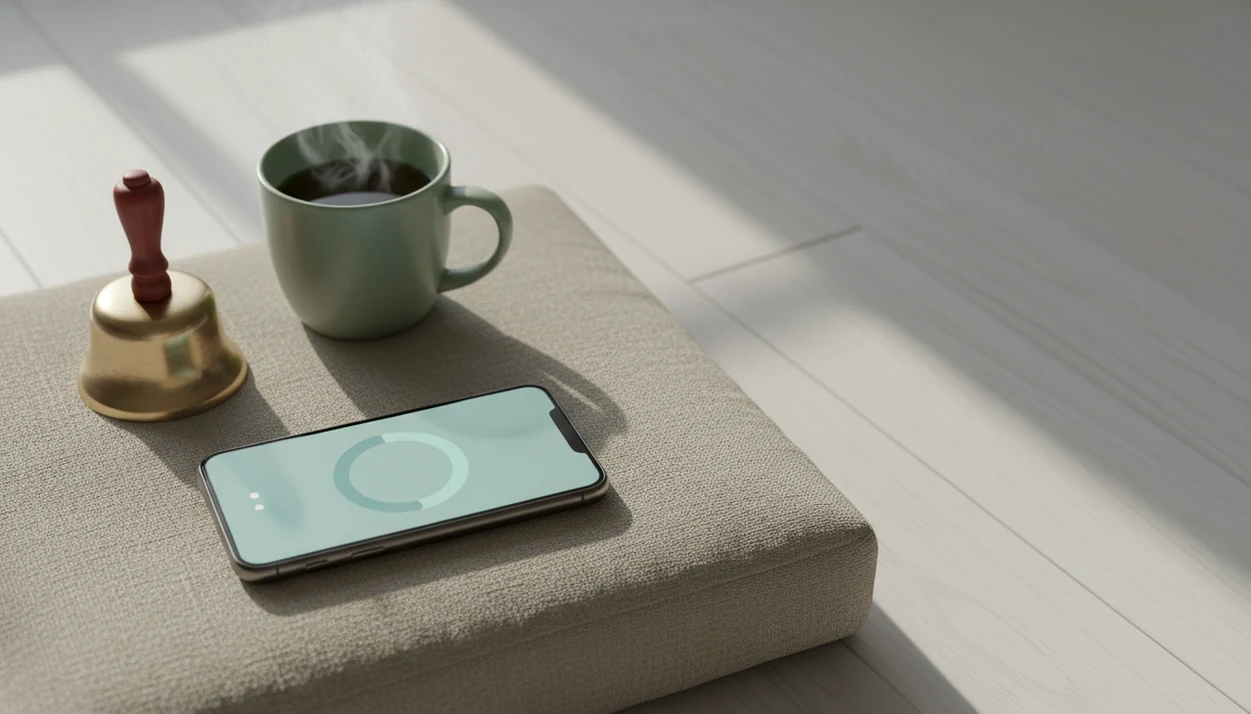
Suggested image caption: Minimal meditation timing screen with soft bell options, simple presets, and no social feed, designed for a beginner-friendly practice.
A browser timer for short, silent sessions
For a five-minute sit at a desk, Mindful.net’s free online meditation timer offers a way to time practice without downloading another app. The iOS and Android app also includes a meditation timer and short guided meditations. A dedicated offline timer is a better choice when internet access is uncertain; guidance is more useful when you do not yet know how to practice.
Meditation Timer Limits
- No timer app can make you meditate or replace the practice of noticing and returning attention.
- Evidence supports mindfulness programs generally, not rankings of specific meditation timers.
- Customizing timers can become distracting, while streaks can create guilt after missed days.
- When qualified care is needed, Mindful.net is practical support, not a cure, coach, or substitute.
Meditation timer questions
What should beginners look for in a meditation timer app?
Start with adjustable duration, a gentle ending bell, and a preset you can open quickly. Check offline operation and notification controls before relying on it. Vibration, readable controls, or screen-reader support may also matter. A large guided library is useful only if you want instruction alongside the timer.
How long should I set a meditation timer for my first session?
Five minutes is a practical starting point; five to ten minutes can suit a beginner routine. Try that on most days for two to four weeks before deciding what to change. Research does not establish one ideal duration. Shorten or stop the session if practice causes marked distress.
Should I use interval bells during meditation?
Leave interval bells off at first if they interrupt your attention. A start bell and ending bell may be enough. Later, optional chimes every two to five minutes can mark time without clock-checking. Choose a soft volume and remove the interval cue if you start waiting for it.
Do meditation timer apps work offline?
Offline access depends on the app and the feature. Do not assume that a working timer means its guided audio also works offline. Before travel, turn on airplane mode and run a short session with the screen locked. Confirm that the ending cue sounds under those conditions.
Can I use a browser meditation timer instead of an app?
Yes, a browser timer can be enough for a short silent session when you already know the practice instructions. Check that its ending cue still works when the screen dims or you switch away. A dedicated offline timer is a better fit for travel or unreliable internet access.
Is a meditation timer enough, or do I need guided sessions?
A timer may be enough when you know where to place attention and how to respond to distraction. Guidance is more useful when those instructions are unfamiliar. Research on guided mindfulness-app programs should not be treated as proof that an unguided countdown produces the same benefits.
Is a paid meditation app better than a free timer?
Not necessarily. A free timer can cover session length and bells without a subscription. Paying may make sense for structured lessons or other content you actually use, but available trials do not establish that paid apps work better than free ones. Compare usable features, privacy, and total cost.
Should I turn off meditation streaks and reminders?
Keep them only if they help you return to practice. One optional reminder may be useful; repeated alerts or a broken streak can add pressure. Session history can record practice without making it a competition. After a missed day, start the next session rather than trying to repair a score.