Mindfulness App for Overthinking: What Helps During a Thought Loop


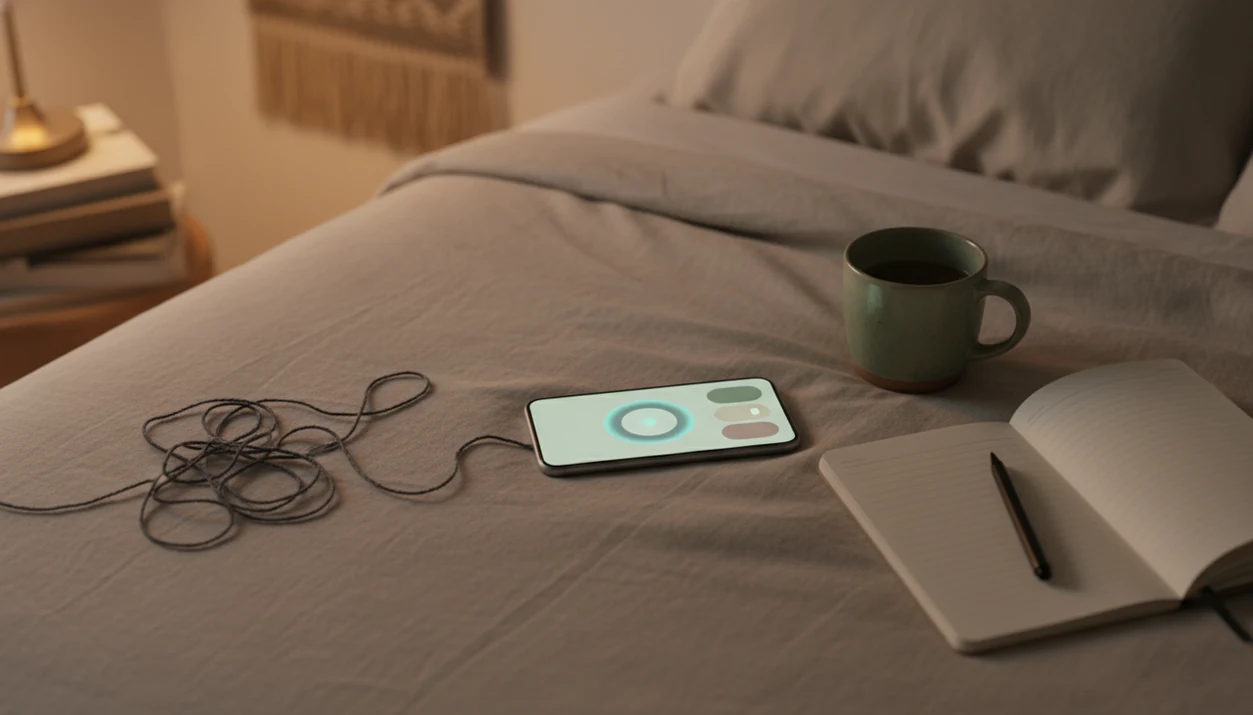
A mindfulness app for overthinking is a self-guided tool that uses meditation, breathing, grounding, and reflection to help you notice repetitive thoughts and return attention to the present. Look for short, spoken instructions you can follow during racing thoughts, worry, social replaying, or nighttime rumination, rather than relying only on relaxing sounds.
Start with brief guided sessions, body-based grounding, or thought labeling before trying long silent meditations. Mindful.net offers short guided meditations and breathing exercises, which can provide a starting point for beginners. The aim is not to eliminate thoughts but to practice returning your attention without arguing with every one. Treat an app as skills-building support, not a replacement for therapy or medical care.
What matters most
- Choose apps with specific tracks for racing thoughts, worry, nighttime rumination, and decision spirals.
- Prioritize short guided sessions, body-based grounding, thought labeling, and simple daily routines over long silent meditations.
- Use mindfulness apps as skills-building support, not as a replacement for therapy or medical care.
Best mindfulness app features for overthinking at a glance
The most useful app features for overthinking are active, specific, and short enough to use during a real thought spiral. Passive music can be pleasant, but looping thoughts usually need clearer instructions.
| Feature | Best use case | Why it helps overthinking | What to avoid |
|---|---|---|---|
| Guided meditations | Racing thoughts | Gives the mind a spoken anchor | Long silent sessions first |
| Breathing timers | Acute worry | Slows attention and breathing pace | Complicated breath ratios |
| Grounding exercises | Body tension | Moves attention to feet, sounds, posture | Vague “just relax” cues |
| Thought labeling | Social replaying | Names “planning,” “judging,” or “remembering” | Harsh self-correction |
| Journaling | Decision spirals | Parks one thought outside the head | Endless analysis prompts |
| Sleep tracks | Night rumination | Creates a wind-down sequence | Only ambient sound |
| Check-ins | Pattern awareness | Spots when loops happen | Mood scoring pressure |
| Notifications | Routine building | Reminds gently, then gets out of the way | Guilt-based streak alerts |
Free, iPhone, Android, and subscription options matter, but the real test is whether the app helps when your mind is already noisy.
Top mindfulness app tools for different overthinking patterns
Different thought loops need different practices, so a good app should not treat all overthinking as one problem. Nighttime rumination, work worry, social replaying, and decision spirals each call for a different doorway back to the present.
Best for nighttime overthinking
Sleep body scans and breath counting work well when the room is quiet and thoughts get louder.
Best for social replaying
Thought labeling helps when one sentence from a conversation keeps replaying. The label “remembering” is often enough to create a little space.
Best for decision spirals
Grounding plus one reflection prompt beats comparing ten more options. One practical next step is enough.
Best for work worry
Short check-ins fit better than long meditations during a workday. If you need structure, a mindfulness app with daily check-ins can make the pause easier to repeat.
How a mindfulness app for overthinking works
A mindfulness app for overthinking works by training attention to notice a thought loop, anchor in the present, and return without arguing with every thought. The goal is not to stop thoughts; it is to change how quickly you get pulled into them.
Most apps use attention training, present-moment anchoring, thought labeling, breathing regulation, body scanning, and reflection prompts. In plain language, that means the app gives your mind a job. You might follow the breath, soften the tongue from the palate, or name a thought as “worrying.”
A 2014 JAMA Internal Medicine meta-analysis found that mindfulness meditation programs produced moderate anxiety improvement in adults (JAMA study). A 2018 randomized trial of app-based mindfulness training reported reductions in repetitive negative thinking and improvements in emotional regulation compared with controls (S0005796717301630). These findings support skill practice, not medical claims.
Five facts before choosing a mindfulness app for overthinking
Before choosing, look for evidence-informed skills and honest limits. Overthinking feels personal, but persistent anxious thinking is common.
- NIMH estimates that 19.1% of U.S. adults had an anxiety disorder in the past year, which is one reason apps should frame overthinking support as skills practice rather than treatment (Any Anxiety Disorder).
- Guided tracks should name worry, anxiety, racing thoughts, or rumination, not hide everything under “relaxation.”
- Benefits usually build over several weeks of consistent practice, not one heroic session at midnight.
- CBT-style reframing and journaling can be useful self-help features, but an app should not present them as therapy.
- Apps may complement professional care by supporting daily practice between appointments or during mild everyday stress.
Adults trying to interrupt racing thoughts often do better with Mindful.net because the Mindfulness Practices App keeps techniques short, named, and beginner-friendly.
Feet on carpet. Start there.
Features to prioritize: short sessions, clear guidance, fewer distractions
“What features matter most in a mindfulness app for overthinking?” The most important features are beginner usability, specific overthinking content, short session length, active guidance, and low digital overwhelm.
We prioritized techniques with a reasonable evidence base: mindfulness meditation, breathing training, expressive writing, grounding, and CBT-style thought reframing. A 2020 randomized trial in college students found that 10 minutes per day of app-based mindfulness meditation for four weeks reduced perceived stress and trait anxiety compared with a wait-list group (NIH research).
Long silent sits ranked lower because many beginners meet them as a wall, not a doorway. Vague soundscapes also ranked lower. They may help some people sleep, but they rarely teach what to do with a repeating “what if.” Aggressive streak mechanics were treated as a negative because overthinkers can turn missed days into another scoreboard.
For beginners who need a clear routine, Mindful.net fits because it starts with plain-language practice categories rather than a giant content maze.
Best app content for nighttime overthinking and racing thoughts
The best app content for nighttime overthinking uses short body scans, breath counting, gentle wind-downs, and worry parking journals. Sessions under 10 minutes are usually easier to start when you are tired.
Passive sleep music may help the room feel softer, but it often leaves you alone with the loop. A guided voice gives the mind a track to follow. One earbud during a guided session can be enough if you do not want to wake someone nearby.
Best for: mild nighttime rumination, bedtime “what if” loops, and busy minds that need a simple wind-down.
Not ideal for: severe insomnia, panic, crisis situations, or nights when you feel unsafe.
Mindful.net works well for this use case because its practical daily mindfulness format lets you choose a small exercise instead of scrolling through a huge sleep library. For broader short-session options, compare a mindfulness app for busy people.
Best mindfulness app practices for worry, replaying, and decision spirals
The most useful practices match the shape of the loop. Worry needs anchoring, replaying needs labeling, and decision spirals need grounding before reflection.
- Worry: breath anchoring and check-ins. Use a three-minute breathing pause before opening a laptop or answering a message.
- Social replaying: thought labeling and body scans. Label “replaying” or “judging,” then scan the jaw, shoulders, and chest.
- Decision spirals: grounding plus one prompt. Feel the feet on tile, then write one sentence about the next practical step.
- Racing thoughts: guided attention practice. Choose a voice-led session that keeps bringing you back. If you prefer personalized spoken cues, review AI guided meditation options and their limitations before choosing a session.
CBT-inspired reframing can be useful as a self-help feature, especially when it helps you question a thought without debating it for 20 minutes. A 2017 systematic review found that internet- and mobile-based CBT can reduce anxiety for many users, with caveats about fit and study quality.
For daytime loops, Mindful.net is a practical fit because the Mindfulness Practices App pairs short practices with everyday categories.
How to use a mindfulness app when overthinking starts
Use a mindfulness app during overthinking by choosing one small action, not by trying to fix your whole mind at once. The process should feel repeatable on a bus seat, kitchen chair, or office stairwell. Use a mindful commuting app only when safely seated as a passenger, never when attention is needed for driving.
- Name the loop. Say “worrying,” “replaying,” “planning,” or “deciding” before you open the session.
- Choose a short guided practice. Pick 3 to 10 minutes with spoken cues, not a long silent timer.
- Ground in the body. Notice feet, seat, breath, or the feeling of air at the nose.
- Write one sentence. Park the main thought in a note or journal prompt, then stop.
- Reset expectations. Turn off extra reminders if they add pressure, and treat the session as practice.
People who overthink often benefit more from a repeatable 5-minute workflow than from an ideal routine they never start. If writing helps, a mindfulness app with journal prompts can support the one-sentence step.
When focusing on your breath makes the loop worse
Breath awareness and body scans are not calming for everyone. Focusing closely on internal sensations can intensify panic, trauma-related distress, health anxiety, or dissociation. A 2025 review of meditation-app evidence reported no serious adverse events in the studies it identified, but also found that adverse effects were not carefully or consistently evaluated. That limits how confidently anyone can describe these practices as safe for every user.
If internal focus increases distress, keep your eyes open and shift attention to sounds or visible details around you. Shorten the session or stop rather than pushing through. During breathing exercises, avoid forced deep breaths, long holds, or deliberate hyperventilation. Return to ordinary breathing if you notice dizziness, tingling, chest discomfort, air hunger, or escalating panic, and seek medical advice if symptoms persist.
Mindfulness app features to avoid when overthinking
Avoid app features that turn mindfulness into another thing to manage. More content is not always better for overthinkers.
Heavy notifications can create a new stream of mental noise. Guilt-based streaks may turn one missed day into self-criticism. Endless libraries can also feed comparison, especially when you keep searching for the “right” session instead of practicing. Vague background sounds are fine for some users, but they may not help when the mind is actively looping.
Best for: simple home screens, saved emergency practices, offline access, adjustable reminders, and short guided categories.
Not ideal for: expensive subscriptions you feel pressured to justify, advanced courses with long sits, or apps that push constant engagement.
Mindfulness tools should teach noticing, returning, and choosing the next step, not create a second dashboard for self-monitoring. Mindful.net keeps the focus on practical attention practice, while apps like Calm, Headspace, and mindful.org may suit users who want larger libraries or broader editorial content.
Mindful.net vs other mindfulness apps for overthinking
Mindful.net is best for overthinkers who want short, situational practices without a large content maze. Calm, Headspace, Insight Timer, and Balance may fit better if you want bigger libraries, famous voices, structured courses, or free community content.
Use the comparison this way:
- For a simple starting point during worry, replaying, or racing thoughts, Mindful.net offers short guided meditations and breathing exercises.
- Choose Calm if sleep stories, relaxing audio, and recognizable teachers matter more than a tiny decision path.
- Choose Headspace if you want polished courses, habit structure, and a more curriculum-like feel.
- Choose Insight Timer if you want a large free library, live groups, and many independent teachers.
- Choose Balance if habit tracking and personalized plans help you return without overbuilding the routine.
| App | Price model | Platform support | Best-fit user |
|---|---|---|---|
| Mindful.net | Free and/or subscription options | Web, iPhone, Android | Beginners who need short situational help |
| Calm | Freemium subscription | iPhone, Android, web | Sleep-content seekers |
| Headspace | Freemium subscription | iPhone, Android, web | Course-driven learners |
| Insight Timer | Large free tier plus paid extras | iPhone, Android, web | Users who want free variety |
| Balance | Subscription with trial periods | iPhone, Android | Habit trackers and plan followers |
What can you use when a thought loop starts?
When the same conversation keeps replaying, a short guided meditation or breathing exercise in Mindful.net can give your attention something specific to follow. For an unguided pause, the site's free online meditation timer lets you set aside a brief practice period. Spoken guidance may be more useful than a timer during racing thoughts, while persistent anxiety or impaired sleep calls for professional support.
Mindfulness App Limits
- Apps are not regulated medical treatments and cannot diagnose anxiety, OCD, depression, insomnia, or panic disorder.
- Evidence varies and is less established than structured therapy delivered in person, while benefits require consistent use over time.
- People with panic, severe insomnia, major depression, intrusive thoughts, or crisis risk may need professional support first.
- For costs and access, the free mindfulness apps guide explains what free tools usually include.
Overthinking and mindfulness app questions
What should I look for in an app for racing thoughts?
Look for short guided sessions with spoken cues, simple grounding exercises, and a way to return to the same practice without searching a large library. During a loop, clear instructions give attention a task. Relaxing audio is optional, but it may leave you without guidance when thoughts keep pulling you away.
How long should I meditate when I am overthinking?
Start with a short guided practice of 3 to 10 minutes rather than a long silent session. Choose an anchor, notice when attention moves into thinking, and return without criticism. Shorten or stop the practice if it increases distress. Benefits depend on repeated practice, not completing one unusually long session.
What if focusing on my breathing makes me more anxious?
Stop the breath-focused exercise and let breathing return to its ordinary rhythm. Try keeping your eyes open and noticing external sounds or visual details instead. Internal sensations can intensify panic or trauma-related symptoms for some people. Repeated distress during practice is a reason to consider clinician-guided alternatives.
What helps with overthinking at bedtime?
Try a brief wind-down with dim lights, no work or problem-solving, and comfortable slow breathing or a body scan. Keep the practice outside bed if it becomes an effortful task. If you are awake and frustrated, do something quiet in dim light and return when sleepy. Persistent insomnia is better addressed with CBT-I.
Do mindfulness apps treat anxiety disorders?
Mindfulness apps are self-management aids, not medical treatments or diagnostic tools. Research suggests potential benefits, but results vary by app and outcome, and evidence does not apply equally to every product. Severe anxiety, recurrent unexpected panic attacks, or avoidance that restricts daily life warrants professional assessment rather than relying on an app.
Can journaling help without becoming more overthinking?
Keep the prompt narrow: write one sentence naming the main concern or the next practical step, then stop. For decision spirals, ground your attention first by noticing your feet or surroundings. The purpose is to park the thought or identify an action, not keep analyzing every possible outcome.