
Guided Meditation Tools: Choose a Clear 10-Minute Guide


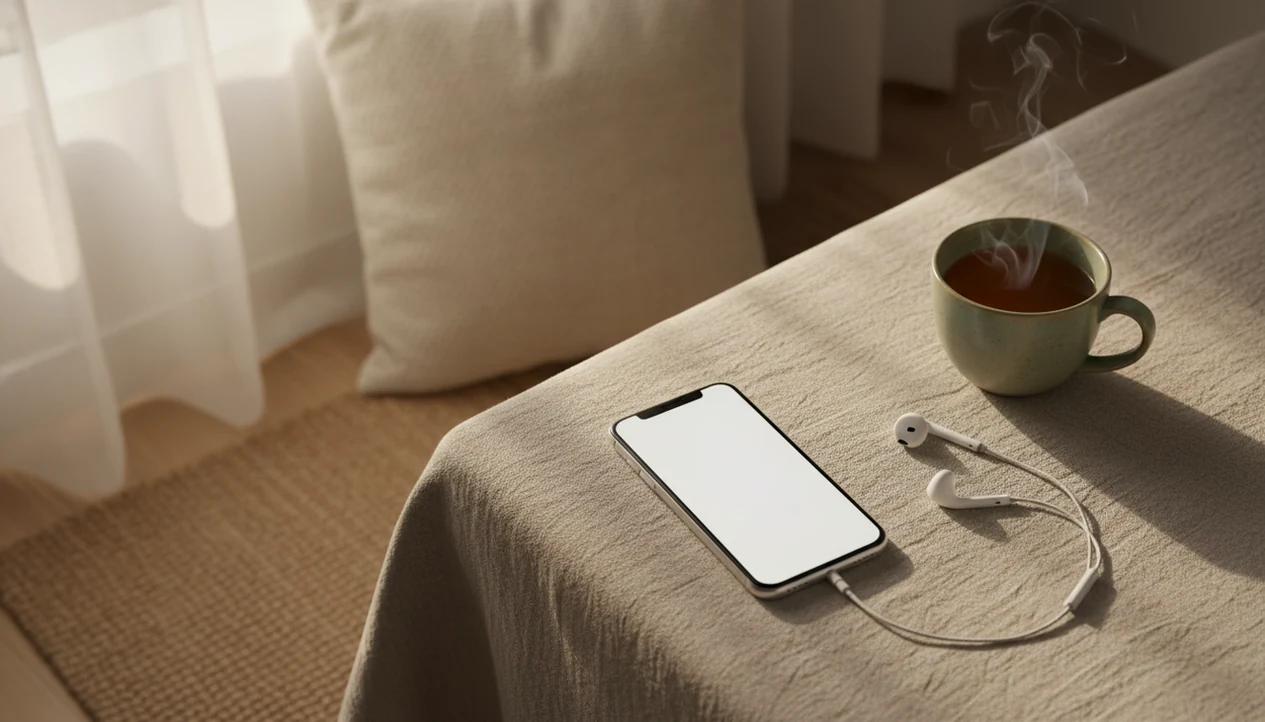
Guided meditation tools are apps, audio guides, timers, or online programs that help you complete a short meditation session. For a beginner’s 10-minute practice, a useful guide explains posture, offers one attention anchor, gives gentle reminders, and marks a clear ending. Look for secular sessions with calm pacing, breath, body scan, or sound options, and an easy way to stop if the practice feels uncomfortable.
A timer sets the duration but does not teach you what to do. Voice guidance can explain how to settle, notice distraction, return to your anchor, and finish without rushing. The aim is repeatable attention practice, not an empty mind or guaranteed calm. Short meditation can support daily practice, but it does not replace medical care, therapy, or crisis support.
Definition: A 10-minute meditation tool is an app, audio guide, timer, or online program that leads a complete short meditation session with instructions for posture, attention, pacing, and ending.
What matters most
- Choose a 10 minute meditation tool that tells you exactly what to do for the full session: settle, breathe, notice wandering, return, and close.
- Look for beginner-friendly anchors such as breath, body scan, sounds, or simple noting rather than vague relaxation promises.
- Use short guided meditation as daily practice, not a substitute for medical care, therapy, or crisis support.
Compare apps, audio tracks, timers, and smart speakers
The best 10 minute meditation tool is not the one with the most content. It is the one that makes 10 minutes easy to start, follow, and finish without pressure. To compare formats before committing, review meditation apps and alternatives for differences in guidance, cost, and ease of use.
| Tool format | What it does well | Watch for |
|---|---|---|
| Meditation app | Length filters, voice guidance, reminders, session history | Subscriptions, streak pressure, too many choices |
| Audio track | Simple guided session with no setup | No stop controls beyond the player |
| Timer | Minimal, quiet, flexible | Requires you to know the instructions |
| Smart speaker | Hands-free start in a bedroom or kitchen | Less privacy and fewer anchor choices |
Good beginner safety signals include secular language, no pressure to control the breath, and no scolding when attention drifts. A useful tool also makes stopping easy. If the voice says “notice what happened, then come back,” that is a better sign than promising total calm in one session.
The pocket check is real: if you can start the session from a coat pocket, pause it with one thumb, and understand the first prompt through cheap earbuds, the tool is simple enough for daily use.
What a 10-minute guide should tell you
A tool that can guide a 10-minute meditation is any app, audio track, or online program that leads you through a brief practice. It usually helps you settle, choose a posture, notice breathing or body sensations, redirect attention, and close the session without guesswork.
The goal is not to empty the mind. The goal is to recognize distraction and return. That matters because a first-time meditator may be three minutes in and suddenly thinking about a camping setup, a keynote room, or the dry feeling on their lips. A good guide treats that as the practice, not a failure.
Tools like Mindful.net can fit beginners who want plain, secular instructions before trying longer sessions. For beginners and daily practice, mindfulness and meditation techniques offer repeated practice in paying attention, not guaranteed calm, instant stress relief, or medical treatment.
If you use Mindful.net as a Mindfulness Practices App, start with one 10-minute anchor for a full week before trying multiple techniques. That keeps the tool from becoming another menu to manage. Mindfulness planning tools can help you organize a week of practice around one anchor and a realistic schedule.
How prompts help you return to your anchor
A guided meditation tool works by combining outside cues, one clear anchor, repetition, and gentle redirection. In plain language, it gives you something to notice, reminds you when attention has wandered, and signals when the 10 minutes are finished.
Following a clear sequence means you do not have to choose the next step while practicing. Instead of wondering whether to sit, breathe, scan the body, or stop, you follow a sequence. The voice might say, “notice the cool air at the nostrils,” then pause long enough for you to try it. When attention drifts, the next prompt brings you back without making the drift feel wrong.
Over time, guided sessions can teach transferable skills: breath awareness, body scanning, sound awareness, and noticing thoughts. App-based tools may add reminders, streaks, session history, and recommendations. Those features should support practice, not pull you into menu scrolling. For beginners, a clear 10-minute session is often easier than silent meditation because the guide supplies timing and corrections.
What research says about short app-based practice
Research on app-based mindfulness is encouraging, but modest. The most defensible summary is that repeated short practice may help stress, mood, and attention for some people, while results vary.
- In a randomized controlled trial of 89 high-stress adults, 10 minutes of daily app-based mindfulness for 40 days improved stress, work strain, and well-being compared with a control podcast Article.
- A 2020 systematic review and meta-analysis of 15 randomized controlled trials found small but significant improvements in depression, anxiety, and stress from app-based mindfulness interventions NIH research.
- Benefits usually build through repeated use, not one dramatic session.
- NCCIH notes that meditation is generally considered safe for healthy people when practiced appropriately, while some people may experience distressing effects and should stop or seek help if needed NCCIH overview.
- Serious distress, panic, trauma symptoms, or medical concerns need qualified support beyond an app.
Clinicians typically recommend mindfulness as a supportive skill, not a replacement for therapy, medication, or urgent care when those are needed.
Mindful.net, Insight Timer, Headspace, and YouTube
There is no universal winner. Match the tool to your preferred anchor, the voice you can tolerate, and the moment when you’ll actually practice.
- Mindful.net: Fits beginners who want a practical, secular starting point and clear explanations before choosing a technique. Compare Ten Percent Happier vs Mindful to see which teaching style and practice structure better match your preferences.
- Insight Timer: Fits free-library users who want many 10-minute tracks, though the amount of choice can feel noisy.
- Headspace: Fits people who like structured courses, polished audio, and a consistent teaching style, often behind a subscription. If a structured subscription feels unsuitable, compare Ten Percent Happier alternatives for guidance that better fits your needs.
- YouTube guided tracks: Fit one-off use, but ads, comments, and autoplay can interrupt the session.
- Phone timer with instructions: Fits minimalist users who already know one practice, such as breath awareness meditation.
Try one format for a week before switching. A short guided session may be enough while you sit near a tent flap, pause beside a garden trowel, or practice with a diaper bag strap across one shoulder. Too many new voices can make the habit harder to understand. You can also compare Healthy Minds Program alternatives when choosing a format you feel comfortable repeating each day.
Check privacy and access before committing
A polished interface is not evidence that an app’s meditation program works. A 2020 review of mindfulness app quality identified 605 apps and evaluated 192 that met its inclusion criteria. Only seven of those 192 had been evaluated in randomized controlled trials. Many also lacked adequate privacy policies or information about data security. These findings describe that review’s sample, not every app available today.
Before creating an account, check what data the tool collects, shares, and retains. Confirm that it works on your phone and offers any captions, transcripts, or screen-reader support you need. Check whether reminders can be disabled, sessions work offline, and the desired content requires a subscription. Compare the total annual cost, not just the download price. Clinical trials do not establish that paid meditation apps work better than free ones. Before choosing a personalized meditation plan app, check its privacy settings, adjustment options, and approach to recommendations.
Before You Start a 10-Minute Guided Meditation
Before you start a 10-minute guided meditation, make the session easy to leave and simple to follow. A safe setup matters more than a perfect room, posture, or app.
- Choose a quiet-enough spot. You do not need silence. Pick a chair, bed edge, parked car, or corner where you can pause or stop without explaining yourself.
- Turn off interruptions before pressing play. Silence notifications, alarms that are not needed, autoplay, and incoming call sounds if you can. The goal is one clean 10-minute container.
- Pick one anchor for this session. Use breath, body sensations, sounds, touch, or simple noting. Staying with one anchor keeps the practice from becoming another decision loop.
- Skip breath-focused guidance if it feels wrong. If attention to breathing makes your chest tight, feels unsafe, or pulls you into control, choose sound, touch, or body contact instead.
- Stop immediately if distress rises. End the session if you feel overwhelmed, dizzy, panicky, disconnected, or unsafe. Open your eyes, move slowly, look around the room, and get support if the feeling does not settle.
Decide when to stop before pressing play
Short sessions are not a guarantee against unpleasant effects. A systematic review of meditation adverse events examined 83 studies involving 6,703 participants and estimated an overall prevalence of negative experiences of about 8.3%. Anxiety and depression were among the most commonly reported effects. That estimate covers meditation broadly, not specifically 10-minute sessions or meditation apps, so it cannot predict your individual risk.
Make stopping an available choice, not a failed session. Pause or end the audio if practice brings marked anxiety, agitation, a sense of disconnection, or unusual perceptual experiences. Do not force yourself to finish the timer. Seek qualified clinical advice about these symptoms before continuing. NCCIH’s safety guidance explains that too few studies have systematically assessed harms to support definitive safety claims.
Set up and follow one 10-minute session
Use a short meditation app by removing choices before you begin. The session should feel like a small routine, not another task to manage.
- Set the session length to 10 minutes. Put the phone on airplane mode if notifications usually pull you away.
- Choose one anchor such as breath, body, sounds, or touch. Stay with that anchor for the whole session.
- Sit in a stable posture without trying to look perfect. A kitchen chair, office stairwell, or bed edge can work.
- Follow the voice and return when the mind wanders. Wandering is expected, so don’t restart the timer.
- End by noticing how you feel and moving slowly. Let your eyes open before standing or checking messages.
For beginners, guided meditation usually works best when the tool gives one clear anchor, while unguided timers fit people who already know the basic steps.
Choose breath, body, sound, or noting
Different 10-minute formats work for different needs. Switch anchors if breath instructions feel tight, unpleasant, or too body-focused.
| Need | Format to try | Why it may fit |
|---|---|---|
| Focus before study | Breath-focused meditation | Simple, repeatable, easy to restart |
| Tension or sleep prep | Body scan | Uses physical sensations as the anchor |
| Breath discomfort | Sound awareness | Lets attention rest outside the body |
| Busy thoughts | Noting or open awareness | Names thinking without arguing with it |
Breath-focused 10 minute meditation
Breath-focused practice asks you to notice breathing without controlling it. It is often the simplest place to start, especially with a phone timer set for 5 minutes first.
Body scan 10 minute meditation
A body scan meditation moves attention through the body, such as thumbs resting on chair arms or feet on carpet. It can work well before sleep.
Sound-based 10 minute meditation
Sound awareness uses nearby noise as the anchor. A closed door with hallway noise can become part of practice rather than a reason to quit.
Avoid restarting when your mind wanders
Treating thoughts as failure is a common mistake during guided meditation. In meditation, noticing the mind wander and returning attention is the actual repetition.
Another mistake is expecting one 10-minute session to fix stress, anxiety, sleep, or a hard workday. A short session can create a pause, but it cannot remove the cause of strain. Longer sessions are not automatically better for beginners either. Ten steady minutes may teach more than 30 minutes spent fighting discomfort.
You also do not need special cushions, candles, or a silent room. A plain chair is enough. If the app keeps showing upgrades, badges, or messages during practice, turn off notifications or choose a quieter tool. Comparing guided vs silent meditation can help if you keep feeling either over-instructed or lost.
Check clarity, comfort, and consistency after a week
A 10-minute meditation tool is working if practice becomes easier to start and recovery from distraction gets a little quicker. Progress may look ordinary.
Useful signs include noticing shoulder tension sooner, pausing before a sharp reply, or remembering to breathe once after a classroom bell. You may still feel stressed afterward. That does not mean nothing happened. Track consistency first: how many days you practiced, whether the tool felt safe, and whether the instructions were clear.
Try a 7-day check-in. Rate mood, focus, stress level, and safety after each session with one short note. If nothing improves after repeated use, change one variable: anchor, voice, time of day, or tool format. If distress is serious or persistent, use non-app support from a qualified professional.
Choose guidance before switching to a timer
For a first 10-minute session, spoken instructions can help you know what to do when attention wanders. Mindful.net offers short guided meditations in its iOS and Android app. Once the instructions are familiar, the site’s free online meditation timer can set the duration without a voice track. A different guide is a better choice when you need captions, a transcript, or another accessibility feature that you have not confirmed is available.
Meditation Guide Limits
- Meditation tools cannot replace professional mental health care, medical treatment, or crisis support, seek these services when needed.
- Research effects for mindfulness apps are usually small, even when statistically significant.
- Some scripts may feel uncomfortable with trauma histories, panic, dissociation, neurodivergence, or certain medical concerns.
- If breath focus feels unpleasant, body, sound, or touch anchors may be safer meditation techniques.
10-minute guided meditation questions
Is 10 minutes of guided meditation enough for beginners?
Ten minutes is a reasonable starting length, but it is not a proven minimum or an ideal duration for everyone. Start with five to ten minutes on most days for two to four weeks. Research generally examines repeated practice over several weeks, not the effect of one isolated session.
Should I use a meditation timer or a guided audio track?
Choose a guided track when you still need instructions for posture, attention, distraction, and ending the session. A timer is useful once those steps are familiar. It controls duration but does not teach the practice, and evidence for guided app programs should not be treated as evidence for a bare timer.
Which apps offer free 10-minute guided meditations?
Insight Timer is one option for people looking for a free library of short guided tracks. Check the individual session’s length and access requirements before starting. Free to download does not necessarily mean every session is free, and a larger library does not guarantee clearer instructions or better results.
Do I have to focus on breathing during guided meditation?
No. Sounds, touch, body sensations, or simple noting can also serve as attention anchors. Choose a session that clearly teaches the option you prefer. If breath instructions feel tight or unpleasant, try sound awareness rather than forcing breath focus. Stop if the practice causes marked distress.
Should I restart the meditation when my mind wanders?
No. Noticing that attention has wandered and returning to your chosen anchor is part of the exercise. You do not need to restart the track or timer. Briefly recognize the distraction, then follow the next instruction. Finishing with thoughts still present does not mean you have failed.
When should I stop a guided meditation session?
Stop or reduce practice if you develop marked anxiety, agitation, depressive symptoms, a sense of disconnection, or unusual perceptual experiences. You do not need to finish all ten minutes. Seek qualified clinical advice about these symptoms before continuing. A meditation app is not a substitute for treatment or crisis support.