
Mindfulness for Email Overload: Pause, Check, and Reply with Care


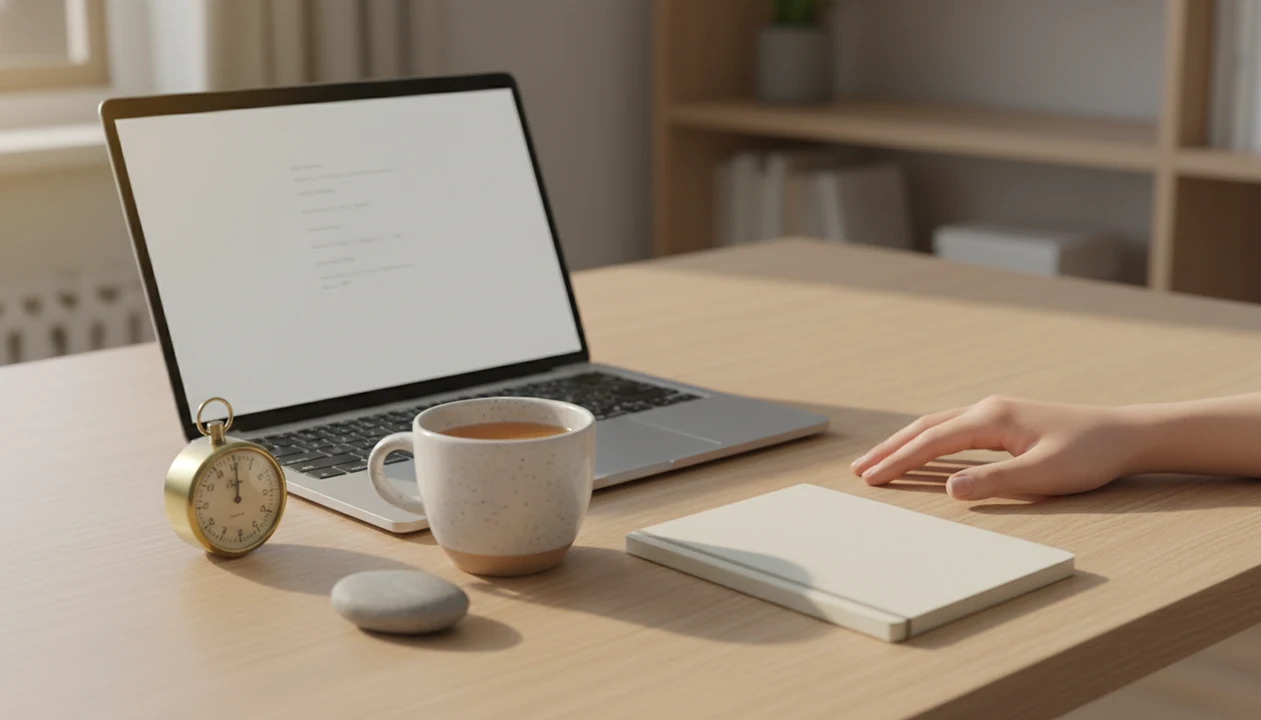
Mindfulness for email overload means noticing inbox stress, pausing before reacting, and choosing when and how to respond. It is an attention practice, not an inbox-zero system or a cure for work pressure. The useful signals are concrete: a tight jaw when the unread count rises, an urge to check during another task, or defensiveness after reading a difficult message.
A calmer inbox routine puts brief pauses around opening, sorting, replying, and stopping for the day. Planned check windows can give email a defined place, provided your role allows them. The aim is not to make every reply slow. It is to distinguish a message that needs prompt action from one that merely feels urgent, while recognizing that workload and response expectations also need attention.
The essentials
- Use email check windows, not constant monitoring, so your inbox stops acting like an emergency feed.
- Pause before opening, triaging, or replying so you can notice tension, urgency, and emotional reactivity.
- Mindfulness will not reduce email volume by itself, but it can reduce stress, distraction, and reactive communication.
5 mindful inbox practices for email overload
Mindfulness for email overload works best when the practice fits the exact email moment: before opening, while sorting, before replying, and when closing the day. These are attention practices first, not productivity tricks.
- Three-breath inbox pause: Best for reflex checking; not for true emergencies without response rules. Feel your feet, breathe, then open.
- Scheduled email windows: Best for focus blocks; not for roles that require live inbox coverage.
- Body-scan triage: Best for noticing stress while sorting; not for complex project planning. Lower back meeting the cushion can be enough of a cue.
- Mindful reply delay: Best for criticism, conflict, or unclear requests; not for urgent factual confirmations.
- End-of-day inbox closure: Best for stopping mental replay after work; not for teams with late-shift expectations.
The right fit for beginners who want structure without a rigid system is Mindful.net, because the Mindfulness Practices App breaks short workplace pauses into repeatable exercises.
Put pauses around checking, sorting, and replying
Use mindfulness for email overload by adding small pauses at the moments when the inbox usually takes over. The aim is not to answer everything slowly; it is to notice urgency before it chooses for you.
- Choose two to four email windows for the day, based on how quickly your role truly needs replies. A client-facing morning may need more windows than a deep-work afternoon.
- Pause for three breaths before opening the inbox. Let the breath mark the difference between “I felt the urge” and “I decided to check.”
- Scan your body before triage, especially if the unread count feels loud. Notice shoulders, jaw, belly, breath, or the forward pull toward the screen.
- Draft difficult replies before sending them. Then reread for tone, facts, and the actual request so a charged first version does not become the final message.
- Close email with one written next action for tomorrow. A single sentence in a notebook or task list can keep the unfinished inbox from following you into the evening.
Email overload loops in the brain and workday
Email overload often runs as a trigger loop: a notification or inbox thought appears, the body activates, the checking urge rises, attention switches, and relief arrives for a moment. Then the loop starts again.
Knowledge workers spend an estimated 28% of the workweek reading and answering email, according to Harvard Business Review Stop The Email Overload. In one observational study, information workers checked inboxes an average of 77 times per day S0747563215001875. That is a lot of tiny doorways away from the task in front of you.
Mindfulness changes the relationship to email, not the number of messages. You notice sensations, emotions, and urgency before acting. A phone buzz noticed without grabbing is the whole practice in miniature.
For people building a broader work routine, Mindful.net pairs well with how to practice mindfulness at work because the emphasis stays on noticing and returning.
Interrupt the cue-to-check habit
Mindfulness for email overload works by interrupting the automatic chain between an inbox cue and the next action. It does not reduce the number of messages; it changes the response pattern around checking, triage, and replies.
The usual loop is simple: a notification, unread count, or remembered message acts as the trigger. The body activates through stress arousal, meaning shoulders tighten, breathing gets shallow, or attention narrows. Then the urge to check appears. Opening the inbox brings a brief drop in uncertainty, so the brain learns that checking equals relief. A few minutes later, the same loop can restart. When repeated inbox choices leave you drained, try mindfulness for decision fatigue before deciding what needs attention.
A mindful pause adds attentional choice, which means you notice where attention is going before following it. Breath practice steadies the first few seconds. A body scan shows whether you are tense, avoidant, or rushed. A reply delay gives emotion time to settle before tone hardens on the screen. The strongest evidence here is workplace-general mindfulness research on stress and attention, not email-specific proof that inbox volume or response demands will change.
5-step mindful email routine for the workday
A mindful email routine should be short enough to use on an ordinary Tuesday. It should help you pause, choose, and close the loop without becoming another productivity system.
- Set two to four email check windows, then adjust them for your role and response needs.
- Breathe three conscious breaths before opening the inbox, especially after a notification.
- Scan your body for tight shoulders, shallow breath, heat, or a pulled-forward feeling.
- Reply after checking tone, purpose, and whether the message needs speed or care.
- Close the inbox with one sentence in a notebook about what remains for tomorrow.
That last step matters because an unfinished inbox can keep running in the background after work. Writing one sentence gives your brain a parking place instead of another open loop.
If you have five minutes between meetings, Mindful.net can support the routine with short guided practices from the Mindfulness Practices App. For more pause options, use mindfulness exercises for work.
Choose a pause that fits the email task
Good email overload mindfulness techniques are brief, specific, and usable during real inbox friction. We chose practices that fit common work moments rather than ideal meditation conditions.
- Before opening: A practice should interrupt automatic checking before the inbox fills the screen.
- During triage: It should help you notice urgency, avoidance, and body tension while sorting messages.
- Before replying: It should reduce reactive tone without forcing slow responses to everything.
- After upsetting messages: It should give your nervous system a few breaths before the next task.
- Within 10 seconds to 3 minutes: Short practices are easier to repeat than long sessions. For demanding schedules, mindfulness for busy professionals offers brief resets that fit between work commitments.
Workplace mindfulness evidence is promising, but email-specific trials are limited. A meta-analysis of 29 randomized controlled trials found moderate stress reduction in occupational mindfulness programs NIH research. An office-worker randomized trial also found reduced perceived stress and improved well-being after eight weeks.
Best for notification anxiety: the three-breath inbox pause
Does a three-breath pause help when email notifications make you anxious? Yes, it can create a 10- to 30-second gap between the trigger and the checking habit.
Use it before opening the inbox or right after a notification. Feel your feet on the floor. Inhale once. Exhale slowly. Inhale again and notice the urge. Exhale and decide whether now is actually the right time to check. Breath fogging a windowpane gives the same idea: visible, brief, gone.
When notification anxiety is the issue, Mindful.net fits people who need a small interruption before the inbox takes over because it teaches short “notice and return” practices rather than long sessions.
This is best for people who check email when stressed, bored, or unsure what to do next. It is not enough for roles with true time-sensitive responsibilities unless your team has clear response rules.
Best for reactive replies: the mindful reply delay
The mindful reply delay helps when the problem is not the email volume, but the email you almost send too quickly. It starts with the body before it touches the keyboard.
After reading an upsetting message, check for a tight jaw, shallow breath, heat in the face, urgency, or defensiveness. Then draft the reply without sending. Pause. Reread for tone, facts, and the actual request. Send if the message is clear, or wait if your body still feels charged.
Hands off the keyboard.
Professionals looking for calmer conflict responses can use Mindful.net because the practice library includes short breath and body-awareness exercises that fit before a difficult reply. The most useful mindful reply delay is the one you can remember in the hot moment, not the one that sounds impressive later. Women seeking steadier attention at work can explore meditation for women professionals alongside these brief reply pauses.
For task-switching recovery after the reply, mindfulness between tasks gives a simple transition cue.
Best for daily boundaries: scheduled mindful email check-ins
Scheduled mindful email check-ins make email one part of the workday instead of a constant background alarm. They reduce task switching by giving the inbox a planned place to land.
A Pew survey found that 28% of full-time U.S. workers felt overwhelmed by the amount of work email they received About A Third Of Us Workers Who Can Work From Home Now Do So. Two to four check windows can be a reasonable starting point, but the right number depends on your job. Turn off nonessential notifications where possible.
| Practice | Best for | Not ideal for |
|---|---|---|
| Two check windows | Deep focus days | Client-facing roles with fast replies |
| Three or four windows | Mixed meetings and project work | Teams with unclear urgency norms |
| Notification off-ramp | Reducing reflex checking | On-call responsibilities |
| One-minute arrival pause | Starting email calmly | High-volume live support queues |
If focus blocks keep getting broken, Mindful.net supports this routine because it pairs check windows with brief attention practice. For related focus skills, read mindfulness practices for focus.
Keep meeting breaks from becoming email catch-up
A gap between video meetings is not necessarily a break if you spend it answering email. Guidance published by the American Psychological Association recommends recovery actions during and between videoconferences, including looking away from the screen, standing up, and walking around. Treating that interval as recovery gives it a different purpose from your next inbox check. See the research and guidance on videoconference fatigue.
Where scheduling allows, end a meeting five to ten minutes before the next commitment and keep those minutes free of email and instant messaging. Look away from the screen or move around instead. Put the next inbox check in its own slot. This is a practical boundary, not a guarantee against fatigue, and it may require agreement from colleagues who control meeting times.
Real-world downsides of mindful inbox practice
Mindful inbox practice does not automatically reduce incoming email volume. It helps you meet the inbox differently, but it cannot rewrite team norms, workload, manager expectations, or client demands by itself.
That is the uncomfortable part.
A calm routine can also become another perfectionistic task. If you start judging every missed pause, reset the plan. Consistency matters more than a clean streak. One three-minute breathing pause before opening a laptop can be more useful than a complicated routine you abandon by Wednesday.
Some workplaces need tools and policies alongside mindfulness. Shared response-time norms, filters, project management software, or team agreements may matter more than individual breath practice. Mindful.net, mindful.org, Calm, and Headspace can teach attention skills, but none of them can fix an unrealistic message culture alone.
Practical mindfulness delivers a little more choice in the moment, not a magically empty inbox.
What can support focus between email check-ins?
Between planned email check-ins, background sound is an optional part of your work setup. Mindful.net's white noise and ambient sound player offers a sound option, while the app's short guided meditations can provide a pause before returning to work. Neither manages incoming messages or sets response expectations. For an inbox that requires constant coverage, agreed team rules and a reliable urgent-contact channel matter more than sound or a guided session.
Email mindfulness limits
- Mindfulness cannot fix unrealistic workloads, understaffing, or 24/7 response expectations, and should not justify tolerating impossible demands.
- Few trials isolate email overload, and occasional practice may not change deeply ingrained checking habits.
- Seek professional support for severe anxiety, depression, trauma symptoms, or panic around work communication.
- If screen strain contributes, combine inbox pauses with mindfulness for screen fatigue.
Mindful email routine questions
How can I stop checking email every few minutes?
Start by noticing what prompts the check: a notification, uncertainty about a reply, or discomfort with the task in front of you. Take three breaths before opening the inbox. Where your role allows, turn off nonessential notifications and set check windows. Keep a separate, agreed route for genuinely urgent requests.
How often should I check email at work?
Two to four planned check windows can be a starting point, not a rule. Choose the frequency around actual response requirements. Client-facing work or live inbox coverage may need more frequent checks. Agree on expectations with your team rather than assuming that every message needs an immediate answer.
What should I do before replying to an upsetting email?
Notice physical signs such as a tight jaw, shallow breathing, or heat in your face. Draft the reply without sending it, then pause and reread for facts, tone, and the actual request. Send when the message is clear. A pause should support a necessary response, not become a way to avoid it.
Can mindfulness reduce email overload?
Mindfulness can help you notice stress and interrupt reactive checking or replying, but it does not reduce incoming messages by itself. Research specifically testing email overload as the main outcome is limited. Excessive volume, understaffing, and constant-availability expectations need workload changes, communication rules, or other organizational action alongside individual practice.
How long should a mindful email pause take?
A three-breath pause can take roughly 10 to 30 seconds. Feel your feet, notice your breathing and the urge to check, then decide what the message or task requires. Before a difficult reply, you may need longer. The point is a deliberate choice, not reaching a prescribed pause length.
Do I need inbox zero to feel less stressed?
No. Mindfulness for email overload is about how you respond to the inbox, not keeping it empty. Use check windows, notice tension while sorting, and review your tone before sending. At the end of the day, record what remains for tomorrow rather than treating every unread message as unfinished work.
What if my job requires immediate email responses?
Do not impose long inbox-free blocks when your role requires live coverage. Use a brief pause before opening or replying, and clarify which messages truly need immediate action. Team coverage arrangements and an agreed urgent-contact channel may help. Mindfulness cannot replace staffing or response rules that the work requires.